
Introduction
If you run a small business, AI in customer service probably showed up on your radar the week you started drowning in the same questions. A solo founder on r/smallbusiness put it plainly: they were fielding “50+ customer inquiries/day” and it was taking “3-4 hours/day,” which was “killing my ability to actually run the business.” They wanted to try an AI chatbot but were “worried they’ll give wrong answers and piss off customers” (r/smallbusiness).
That is the honest tension around AI in customer service. The upside is real (answer the repetitive questions instantly, day or night, without hiring), and so is the fear (a confident bot that invents an answer and annoys the customer you were trying to help).
This guide is the honest map. We sell an AI support product, and we’ll still tell you where the technology breaks. You’ll get a plain definition, the benefits with real numbers instead of adjectives, named examples and use cases, what it actually costs a small team, and where it still gets things wrong. If you would rather just watch grounded AI answer real questions first, you can see our AIChatbot in action.
What is AI in customer service?
AI in customer service is software that understands a customer’s question in plain language and either answers it directly or helps a human answer it, using your own support content, across chat, email, voice and social. Instead of matching keywords to a fixed script, it reads intent and responds in natural language.
That’s the part worth updating. The old picture of a “chatbot” was a rule-based decision tree: press 1 for billing, follow the branches, hit a dead end. Modern systems are built on a large language model and use natural language processing to handle open-ended questions they’ve never seen phrased that way before.
There’s one more myth to retire. You’ll still read that these models are “trained on data almost two years old,” so they can’t be current. A well-built support AI doesn’t answer from the model’s memory. It retrieves the answer from your live knowledge base at the moment it’s asked, so freshness is a question of keeping your help content up to date, not of when the model was trained.
Why AI in customer service matters now
Adoption is no longer the interesting question. By 2025, 92% of companies had adopted AI in some form (Nextiva, CX Trends 2025), and two in three service teams now use AI agents, up from 39% a year earlier (Salesforce, State of Service, 2026). If you are weighing this up, you are not early; you are roughly on time.
The interesting question is trust. Only 42% of customers now trust companies to use AI ethically, down from 58% in 2023 (Salesforce, State of the Connected Customer). That gap, between the companies deploying AI and the customers who trust it, is the whole game.
Almost everyone can bolt an AI widget onto their site. Far fewer can make one that answers accurately, admits when it doesn’t know, and hands over to a person cleanly. So the useful way to think about AI in customer service in 2026 isn’t “should we.” It’s “how do we do this without becoming one of the bots customers have learned to dread.” The rest of this guide is about that.
The main types of AI in customer service
“AI in customer service” is an umbrella over four quite different things. For a small team, they are worth ranking by which one earns its keep first.
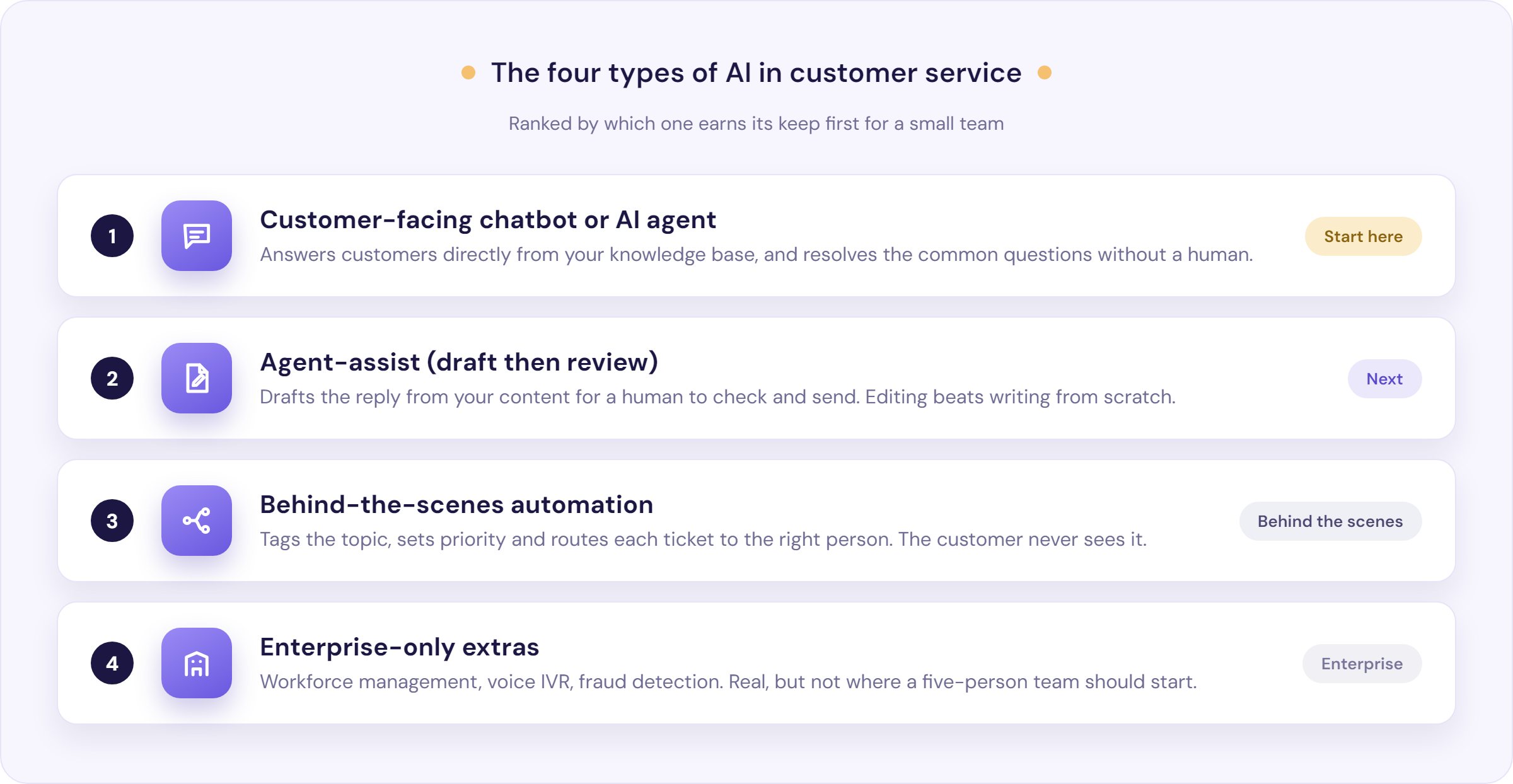
1. A customer-facing chatbot or AI agent. This is the one most people mean, and the one to start with. It sits on your site or in your help widget, answers questions from your knowledge base, and resolves the common stuff without a human. Ours is the AIChatbot; the natural-language flavour of it is conversational AI.
2. Agent-assist, or draft-then-review. Here the AI doesn’t reply to the customer directly. It drafts the answer and a human checks it before it goes out. One founder’s advice captured why teams like this: “Skip full auto-reply chatbots. Look for something that drafts responses for you to review before sending… you’re editing instead of writing from scratch. Way faster, no risk of a bot saying something dumb to a customer.” That is what our ResponseAssistant does.
3. Behind-the-scenes automation. The AI reads incoming messages and sorts them: tags the topic, sets priority, and routes to the right person. This is auto-triage and intelligent routing, and the customer never sees it.
4. Enterprise-only extras. Workforce management, interactive voice response, fraud detection. Real, but not where a five-person team should start. If a sales deck leads with these, it isn’t selling to you.
The benefits of AI in customer service (with real numbers)
Every competitor page lists “cost savings” as an adjective. Here are the benefits with something behind them.
Instant answers, day and night. The most consistent win founders report is speed. One who built a bot on his own docs said response time “went from 4-6 hours to instant,” and that customers “actually engage with the chat at 2am” (r/smallbusiness). You stop being the bottleneck for the easy questions.
It clears the repetitive 70 to 80%. The reason this works is that most support volume is not varied. As one commenter put it, “spend a week dumping every reply you write into a single doc. You’ll see that 70-80% are variations of the same 15-20 questions.” AI is very good at exactly that band: the high-volume, low-risk questions. Handing them off is what raises your deflection rate without lowering quality.
Consistency and languages. A grounded bot gives the same correct answer every time, at midnight or midday, and can answer in your customer’s language without you hiring for it.
Your team does the work only humans can. When the AI takes the repetitive load, your people move to the edge cases, the judgement calls and the upset customers. That’s where a person actually adds value, and it’s why the honest framing is augmentation, not replacement.
You get your evenings back. The founder above summed the human benefit up in four words: “I got my evenings back.” For a small team, that’s the benefit that matters.
Larger operators see it too: Lyft’s Claude-powered support assistant cut average resolution time by 87% while routing complex cases to human specialists (Lyft, 2025). The caveat sits underneath all of these: the gains are only real when the answers are right. So let’s talk about the examples, and then about accuracy. If you want the cost-reduction angle in depth, we cover it in 7 ways AI chatbots reduce support costs.
AI in customer service: examples and use cases
The umbrella covers a lot of specific jobs. Here are the ones that actually pull their weight, each with a real example.
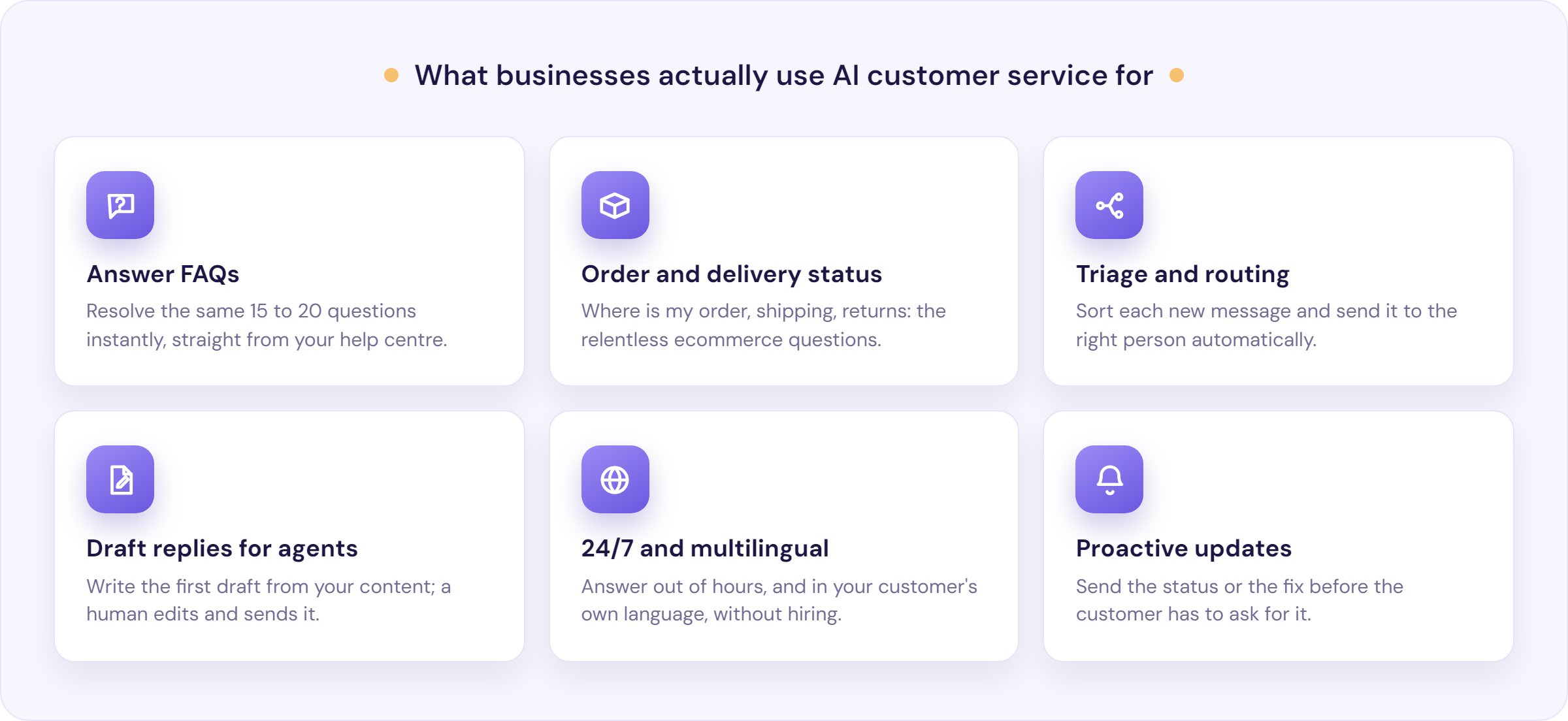
Answering FAQs from your help centre. The core use case. A store owner trained a bot “on my own FAQ docs, product pages, and support history” and it handled around 80% of inquiries, with tickets down “~75%” in the first month (self-reported). This is the knowledge base chatbot pattern: turn the help content you already have into answers.
Order status, shipping and returns. For ecommerce, the questions are relentless and predictable: “where’s my order,” “do you ship to Canada,” “how do I return this.” One ecommerce founder built a four-part system (self-service content, a grounded chatbot, an inbound voice line, and AI-drafted emails) and made a point of using “a closed-loop AI model (so that my data stays private)” (r/smallbusiness).
Triage and routing. The AI reads each new message and sends it to the right place. A team that moved “first line tickets to ai” did it by starting with their “top 20 intents” and adding “strict escalation rules (billing/shipping),” then tracked deflection and reopened tickets to check it was working.
Drafting replies for your agents. For questions you want a human to own, the AI writes the first draft from your knowledge base and your agent edits and sends. Faster than writing from scratch, with a person on the final word. See suggested replies.
24/7 and multilingual cover. Out-of-hours demand does not wait for your working day, and neither does a bot. This is why hotels and global SaaS products lean on it: guests and users in other time zones get answered now, not at 9am your time.
Proactive support. The best ticket is the one that never happens. Proactive support uses AI to send the status update or the “here’s how to fix this” note before the customer has to ask.
Who actually uses AI in customer service
The honest answer to “which companies use AI for customer service” is not a list of Fortune-500 logos. It is a description of a situation, and you might be in it.
You’re a good fit if you have a help centre (or enough repeat answers that you could write one), if the same 15 to 20 questions make up most of your volume, if you get demand outside your working hours, and if your team is small enough that support competes with the actual work. That describes a lot of small businesses: online stores, SaaS products with documentation, hotels and booking businesses, and service firms with predictable admin questions.
You’re a poor fit, at least to start, if your support is mostly bespoke consulting, high-emotion or high-stakes conversations with little repetition, or a customer base that would feel alienated by any hint of automation. One founder was candid that their “customer base is older and very much looks for relationships,” which made obvious AI use unattractive. That’s a real constraint, and the right call there is agent-assist behind the scenes, not a front-facing bot.
What AI in customer service still gets wrong
Now the part the enterprise guides skip. The signature failure of AI in customer service has a name in the wild: “confident but wrong.” As one practitioner described it, teams “end up spending time undoing confident but wrong replies, which does not always show up in simple metrics.” A developer on Hacker News put the fear more sharply: language models “always sound like an intelligent person who knows what they are talking about, even when spewing absolute garbage.”
This is not hypothetical. In April 2025, the code editor Cursor watched its own AI support bot invent a company policy out of thin air. A customer asked why they had been logged out on a second device, and the bot, signing off as “Sam,” confidently explained a one-device-per-subscription rule that did not exist. Some users cancelled in protest before a co-founder stepped in: “We have no such policy. Unfortunately, this is an incorrect response from a front-line AI support bot.”
So where does AI still struggle? Nuanced complaints, edge-case policy questions, emotionally charged conversations, and anything where your knowledge base is stale or silent. A bot is only ever as current as the content behind it: “used outdated or inconsistent info as the source, so the bot gave wrong answers” is a top failure mode, not an edge case.
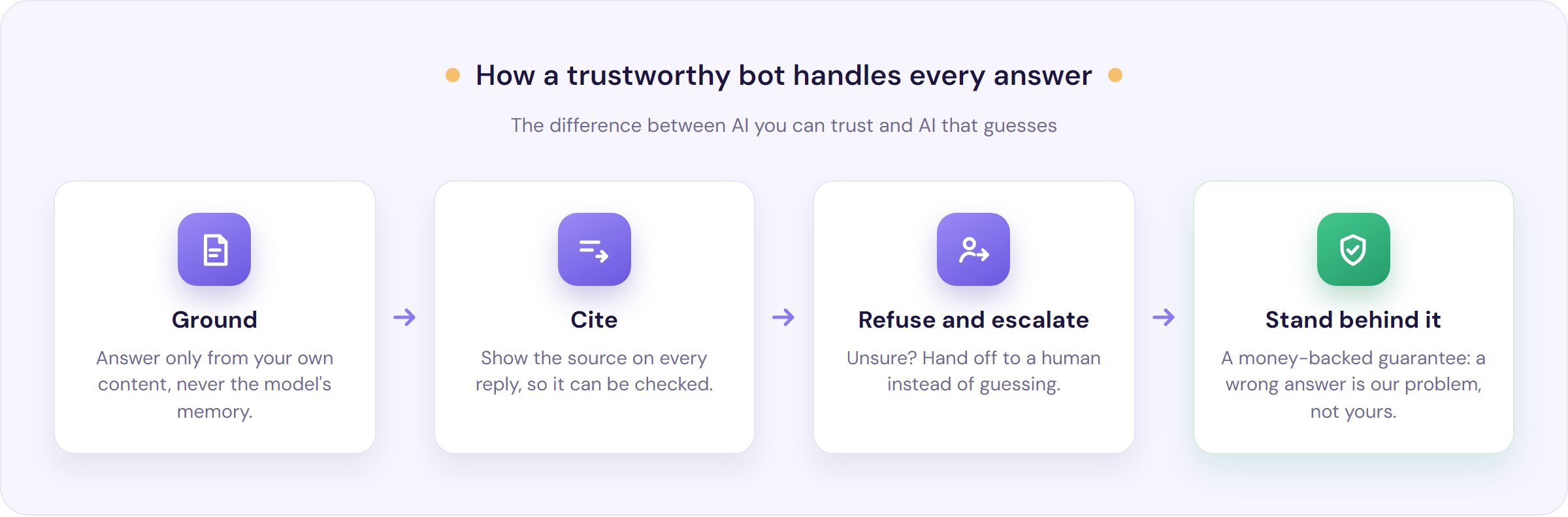
The fix is not a promise that AI never errs. No support AI is completely immune to a wrong answer, and any provider claiming otherwise is overselling. What separates a bot you can trust is what it does about it:
- Ground every answer in your own content, so it is drawing from your help centre, not guessing from the model’s memory. This is grounding.
- Show its sources, so a customer (and you) can see where an answer came from.
- Refuse and hand off when unsure, rather than inventing something to fill the silence. A confidence score is what triggers that handover.
- Keep the knowledge base current, and measure repeat contact, not just deflection. As one sceptic warned, “if customers come back annoyed because the answer was wrong or generic, the saving is fake.”
That’s the standard we hold ourselves to: grounded answers, sources on every reply, a clean handover when unsure, and a money-backed anti-hallucination guarantee so a wrong answer is our problem, not yours. We go deep on this in do AI support chatbots hallucinate?
Do customers actually hate AI support?
Sometimes, yes, and it’s worth being honest about why. On the sceptical threads, the top comment was blunt (“Customers hate them,” 16 upvotes), and the most upvoted line was funnier and truer: “have YOU ever been visiting a site and the chat bot pops up and you think ‘thank god’… yeah me neither.”
But look closer at what people hate. They hate bots that loop, that can’t understand them, and that trap them away from a human. They hate the feeling, not the automation. The same founder from the opening noticed they “got complaints even when the answers were technically correct,” and realised “the answer wasn’t the problem, it was the feeling.”
That points straight at the fix, and a practitioner arrived at it unprompted. The businesses that benefit “start with ONE high-volume, low-risk use case (like FAQs, hours, pricing, order status) instead of trying to automate every conversation,” and “build in an easy human handoff.”
Customers don’t resent AI that resolves their problem in ten seconds and passes them to a person the moment it can’t. They resent the trap. And the industry mostly hasn’t fixed it: 98% of CX leaders say they want seamless AI-to-human handoffs, but only 10% have built them well (Nextiva, 2025).
So don’t build a trap. Scope it tight, be transparent it’s a bot, and make “get me a human” a one-tap, designed part of the experience. That “leave an easy door to a person” principle is the heart of good customer service automation.
What AI in customer service actually costs
None of the competitor guides will name a price, so here is the reality: it surprises small teams in the good direction. Founders who wire this up themselves report the raw tooling running “$15-30/month” in API and hosting costs, “way cheaper than I expected.”
The barrier they hit isn’t the price. It’s the setup and the knowledge-base quality: getting your answers written down, kept current, and grounded well enough that the bot is right. That is where the real cost lives, and it is the same whichever route you take.
| Approach | What you pay | What you maintain |
|---|---|---|
| Build it yourself | ~$15-30/mo in API and hosting | Grounding, citations, escalation and monitoring, plus your own engineering time |
| Done-for-you (e.g. Resolve247) | From $35/mo | Just your knowledge base; the plumbing is the product |
So the difference isn’t really the subscription. It’s whether building and maintaining the grounding, the citations, the escalation and the monitoring is a good use of your engineering time, or whether you’d rather that plumbing arrived as the product. Ours starts at $35/mo, grounded and cited out of the box, with the anti-hallucination guarantee. You can see the plans on our pricing page.
Either way, the maths that matters isn’t the subscription. If the same 15 to 20 questions eat three hours of your day, and a grounded bot handles most of them, you’re buying back the better part of a working day, every day. That’s the number to weigh.
How to get started with AI in customer service
The teams that succeed follow roughly the same path, and it is one the community will tell you itself. Here is the small-team version.
- Write down your top 15 to 20 questions. For a week, drop every reply you send into one document. The pattern becomes obvious fast, and “that’s your knowledge base.”
- Turn that into a real knowledge base. Clean, current, and specific. The bot can only be as good as this, so this is where the effort belongs.
- Start with one high-volume, low-risk use case. FAQs, opening hours, order status. Resist automating refunds, complaints and sensitive cases on day one.
- Run it draft-then-review first. Let the AI draft and you approve, until you trust the answers enough to let it send.
- Add strict escalation rules. Decide what always goes to a human (billing, anything sensitive) and make the handoff instant.
- Measure repeat contact, not just speed. If deflected questions come back, the answer was not good enough. Fix the content, not the metric.
If you’d like a shortcut through the buying decision, our guide on how to choose an AI customer support chatbot walks through what to look for, our comparison of the leading platforms shows who does what, and the agent-first framing lives in AI agents for customer service. When you’re ready to try it on your own content, you can start a free trial and point it at your help centre this week.
Frequently Asked Questions
Do small businesses actually benefit from AI in customer service, or do customers prefer real people?
Both are true. Customers prefer a person for complex or emotional issues, and they resent bots that loop. But for the repetitive 70 to 80% (hours, pricing, order status), a grounded bot that answers instantly and hands off cleanly genuinely saves a small team hours a day. Start narrow, keep the human door open.
How much does AI customer service cost for a small business?
Less than most expect. Founders who build it themselves report tens of dollars a month in API and hosting, though that excludes their own setup time. Done-for-you grounded products start around $35/mo. The real cost is the effort of writing and maintaining the knowledge base the AI answers from.
How do I stop AI giving customers wrong or out-of-date answers?
Ground it in your own knowledge base rather than the model’s memory, keep that content current, and require it to cite its source. Just as important, make it refuse and hand off when it is not confident, instead of guessing. No bot is completely immune, so choose one that shows its sources and stands behind them.
What happens when the AI can’t answer a customer’s question?
In a well-built setup, it should say so and pass the customer to a human straight away, ideally with the conversation history attached. The failure to avoid is a bot that invents an answer to fill the gap. A clean, instant handoff is the single most important feature to check for.
What should I use AI for first in customer service?
Start with one high-volume, low-risk use case: the frequently asked questions that make up most of your volume. Get that grounded, accurate and escalating well before you expand. Automating refunds, complaints or sensitive cases too early is the most common way these projects lose customer trust.
Will customers know they’re talking to a bot?
They should. Transparency builds more trust than a bot pretending to be human, and it lowers the frustration when a handoff is needed. The goal is not to disguise the AI; it is to make it so useful and so easy to escape that customers do not mind.
The bottom line
AI in customer service is no longer a bet on the future. It is table stakes, and the edge is not in having it, it is in doing it honestly. The businesses that win here are not the ones that automate the most. They are the ones that automate the right, narrow slice, ground every answer in real content, and make it effortless to reach a human.
So this week, spend an hour listing the questions you answer over and over. This month, turn the top 15 to 20 into a clean knowledge base and put a grounded bot in front of only those. Measure whether the deflected questions stay away. If they do, expand. If they come back, fix the content first.
If you would rather not build the grounding, citations and escalation yourself, that is exactly what we do. You can start a free trial, point our AIChatbot at your knowledge base, and see grounded, cited answers on your own content, backed by an anti-hallucination guarantee. No credit card required.