WordPress AI Chatbot

82% Fewer Support Tickets

An AI chatbot for WordPress that answers your visitors instantly, 24/7, trained on your own pages, posts and help docs. One snippet, no chatbot plugin, live in minutes.

WordPress logo

WORKS ON WORDPRESS.ORG,
WORDPRESS.COM & WOOCOMMERCE

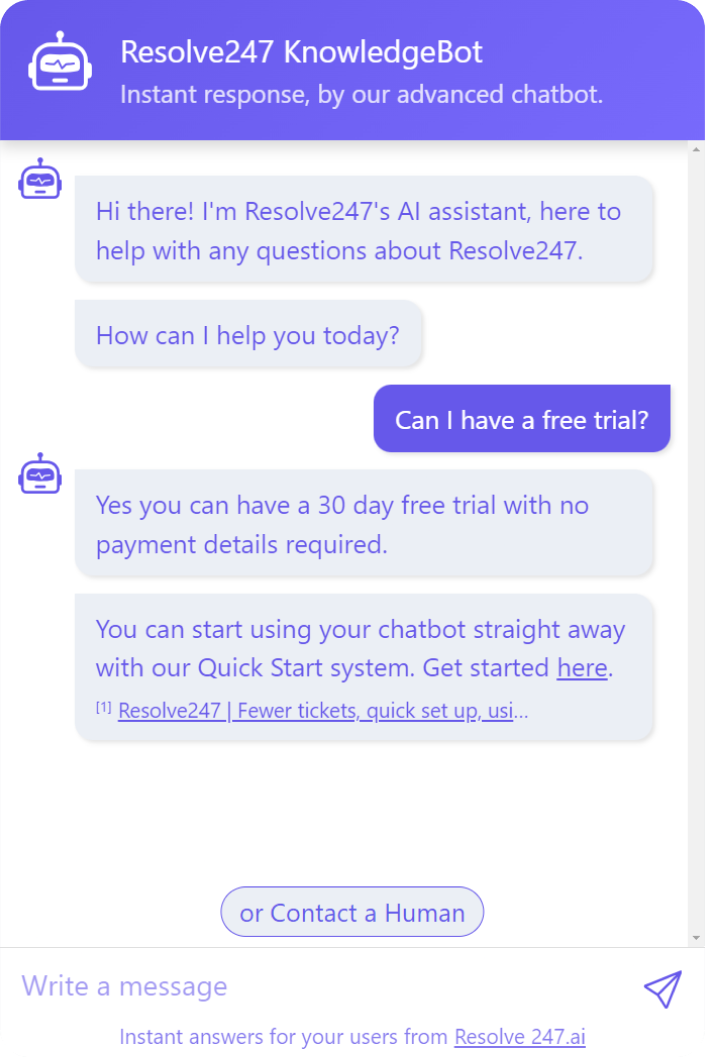
30 day free trial, no cc required!

Elston Baretto, Founder of Tiiny Host Harvey Carpenter, Founder of Growform Charlotte Scalia, Head of Sales at Virgil Andy Cloke, Founder of Data Fetcher Tom, Senior Customer Success Specialist Pierre Pliszka, Founder of DP Media
★★★★★
Loved by founders and lean support teams

Anti-Hallucination Guarantee

No Chatbot Plugin Needed

Trained on Your WordPress Site

Live in Minutes, No Code

Trusted by teams at

Growform Tiiny Host Virgil Data Fetcher DP Media Reach Breezy Med

Not on WordPress? It works on any website, and inside your existing live chat widget too. See all our integrations, or use us standalone.

Want instant answers on your WordPress site, but not enough time?

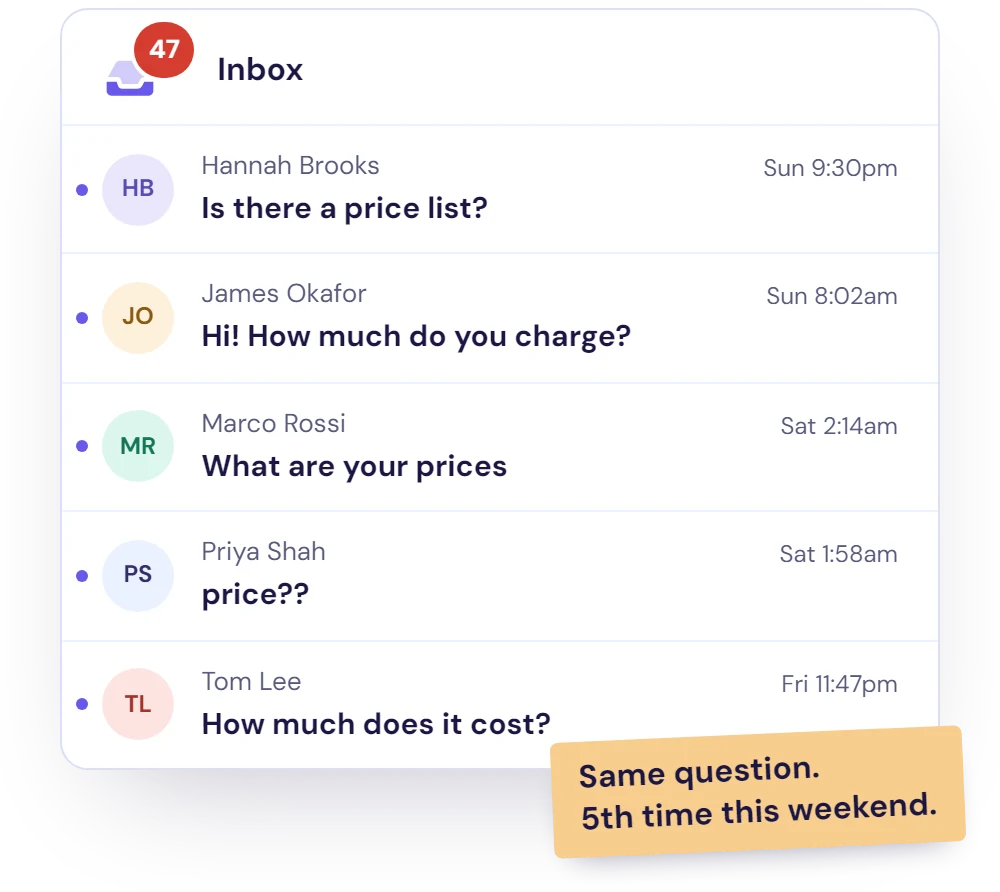
Same questions arriving through your contact form, again and again?

Tired of being on-call 24/7?

Answers buried in pages and posts your visitors never find?

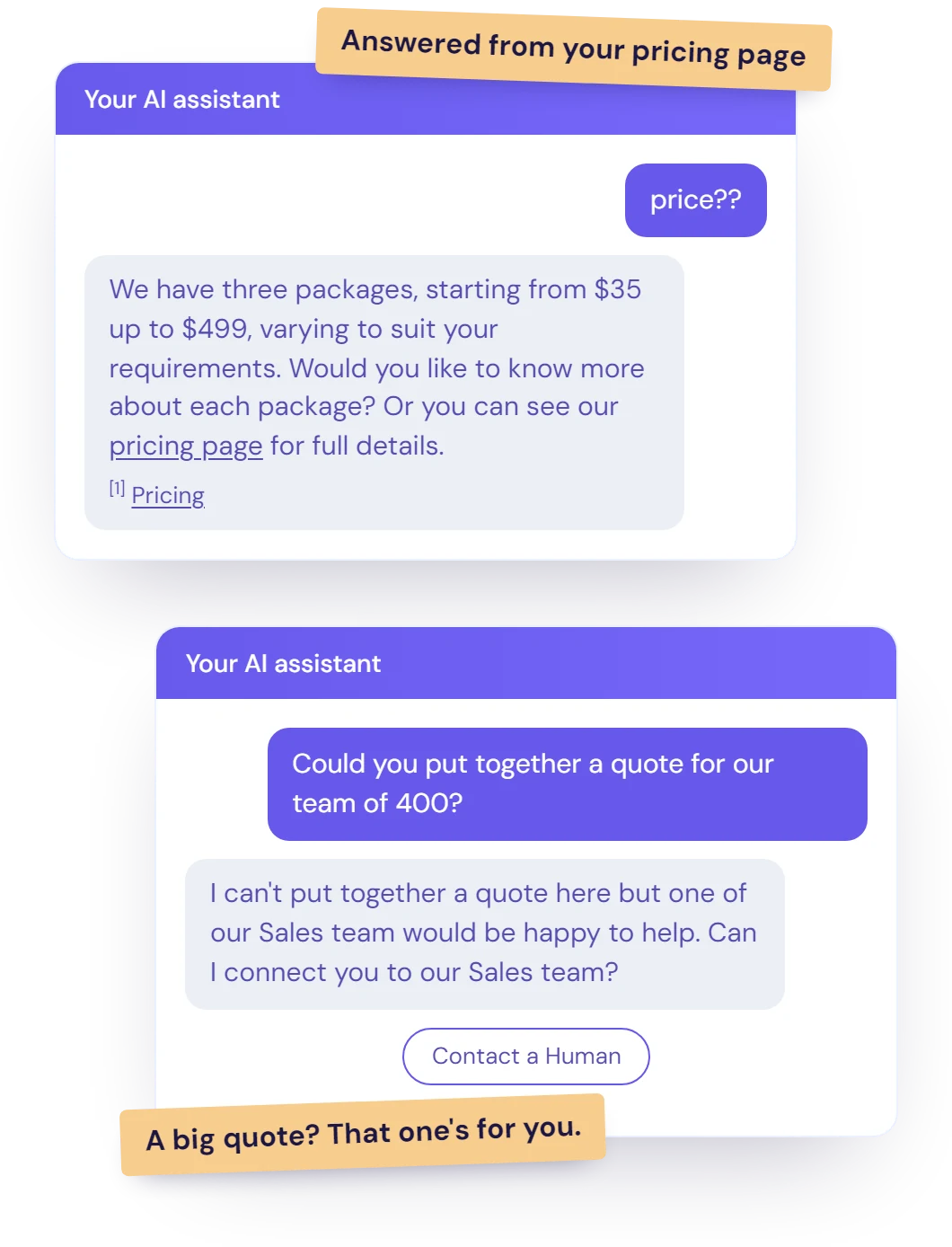
Provide 24/7 high quality answers to your customers.

Instant Answers on Every Page

Visitors ask in their own words and get one clear answer from your own content, on any page of your site.

No Chatbot Plugin to Maintain

One snippet in your footer. No plugin updates, no AI provider key and no separate AI bill: AI usage is included in your plan.

Never Repeat Yourself Again

By having your AI chatbot respond to repetitive questions for you.

What you get

Built for WordPress Sites

Resolve247 sits on your WordPress site and answers the repetitive questions that would otherwise fill your inbox. Here's what that looks like in practice.

AI chatbot training itself on a WordPress site's pages, posts and help docs

Trained on Your Pages, Posts and Docs

Point it at your homepage and it learns your pages and posts. It finds your sitemap automatically on most WordPress sites, whether WordPress, Yoast SEO or Rank Math creates it.

Add help docs, PDFs or Notion too. On Core and above it retrains automatically when you change your content, so new posts are picked up.

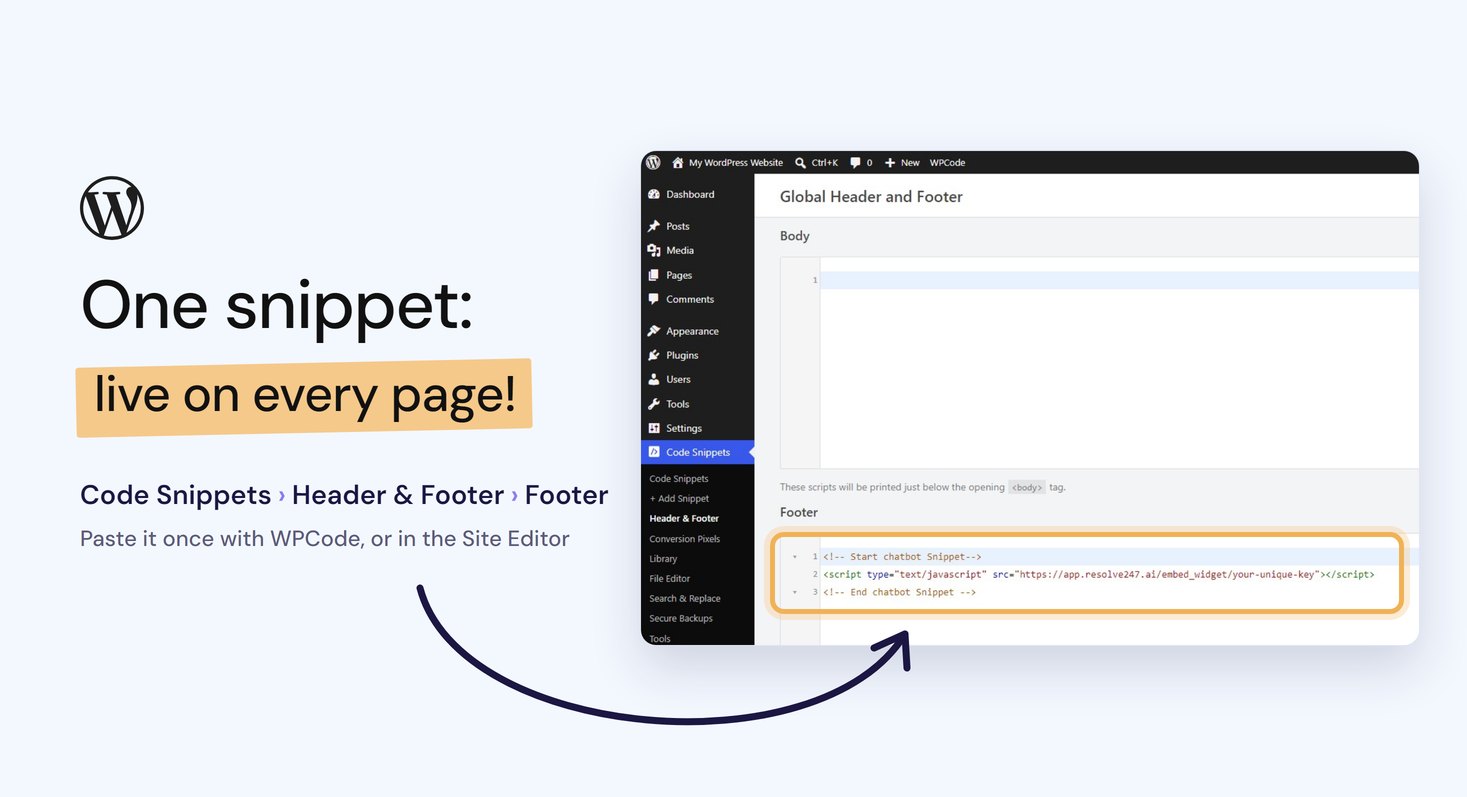
WPCode's Header and Footer screen in WordPress, with the chatbot snippet pasted into the Footer box

One Snippet, Any Theme or Builder

Paste one snippet into your footer, once, with a free header and footer plugin such as WPCode or in a block theme's Site Editor. It then shows on every page.

Works the same with classic and block themes, Elementor, Divi and WooCommerce. Our own blog is a WordPress site running the same chatbot.

Step-by-step: how to add an AI chatbot to WordPress →

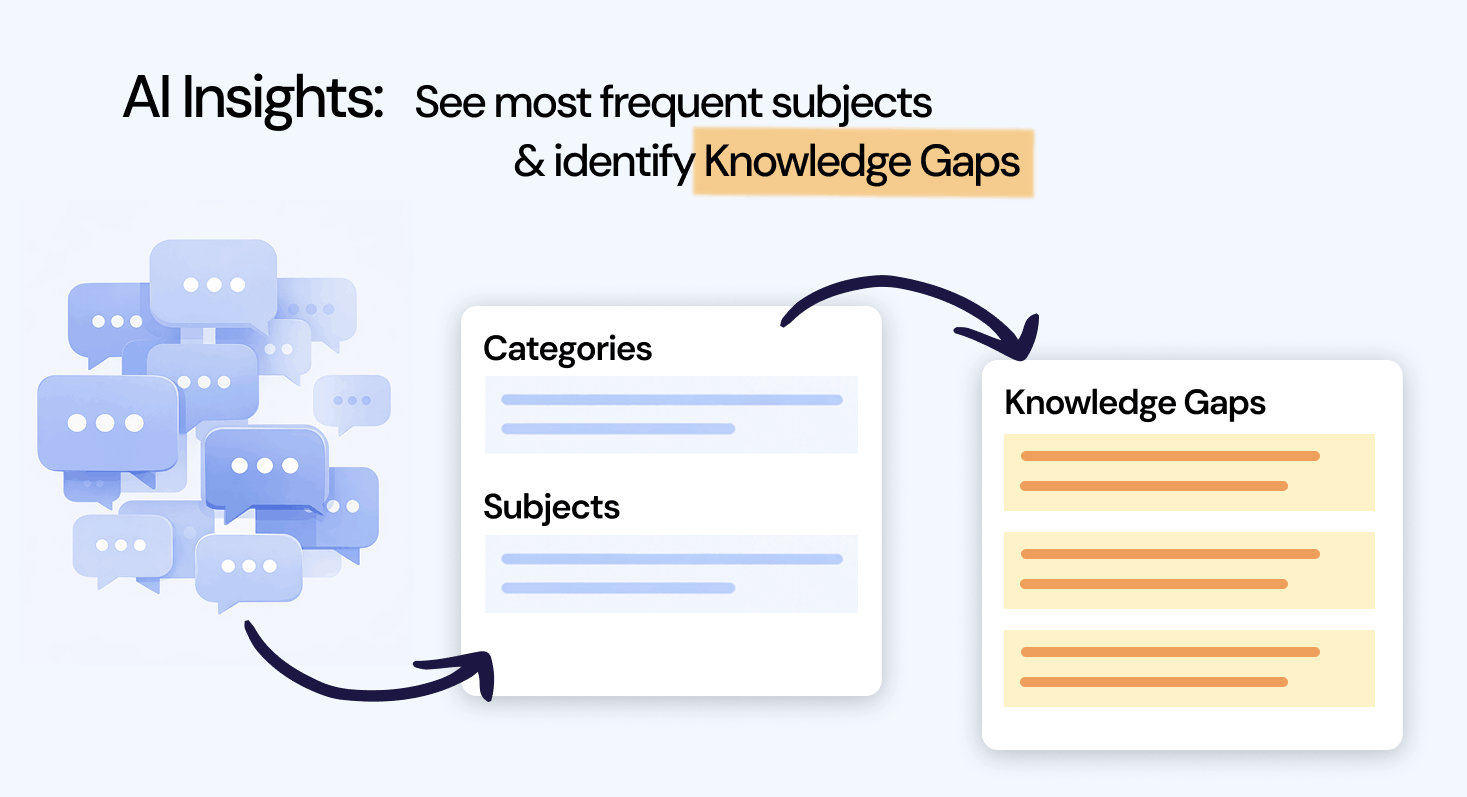
Diagram showing incoming messages grouped into categories, subjects, and knowledge gaps

See What Your Customers Are Really Asking

Resolve247 analyses every conversation to group them into categories and subjects, and finds knowledge gaps. Spot your most frequent topics and identify new questions your customers are asking.

Use these insights to improve your docs, train your team, and reduce ticket volume over time.

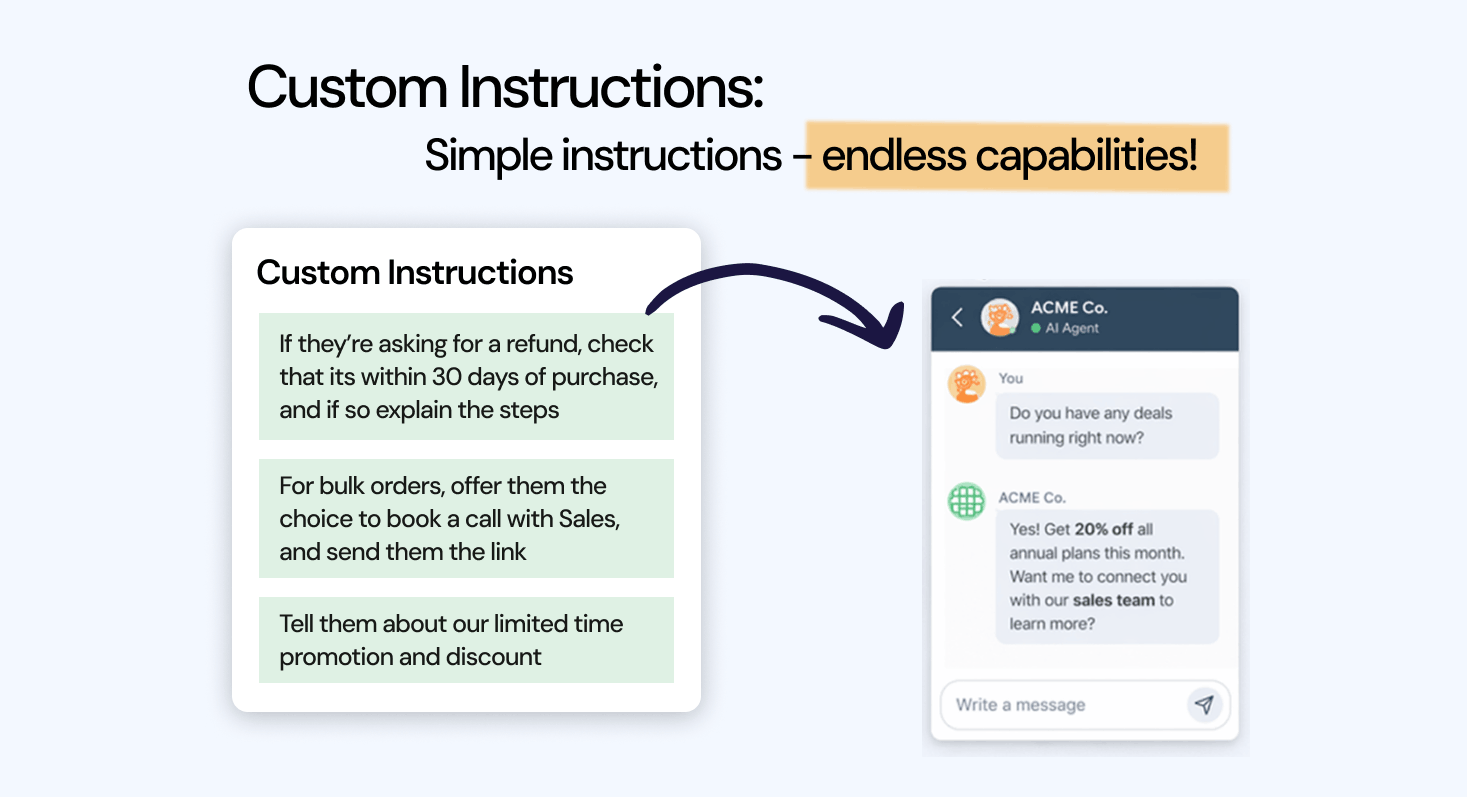
Screenshot of the custom instructions interface for configuring AI behaviour

Tell the AI How It Can Help

Your business has unique situations. Push a promotion, funnel queries to sales, recommend a call booking. Just type instructions in plain English.

No code. No flow builder. Just tell the AI what you need and it adapts.

Running WooCommerce?

The chatbot answers the questions shoppers ask before and after they buy, such as shipping, returns, sizing and store policies, straight from your store and help pages. Anything order-specific goes to your team.

See our AI chatbot for ecommerce →

The basics

What is an AI chatbot for WordPress?

An AI chatbot for WordPress is a chat window on your WordPress site that answers visitors' questions in plain language, using AI trained on your own pages, posts and help docs. Unlike a scripted bot, it isn't limited to buttons and decision trees: it replies in its own words and shows the page each answer came from.

Hosted AI chatbot or a chatbot plugin for WordPress?

The plugin directory isn't the only route. A hosted chatbot needs no chatbot plugin at all, only somewhere to paste one snippet.

Resolve247

Hosted AI chatbot

  • One snippet in your footer, nothing to update
  • AI usage included in a flat monthly plan
  • Trained and hosted for you, with auto-retrain on Core and above
  • Answers from your own content, with sources, backed by our guarantee
  • Works the same on any theme, builder or host that allows scripts
Plugin

A typical self-hosted chatbot plugin

  • Another plugin to install, update and keep compatible
  • Often needs your own AI provider key, billed per conversation
  • Content indexed in your WordPress database; free versions often cap how much
  • Answer quality depends on your own setup and prompts
  • Tied to your WordPress install

What to look for in a WordPress chatbot

  • Trained on your own content, not the open internet
  • Shows where each answer came from
  • Hands over to a person when it can't help
  • Light enough not to slow your pages
  • Nothing extra to maintain: no plugin updates and no AI provider key
  • Predictable pricing, with AI usage included rather than billed per conversation

Ready to set one up? Here's how to add an AI chatbot to WordPress, step by step.

Simple, Predictable Pricing

Monthly
Annual
2 months free with annual plans!
Starter

$ 35 /mo

  • 2,000 AI msgs/mo
  • 1 Chatbot
  • 1 Seat
  •  
Get Started

30 day free trial, no cc required!

Core

$ 55 /mo

  • 4,000 AI msgs/mo
  • 2 Chatbots
  • 2 Seats
  • Monthly Auto-Retrain
Get Started

30 day free trial, no cc required!

Popular
Pro

$ 125 /mo

  • 10,000 AI msgs/mo
  • 3 Chatbots
  • 5 Seats
  • Weekly Auto-Retrain
Get Started

30 day free trial, no cc required!

Scale

$ 235 /mo

  • 20,000 AI msgs/mo
  • 5 Chatbots
  • 10 Seats
  • Daily Auto-Retrain
Get Started

30 day free trial, no cc required!

See full pricing details →

Not sure which plan fits? Book a quick call.

Enterprise

From $ 499 /mo

  • from 40,000 AI msgs/mo
  • > 10 Chatbots
  • > 20 Seats
  • Custom volume pricing
  • Dedicated success manager
  • Whitelabel solution
  • Custom integrations & development
  • Priority Support

30 day free trial, no cc required!


Quick Setup

Live on your WordPress site in 3 steps.

  1. Train Your AI

    Enter your website and it trains itself, from about 4 seconds for one page to about 4 minutes for 100.

  2. Paste One Snippet

    Copy it from your dashboard into your footer, with WPCode or the Site Editor. See our step-by-step guide.

  3. Test, Then Go Live

    Try it on your test page first, then clear your site's cache and it's live on every page.


Maximise your content

Everything you need from a WordPress chatbot

Works With Your Inbox

Visitors who need a person press Contact a Human, and their message reaches your email, Slack or Help Scout.

Fully Customisable

Match your brand's colours, put the chat on the left or right, or hide the bubble and open it from your own button.

Human Touch

A customer can also contact you directly via our chat widget (this can be disabled if you choose).

Auto Translation

No need to translate your docs, the AI will respond in the language it is spoken to.

Sources Provided

Every answer links to the page it came from, so visitors can read more (on by default).

Auto Knowledge Top Up

Set and forget: with auto-retraining (Core and above), your AI relearns whenever you change your content.

Try it on your WordPress site, risk free

We stand behind the accuracy of our AI and the results it delivers. Two guarantees to make your decision simple.

Hallucination free AI guarantee

Hallucination Free Guarantee

Our AI answers from your own content. If it ever makes something up, that month's chatbot is free.

Money-back guarantee for Resolve247

Money-Back Guarantee

Still not convinced after your free trial? Subscribe and if it's not for you within your first month, we'll refund it. No questions asked.

What Our Customers Say

Real feedback from real businesses using Resolve247.

“
★★★★★

“I have already completed several implementations of this tool for my clients, and I can confidently provide a very positive recommendation, both for the tool itself and for the partnership approach behind it. The solution significantly improves the efficiency of customer support teams.”

“
★★★★★

“We've been incredibly impressed with Resolve247. The implementation was straightforward, and the support has been tremendous. The chatbot is already saving our team several hours each week, allowing us to focus on higher-value work.”

“
★★★★★

“It took me 15 minutes to set up, there's a native Notion integration, and the UX is great. I reached out to Sam Cox, the founder, who replied immediately and built the Slack integration I needed within days. I highly recommend the product.”

“
★★★★★

“I used to spend 1-2 hours every day just managing support tickets, but ResponseAssistant has cut that time by about 30%. This is a huge win for me. The replies written by the AI definitely use my tone of voice. Top tool for founders!”

“
★★★★★

“Resolve247 has reduced how long I spend on support by 50%!! The ResponseAssistant integration works exactly as you'd want - drafting replies, but letting you edit them before they're sent. The AI-generated draft replies are also incredibly accurate.”

“
★★★★★

“This is the BEST new subscription tool we've signed up. It's chatbot trained on our helpdesk articles and has reduced our support workload by 50%. It's correct, doesn't hallucinate and even does sales for us!”

“
★★★★★

“This is a game changer! The fact that we can now talk to the AI and re-draft the responses in seconds is a game changer. The responses are getting better and better out of the gate. We are very happy!”

“
★★★★★

“Great product - simple to implement and use. Exceptional customer support. Thank you!”

“
★★★★★

“Easy implementation and impactful for the business to have a better knowledge base!”

Better support today

Add AI answers to your WordPress site today

Turn your pages, posts and help docs into instant, 24/7 answers for your visitors.

Start Your Free Trial Book a demo

30 day free trial, no cc required!

Money back guarantee
No manual setup required

Learn More About WordPress Chatbots

Guides to setting up an AI chatbot on WordPress and getting the most from it.

How to Add an AI Chatbot to WordPress

Step by step: paste the snippet with WPCode, the Site Editor or a child theme, test it, and fix caching, delay-JavaScript and consent-plugin issues.

Read more →

How to Add an AI Chatbot to Your Website

Eight ways to add an AI chatbot to any website compared, from built-in AI and plugins to standalone tools and custom code.

Read more →

How to Embed ChatGPT in Your Website

The three real ways to put ChatGPT on your site, the risks nobody warns you about, and how to control what your AI says.

Read more →

AI Chatbot for Ecommerce

Running WooCommerce? See how an AI chatbot answers shipping, returns and sizing questions around the clock.

Read more →

Knowledge Base Chatbot

Turn your help centre, docs and FAQs into one clear answer for every customer question.

Read more →

HubSpot vs WordPress

Two very different ways to run your website, compared. Resolve247 works on both.

Read more →

WordPress Chatbot: Frequently Asked Questions

Got a question? Ask our chatbot below, or find your answer here.

What do I need to add the chatbot to my WordPress site?

Just one snippet, pasted once into your site's footer with a free header and footer plugin such as WPCode, or in the Site Editor on a block theme. There's no chatbot plugin to install or keep updated. Our step-by-step guide shows each route.

Does it work on WordPress.com as well as self-hosted WordPress?

Yes. It works on any self-hosted WordPress.org site. On WordPress.com it works on any paid plan, from Personal upwards, once hosting features are activated.

Does it work with my theme, Elementor or Divi?

Yes. It's added site-wide, separately from your page builder, so it works the same on classic and block themes, Elementor, Divi and other builders. Added with WPCode, it also stays in place if you change theme.

Does it work with caching plugins like WP Rocket or LiteSpeed Cache?

Yes. Clear your cache after adding the snippet. If your caching plugin delays JavaScript, the chat bubble appears on the visitor's first scroll or tap. To show it straight away, our guide gives the one-attribute exclusion for each plugin.

How does the chatbot affect my site's speed?

It's light: about 56 KB, loaded after your page content, so your main content appears just as fast (Largest Contentful Paint didn't change in our tests). On slower phones it adds some background processing, about 0.6 seconds in our tests.

What does the chatbot learn from?

Your WordPress pages and posts (it finds your sitemap automatically on most sites), plus help docs, PDFs and Notion. Every answer links to the page it came from. On Core and above it retrains automatically, so new posts are picked up.

What happens when a visitor asks something your content doesn't cover?

It's built to say it doesn't have that answer rather than guess, and it offers Contact a Human, which sends the visitor's message to your email, Slack or Help Scout. If it ever does make something up, that month's chatbot is free under our guarantee.

Can I add it to a WooCommerce store?

Yes. It answers the questions shoppers ask before and after they buy, such as shipping, returns, sizing and store policies, from your store and help pages, and hands anything order-specific to your team. See our AI chatbot for ecommerce.

Is the AI included in the price?

Yes. AI usage is included in every plan, so there's no OpenAI or ChatGPT API key to set up and no separate AI bill.

How much does a WordPress chatbot cost?

Resolve247 starts at $35 a month for 2,000 AI messages, with the AI included. Larger plans add more messages, chatbots and seats: see our pricing page.

Can I try it free on my WordPress site?

Yes. Every plan starts with a 30-day free trial, no card needed, so you can train it on your site and test it on real questions before you pay anything.

How does it handle privacy and GDPR?

Resolve247 is a UK company registered with the ICO. We process your visitors' chat messages on your behalf under a data processing agreement, and our privacy policy lists the providers we use, including OpenAI for the AI. The widget keeps its state in the browser's local storage rather than setting cookies.

Got more questions?

Just ask our chatbot, book a call with us or email us at [email protected] - we'd love to hear from you!