An AI chatbot for Wix that answers your visitors instantly, 24/7, from your own pages and help docs. Paste one snippet into your Wix site's Custom Code and it's live in minutes.

WORKS ON THE WIX EDITOR
& WIX STUDIO
30-day free trial, no card needed
Anti-Hallucination Guarantee
Trained on Your Wix Site
One Snippet in Custom Code
Live in Minutes, No Coding
Trusted by teams at
Not on Wix? It works on any website, and inside HubSpot or Crisp chat too. See all our integrations, or see our AI chatbot.
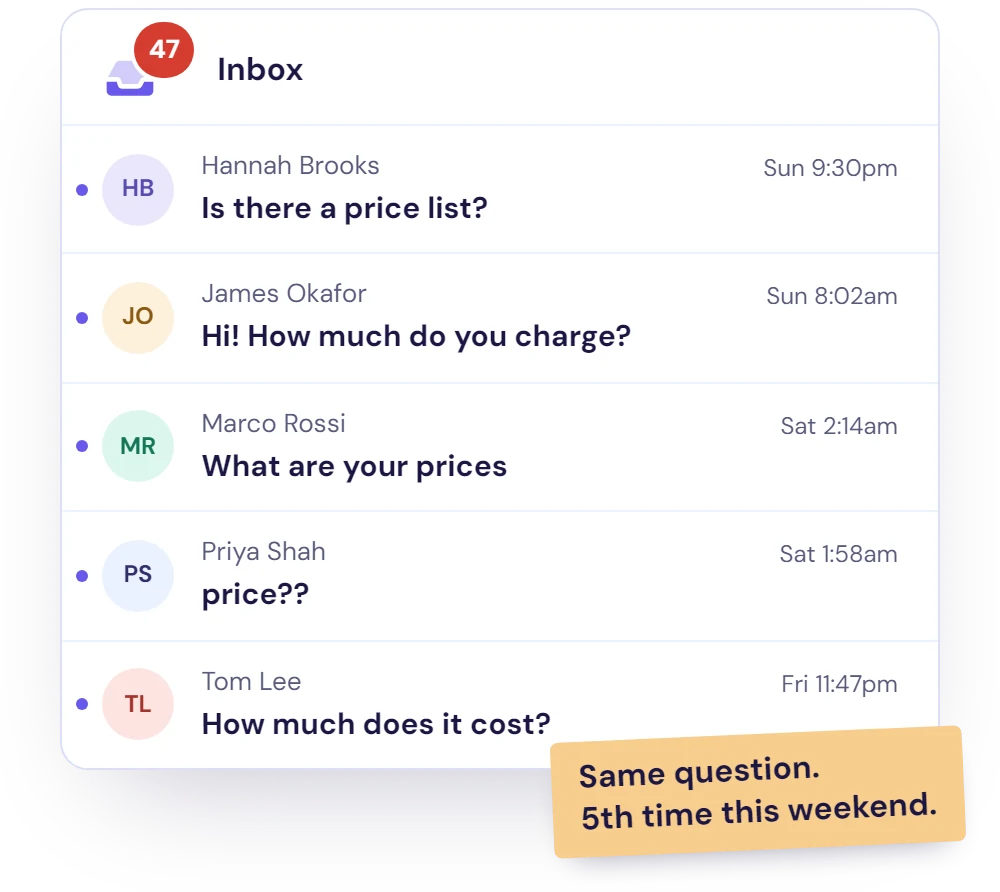
Same questions arriving through your contact form, again and again?
Tired of being on-call 24/7?
Visitors gone before you can reply?
Instant Answers on Every Page
Visitors ask in their own words and get one clear answer from your own content, on any page of your site.
One Snippet, Nothing to Maintain
Paste it once in Wix Custom Code. There's no app to update, no AI provider key and no separate AI bill: AI usage is included in your Resolve247 plan.
Never Repeat Yourself Again
Your AI chatbot answers the repetitive questions for you.
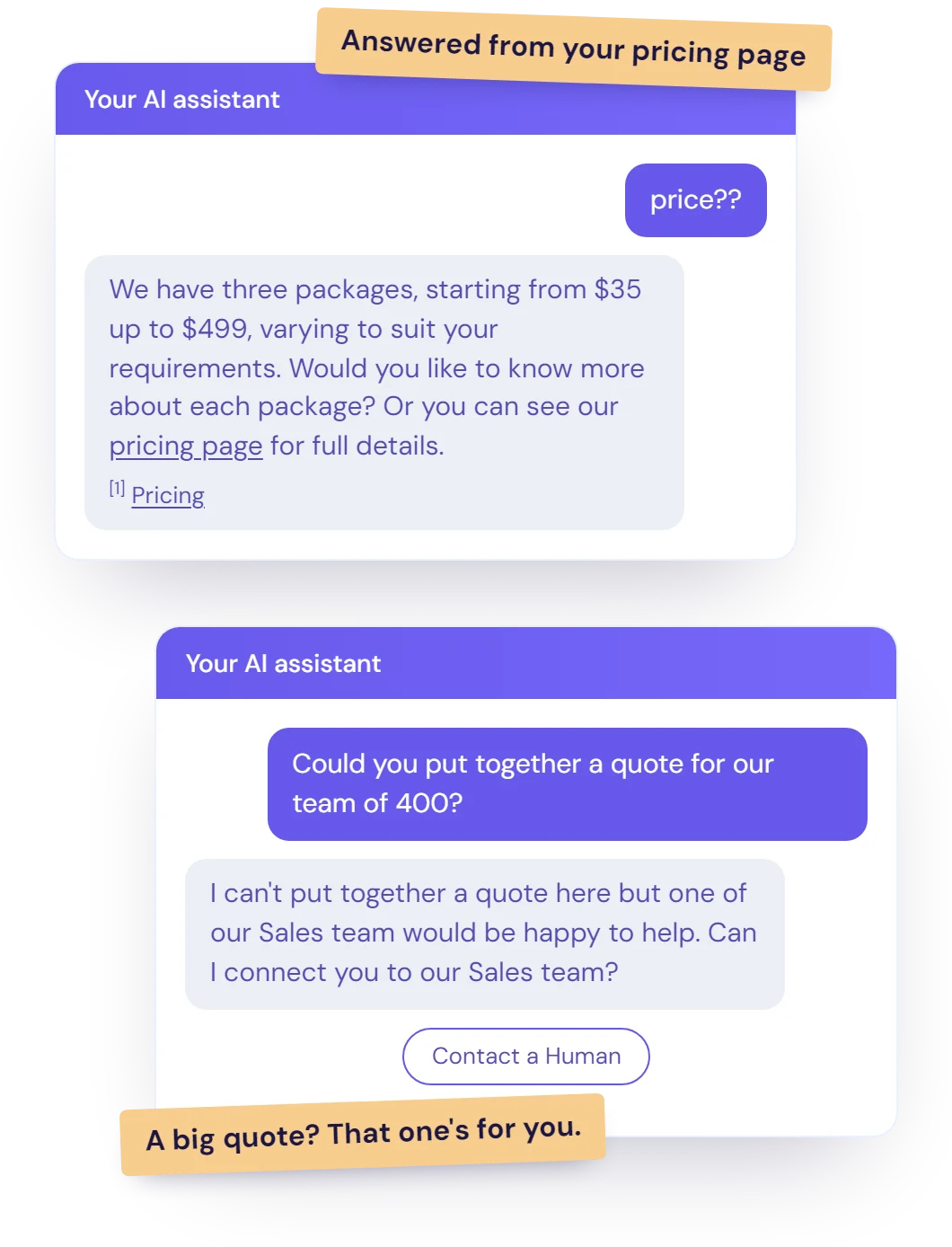
Resolve247 sits on your Wix site and answers the repetitive questions that would otherwise fill your inbox. Here's what that looks like in practice.
Point it at your Wix site or your sitemap and it learns your pages, from your services and prices to your opening hours and policies.
Add help docs that live anywhere else too: a help centre, PDFs, Word files or Notion. On Core and above it retrains on your pages automatically, so changes are picked up.
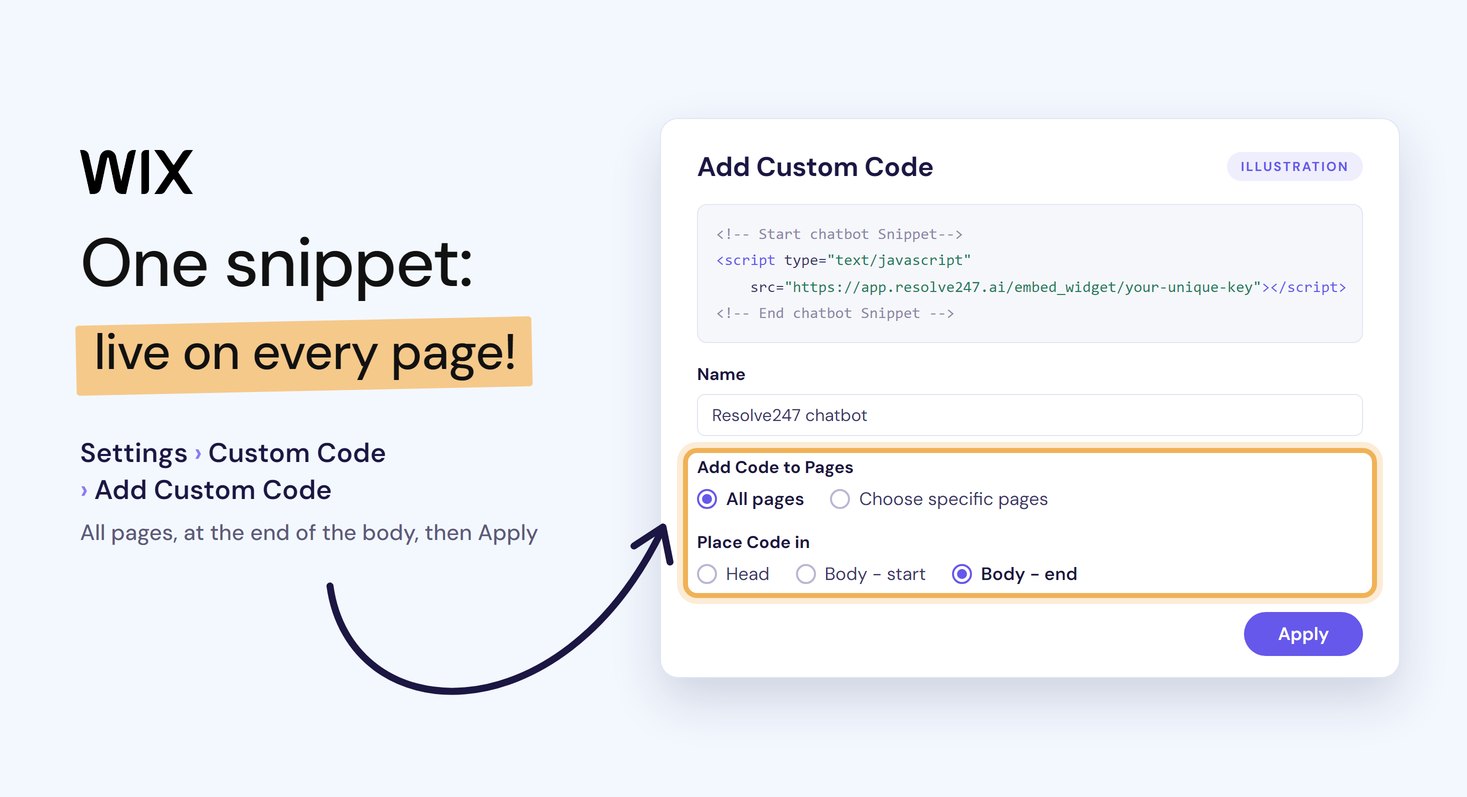
In your Wix dashboard, open Settings > Custom Code and click Add Custom Code. Paste the snippet, give it a name, choose All pages, place the code at the end of the body, then click Apply. It shows on every page of your published site.
The steps are the same in the Wix Editor and Wix Studio, and there's nothing to install from the App Market. Wix runs custom code only on your live site, so check the chat there.
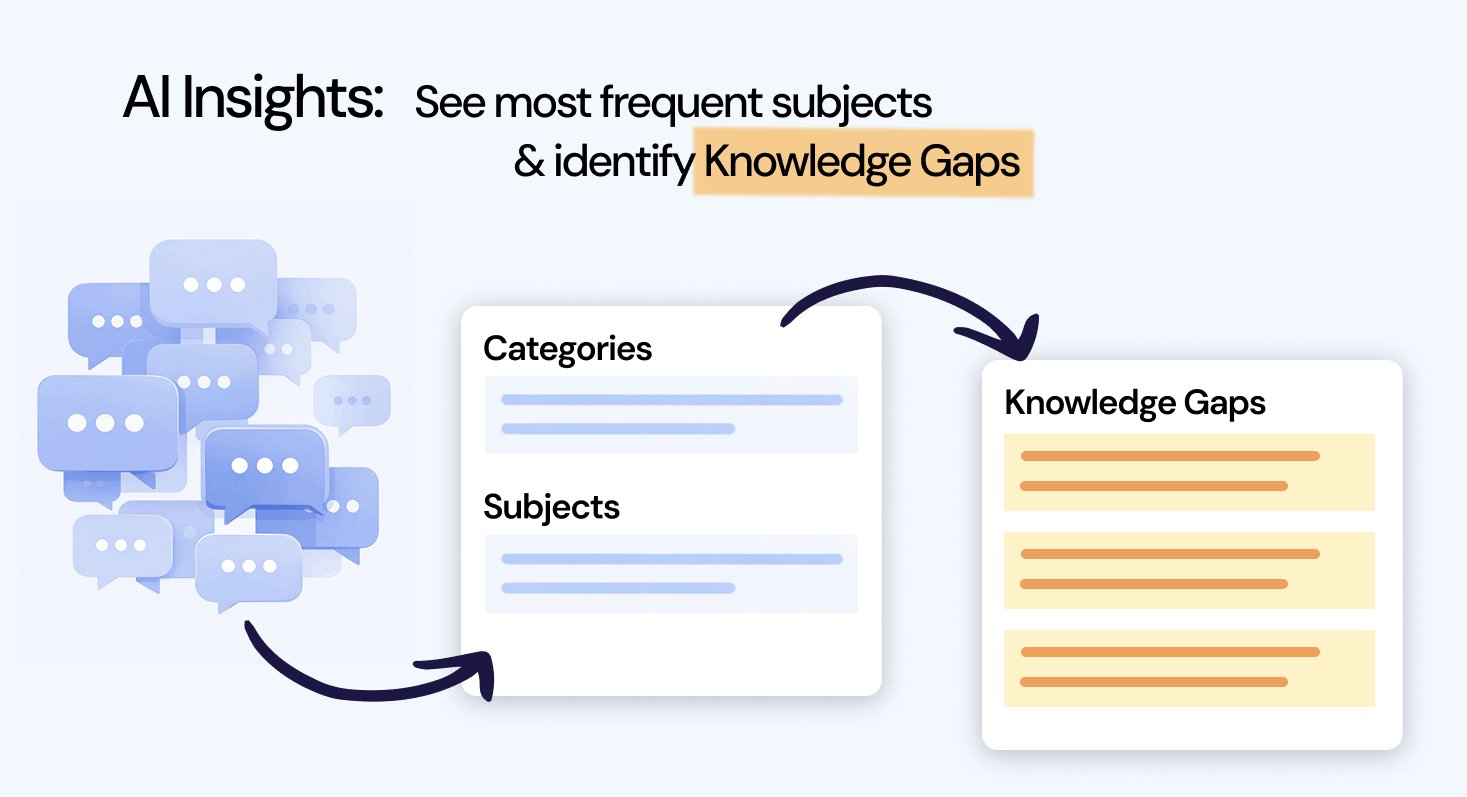
Resolve247 analyses every conversation to group them into categories and subjects, and finds knowledge gaps. Spot your most frequent topics and identify new questions your customers are asking.
Use these insights to improve your docs, train your team, and reduce ticket volume over time.
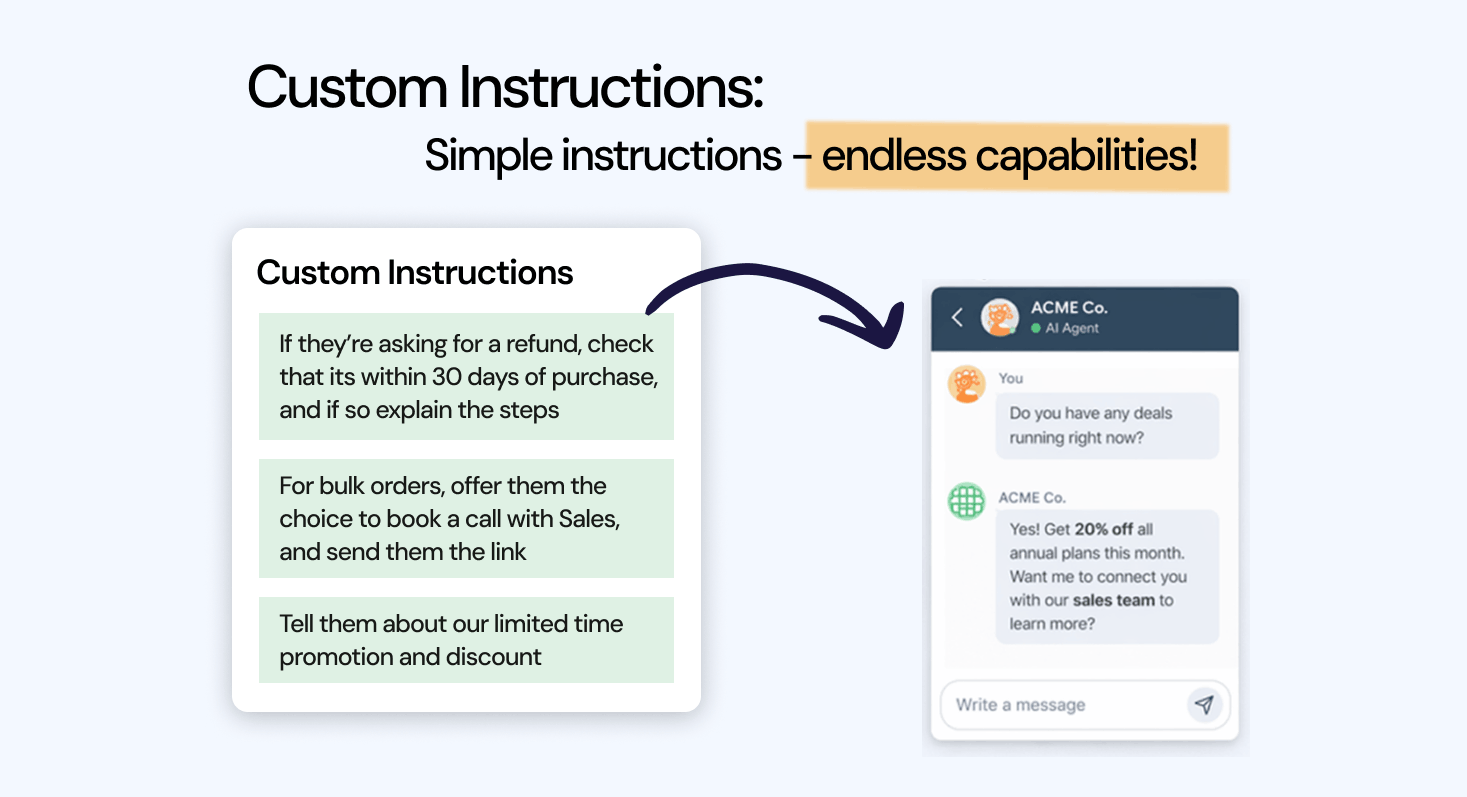
Tell the AI how to handle your own situations, such as pushing a promotion or suggesting a call when someone asks about a bulk order. Type the instructions in plain English.
There's no code to write and no flow to build.
Want the chat open on your help or contact page? Add the Embedded Chat Window with Wix's Embed HTML element (called Embed Code in Wix Studio). Use it with the floating button or instead of it.
The Contact a Human button sends the visitor's message, with the chat so far, to your email, Slack or Help Scout. If your site uses HubSpot or Crisp chat, the AI answers inside that chat and your team takes over there.
It answers shipping, returns, sizing and policy questions from your store and help pages, and points visitors to your booking page when they're ready to book. With Tool Use, on every plan, a developer can connect it to your own API so it can check an order's status or take simple actions. Otherwise, order questions go to your team.
The basics
An AI chatbot for Wix is a chat window on your Wix site that answers visitors' questions in plain language, using AI trained on your own pages and help docs. You can add Wix's own Smart Chat app from the App Market, or a chatbot such as Resolve247 with one snippet in your site's Custom Code. Wix also uses AI to help you build your site; that's a separate tool from the chat your visitors see.
Wix Smart Chat (previously Wix AI Site Chat) is Wix's own AI and live chat app. Both answer visitors from your content, and each suits a different team.
Smart Chat details from Wix's help centre (the Smart Chat overview and AI credits articles), checked November 2026.
Comparing options? Read our guide to the best chatbot for Wix.
2 months free with annual plans!
Core
$ 55 /mo
30-day free trial, no card needed
Pro
$ 125 /mo
30-day free trial, no card needed
Scale
$ 235 /mo
30-day free trial, no card needed
Not sure which plan fits? Book a quick call.
Enterprise
From $ 499 /mo
30-day free trial, no card needed
Quick Setup
What's included
Reaches Your Email, Slack or Help Scout
Visitors who need a person press Contact a Human, and their message, with the chat so far, reaches your email, Slack or Help Scout.
Fully Customisable
Match your brand's colours, add your logo and put the chat on the left or right.
Human Touch
A Contact a Human button sits in the chat window, so visitors can reach your team whenever they want.
Replies in Their Language
No need to translate your pages: the AI replies in the language each visitor writes in.
Sources Provided
Every answer shows its source, with a link to the page it came from.
Stays Up to Date
Set and forget: on Core and above it retrains on your pages automatically (monthly, weekly or daily, by plan), so changes are picked up.
We stand behind the accuracy of our AI and the results it delivers. Two guarantees make the decision simple.
Our AI answers from your own content. If it ever hallucinates, that month is free.
Still not convinced after your free trial? Subscribe, and if it's not for you in your first paid month, we'll refund that month. No questions asked.
Real feedback from real businesses using Resolve247.
Better support today
Turn your pages and help docs into instant, 24/7 answers for your visitors.
Start Your Free Trial Book a demo30-day free trial, no card needed
Guides to choosing and setting up an AI chatbot, and getting the most from it.
Wix Smart Chat and 7 AI chatbots compared on price, setup, and handover, with the Wix plan each one needs.
Read more →
Where to paste the snippet on Wix and other website builders.
Read more →
Eight ways to add an AI chatbot to any website compared, from built-in AI and plugins to standalone tools and custom code.
Read more →
The nine things that matter most when you choose one, from accuracy to the pricing model that bites at scale.
Read more →
How to put ChatGPT on your site, and how to control what it says.
Read more →
Running a Wix store? See how an AI chatbot answers shipping, returns and sizing questions around the clock.
Read more →
How small teams give customers instant answers around the clock.
Read more →
Got a question? Ask our chatbot, or find your answer here.
Just one snippet. Copy it from your Resolve247 dashboard (Settings > AIChatbot Options > Embedding Your Resolve247 Chatbot). Then, in your Wix dashboard, go to Settings > Custom Code (in the Development & integrations section) and click Add Custom Code. Paste the snippet, give it a name, choose All pages, place the code at the end of the body, then click Apply. There's no Wix app to install and nothing to keep updated. Our install guide covers Wix and other builders.
Any Wix Premium plan, from Light upwards, or a Wix Studio plan. Wix runs custom code only on a published site with a connected domain, and connecting a domain needs one of those plans.
Yes. Wix's Custom Code setting works in every Wix editor, including the Wix Editor, Wix Studio and Wix Harmony. You add the snippet in the same place in your site's dashboard: Settings > Custom Code.
Wix runs custom code only on your published site, so the chatbot won't appear in the editor or in preview. Open your live site to see it, on your computer and on your phone. If it still doesn't show, check that your site is published and has a connected domain, which Wix needs before custom code runs. Still stuck? Ask our chatbot or email [email protected].
Yes. Resolve247 doesn't need any Wix app, so you can use it instead of Smart Chat (previously Wix AI Site Chat) or next to it. If you run both, put our chat button on the other side of the page so the two don't overlap. One way to split them: use Smart Chat for chats you answer yourself in Wix Inbox. Let Resolve247 answer from your pages and help docs and hand over to your email, Slack or Help Scout.
It's light: about 73 KB, and it loads after your page content. In our tests on a standard web page, the main content appeared just as fast with it. On slower phones it added a little background work, under half a second. Once it's live on your Wix site, check a few pages on your phone.
Your Wix pages: point it at your site or your sitemap. It also learns from help docs that live elsewhere, such as a help centre, PDFs, Word files or Notion, and from questions and answers you type in. Every answer shows its source. On Core and above it retrains on your pages automatically, so changes are picked up; on Starter that's an add-on.
Yes. As well as the floating chat button, you can add an Embedded Chat Window that sits open inside a page. Copy its code from your Resolve247 dashboard. In the Wix Editor, add an Embed HTML element (Add Elements > Embed Code > Embed HTML) and paste the code there. In Wix Studio, the element is called Embed Code. Wix shows it in a box of its own, so set the height in the chat code to match the element's height. Use Custom Code for the floating button on every page.
Wherever your team already works. Contact a Human sends the visitor's message, with the chat so far, to your email, Slack or a Help Scout mailbox. If your site uses HubSpot or Crisp chat, the AI answers inside that chat and your team takes over there. It doesn't run inside Wix Chat or the Wix Inbox, so teams that want to answer every chat themselves in the Wix app are better matched to Wix Smart Chat.
Resolve247 starts at $35 a month, or $29 a month billed yearly, for 2,000 AI messages (each AI reply is one message). The AI is included, so there's no OpenAI key and no separate AI bill. If you go over, it keeps answering and nothing is charged automatically. Larger plans are on our pricing page. You'll also need a Wix Premium or Studio plan, which custom code requires.
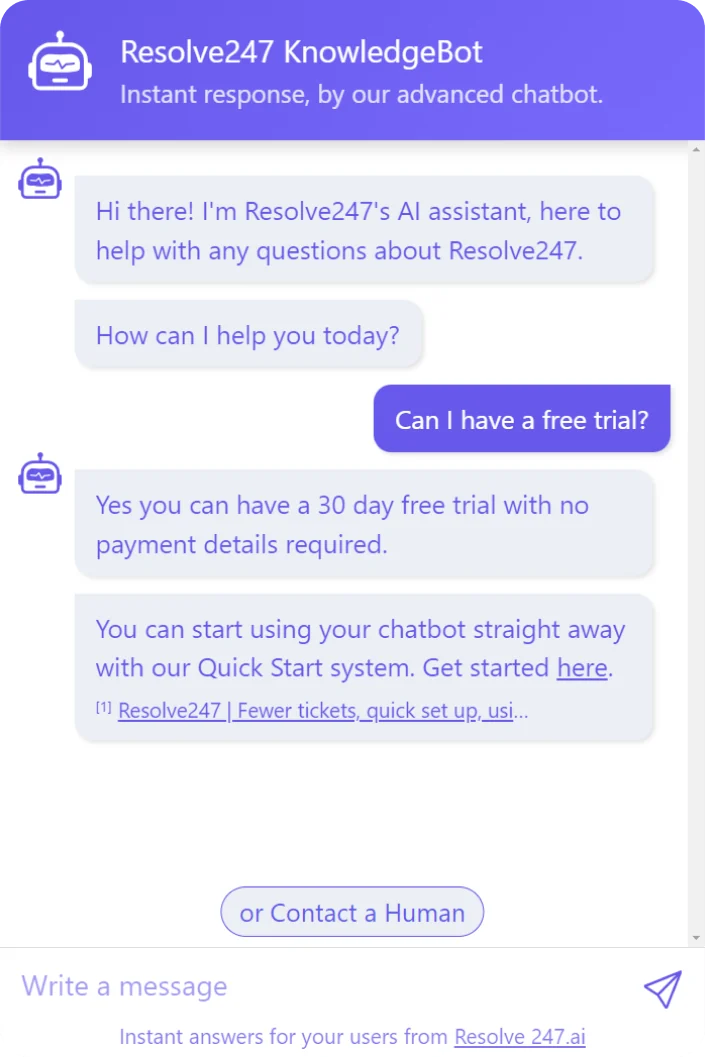
Yes. Every plan starts with a 30-day free trial, no card needed. Train it on your Wix site and try it on your Resolve247 demo page, then paste the snippet into Custom Code to put it live.
Resolve247 is a UK company registered with the ICO. We process your visitors' chat messages on your behalf under a data processing agreement, and our privacy policy lists the providers we use, including OpenAI for the AI. The widget keeps its state in the browser's local storage rather than setting cookies.
Just ask our chatbot, book a call with us or email us at [email protected]. We'd love to hear from you!