
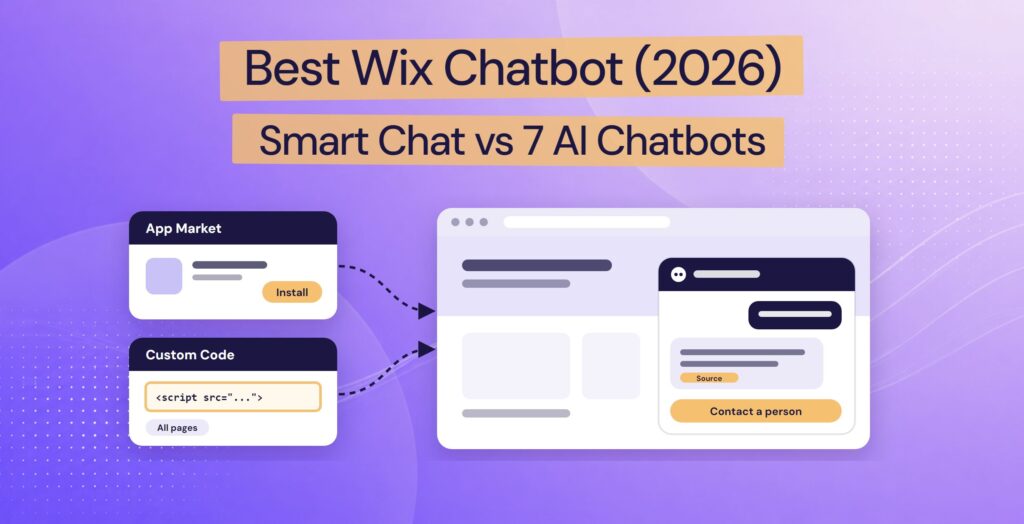
The best Wix chatbot depends on who should answer your visitors, and where your team takes over from the AI. Wix’s own Smart Chat is free to install from the Wix App Market and answers from your site, using the AI credits in your Wix plan. Other App Market apps, such as Chatway and Ultimo Bots, also install in a few clicks, though Chatway’s app needs a paid Wix plan. Most other chatbots, such as Tidio and Chatbase, are added by pasting one script into Settings > Custom Code, which needs a paid Wix plan with a connected domain.
Resolve247, the chatbot we make, suits teams that would rather pick up chats in email, Slack, Help Scout, HubSpot, or Crisp than in the Wix Inbox. It answers from your Wix pages and other web pages, shows the source of every answer, and keeps answering past its monthly allowance. Visitors can ask for a person at any time. See how our AI chatbot for Wix works.
Wix’s older chat apps, Wix Chat and Wix AI Site Chat, are now closed to new installs, and Smart Chat replaces both. So we start with Smart Chat, then compare seven other chatbots.
We read each provider’s own pages and the Wix App Market listings on 9 November 2026. Each review covers how you add it to Wix, what the AI costs, what happens when you reach your plan’s limit, and how a visitor reaches a person. Then we worked out the cost of 300 chats a month and wrote a 15-minute test to run on your shortlist. Already picked one? Jump to the install steps.
Disclosure: we make Resolve247, one of the seven. We picked chatbots whose AI answers your visitors and that go on a Wix site today, through the App Market or Custom Code. We review them in alphabetical order. Where another tool is the better fit, we say so.
Quick Verdict: The Best Wix Chatbot by Type
Choosing a Wix chatbot starts with its type, which decides who answers your visitors, where your team replies, and which Wix plan you need. The eight chatbots here fall into four types:
- Wix’s own chat (Smart Chat) installs from the App Market. Its AI answers visitors, or you reply yourself in the Wix Inbox.
- App Market AI apps (Chatway, Ultimo Bots) also install with no code. Chatway needs a Premium (paid) Wix site, while Ultimo Bots has a free plan and no “Premium Site Required” label.
- Live chat and help desks with AI (Crisp, Tidio) become your team’s inbox, with an AI agent alongside.
- Standalone AI chatbots (Chatbase, Elfsight, Resolve247) add AI chat to your site. On its Basic plan and up, Chatbase passes chats to its Helpdesk inbox. Elfsight sends visitors to WhatsApp, email, or phone. Resolve247 hands chats to your email, Slack, or Help Scout, or answers inside your HubSpot or Crisp chat.
| Chatbot and type | Pick it if you want… | Where your team takes over |
|---|---|---|
| Wix Smart Chat Wix’s own AI and live chat |
Free, no-code chat, with AI on your Wix plan’s credits | The Wix Inbox and the Wix app |
| Chatbase Standalone AI chatbot |
A wide choice of AI models, and AI Actions (tasks the AI can carry out) | Chatbase’s Helpdesk inbox or your help desk, from its Basic plan ($150 a month) |
| Chatway Wix App Market AI and live chat |
An App Market install, with AI billed per resolved chat | Chatway’s inbox, on the web or its mobile apps |
| Crisp Live chat and shared inbox, with AI |
A shared inbox with AI, priced per team rather than per user | Crisp’s inbox |
| Elfsight Widget library with an AI chatbot |
The lowest paid price, for a few chats a month, if you pay for a year up front | WhatsApp, email, or phone, through a contact button |
| Resolve247 Standalone AI chatbot for any website, or AI inside HubSpot or Crisp chat |
AI that shows the source of every answer and keeps answering past its allowance, at a flat monthly price | Your HubSpot or Crisp chat, or your email, Slack, or Help Scout |
| Tidio Live chat and help desk, with AI |
Live chat and AI in one tool for a small shop | Tidio’s inbox |
| Ultimo Bots Wix App Market AI chatbot |
A bot that uses your Wix Stores and Bookings data | Ultimo Bots’ live inbox |
Does Wix Have a Built-In AI Chatbot? (Wix Smart Chat)
Yes. Wix’s own AI chatbot is Wix Smart Chat, which replaced Wix AI Site Chat in March 2026 and also handles live chat. It’s free to install from the Wix App Market. Its AI answers from your site content and any extra information you give it, using your Wix plan’s AI credits. Your team replies in the Wix Inbox or the Wix app.
Best for: Wix sites that want AI and live chat in one app, with no separate chat subscription and your team replying in the Wix Inbox.
On Wix: add Wix Smart Chat from the App Market and publish your site to switch it on (Wix help). The AI can answer 24/7, or you can set time slots and choose whether the AI or you answer in each. In its settings, the Chat visibility option lets you show the chat on every page or only on the pages you choose (Wix help).
Answers from: your site, plus knowledge rules you write or upload as a PDF or DOCX file. Restriction rules can send visitors’ messages on a topic you choose straight to your Inbox (Wix help). An AI Data Coverage page shows what the AI knows. The AI also replies in each visitor’s language (Wix help).
Pricing: free to install, and manual (live) chat is free. AI answers use your Wix plan’s AI credits, with a small allowance on Wix’s free plan. Wix estimates up to 150 Smart Chat actions a month on Light, 200 on Core, 300 on Business, and 1,000 on Business Elite (Wix help).
At your limit: the credits are shared with Wix’s other AI tools, and to get more credits, you upgrade your Wix plan. When the credits run out, the chat switches to offline mode. To keep it online, Wix suggests its Manual Chat 24/7 setting, where you answer every chat yourself (Wix help).
Human handover: you reply in the Wix Inbox or the Wix app on your phone, and can pass a chat to a teammate (Wix help). The AI can show a contact form when it can’t answer, or when a visitor asks for a real person (Wix help).
Is it enough? It’s enough if you want free, no-code chat that answers from your site and lets your team reply in the Wix Inbox. Look further if your answers live on web pages outside your Wix site, which it doesn’t learn from (Wix help), or if you expect more AI chats than your plan’s credits cover.
What Happened to Wix Chat and Wix AI Site Chat?
- Wix AI Site Chat: closed to new sites since March 2026 and replaced by Smart Chat. If it’s already on your site, it keeps working (Wix help).
- Wix Chat: Wix’s free live chat can no longer be installed on new sites. If it’s already on your site, it keeps working, but it won’t get updates, so Wix recommends moving to Smart Chat (Wix help).
- Smart Chat’s AI billing: no longer a separate monthly subscription. The AI now runs on the AI credits in your Wix site plan (Wix help).
The Best Chatbots for Wix at a Glance
Three of the eight install from the Wix App Market (Smart Chat, Chatway, and Ultimo Bots); the other five are added through Custom Code, which needs a paid Wix plan:
| Chatbot | How it goes on Wix | Free option |
|---|---|---|
| Wix Smart Chat Wix’s own chat |
App Market app by Wix; works on a free Wix site; rated 2.7 from 162 reviews | Free install and live chat, and a small AI allowance on Wix’s free plan |
| Chatbase Standalone AI chatbot |
Custom Code, on a paid Wix plan | 7-day trial |
| Chatway App Market AI and live chat |
App Market app; needs a paid Wix plan (“Premium Site Required”); rated 5.0 from 378 reviews | Free plan: 50 conversations a month, plus 10 AI conversations to start |
| Crisp Live chat, with AI |
Custom Code, on a paid Wix plan | Free live chat for two team members, with no AI |
| Elfsight AI chatbot widget |
Custom Code, or an Embed HTML element on one page, on a paid Wix plan | Free plan: 50 messages and 200 views a month |
| Resolve247 Standalone AI chatbot |
Custom Code, on a paid Wix plan | 30-day trial, no card |
| Tidio Live chat, with AI |
Custom Code, on a paid Wix plan | Free plan: 50 AI conversations in total, not monthly |
| Ultimo Bots App Market AI chatbot |
App Market app; no “Premium Site Required” label; rated 4.8 from 41 reviews | Free plan: 20 one-off AI credits |
What the AI costs, and what happens at your limit:
| Chatbot | Paid AI from (a month) | At your limit |
|---|---|---|
| Wix Smart Chat | The AI credits in your Wix plan: on Light ($17 billed yearly), Wix estimates up to 150 Smart Chat actions | The chat switches to offline mode until you get more credits |
| Chatbase | Chatbase Hobby: $40, or $32 billed yearly, for 140 to 700 AI replies | Stops answering, unless auto-recharge is on |
| Chatway | $0.50 for each chat its AI resolves, on any Chatway plan | The AI answers while you have credits; you can buy more at any time |
| Crisp | Crisp Mini: $45 (no yearly price published), for around 90 AI conversations | Its AI, Hugo, stops; new chats go to your team |
| Elfsight | Elfsight Basic: $5, paid annually (no monthly option), for 300 messages | The chatbot is hidden from visitors, at the message or the views limit |
| Resolve247 | Resolve247 Starter: $35, or $29 billed yearly, for 2,000 AI messages | Keeps answering; nothing charged automatically |
| Tidio | Tidio Lyro: $39, or $32.50 billed yearly, for 50 AI conversations | On new monthly Tidio projects, upgrades at 95% by default |
| Ultimo Bots | Ultimo Bots Smart: $29, or $19 billed yearly, for about 60 to 500 AI answers | Pauses with a notice; nothing charged automatically |
Prices are in US dollars, from each provider’s pricing page on 9 November 2026, and ratings from the Wix App Market on 10 November 2026. App Market listings show prices in your local currency.
Tidio and Crisp count whole conversations, and Chatway charges for each chat its AI resolves. The others count AI replies or messages, and a typical chat has about three. Chatbase and Ultimo Bots use more credits a reply on some AI models, so what you get depends on the model you pick. Wix counts Smart Chat in actions, from credits shared with Wix’s other AI tools, and doesn’t say how many chats they cover. For what 300 chats a month cost on each, see the costs.
The 7 Best Third-Party Chatbots for Wix, Reviewed
The seven Smart Chat alternatives below are Chatbase, Chatway, Crisp, Elfsight, Resolve247, Tidio, and Ultimo Bots, from App Market apps to chatbots you add with one script.
Chatbase
Chatbase is a standalone AI agent platform.
Best for: teams that want a wide choice of AI models, and AI Actions.
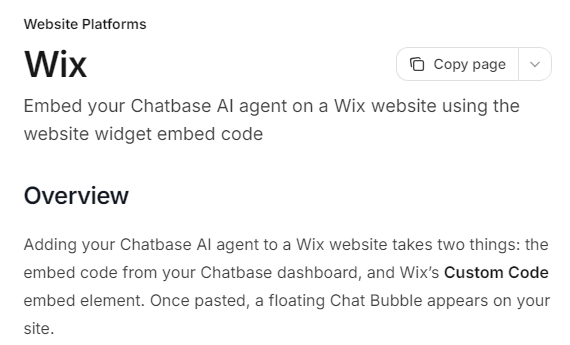
On Wix: no Wix App Market app. Chatbase’s Wix guide shows how to add a floating chat bubble through Wix’s Custom Code (Chatbase docs).
Answers from: files, websites, Notion, and support tickets, among others (Chatbase docs). On the Basic plan and up, Chatbase re-reads your site every week. On Hobby, click Resync now after you change your site.
Pricing: Hobby is $40 a month, or $32 billed yearly, for 700 message credits: 700 AI replies on a 1-credit model, or 140 on a 5-credit one. Basic is $150 a month, or $120 billed yearly, for 4,000 credits (Chatbase pricing).
At your limit: the agent stops responding until your credits renew each month, unless you switch on auto-recharge at $40 per 1,000 credits (Chatbase docs).
Human handover: on the Basic plan and up, two actions hand chats over. Live Chat passes the chat to your team in Chatbase’s Helpdesk inbox, and Escalations open a ticket in tools such as Zendesk, HubSpot, or Help Scout (Chatbase docs).
Good to know: our Chatbase review covers its plans and add-ons.
Chatway
Chatway, by Poptin, is live chat with an optional AI agent. Its inbox also brings in WhatsApp Business, email, Messenger, and Instagram messages.
Best for: Wix sites that want to install from the App Market and pay for AI only when it resolves a chat.
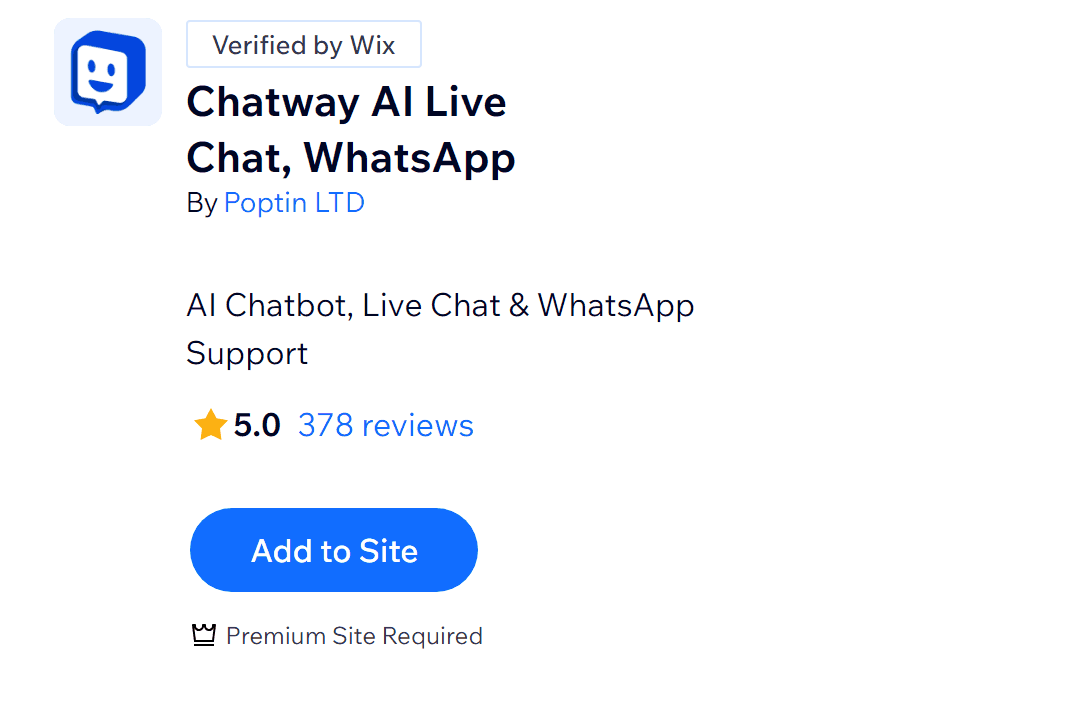
On Wix: an App Market app, but its listing carries the “Premium Site Required” label, so you’ll need a paid Wix plan, even on Chatway’s free plan.
Answers from: website links, text, Q&A pairs, and CSV uploads (Chatway help).
Pricing: Business is $39 a month, or $31 billed yearly, for two seats and 200 conversations (Chatway pricing). On any plan, including Free, the AI agent costs $0.50 per resolved conversation after 10 free ones.
At your limit: you buy AI credits as you need them, and the AI answers while you have credits left. You can add more at any time (Chatway help).
Human handover: your team can take over any chat in one click, and hand it back to the AI, from Chatway’s web, iOS, or Android apps (Chatway).
Crisp (Hugo)
Crisp is live chat with a shared inbox and an AI agent, Hugo.
Best for: teams that want a shared inbox with AI built in, priced per team rather than per user.
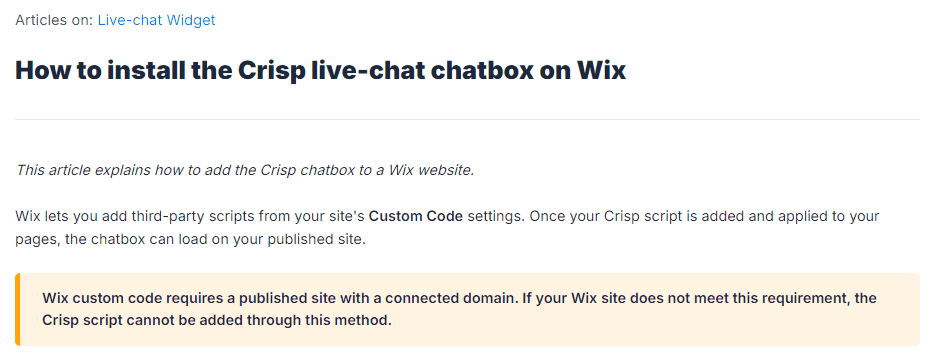
On Wix: Crisp’s guide shows how to add its script through Custom Code (Crisp help). The “Crisp Connector” app on the Wix App Market is made by MarketForge, not by Crisp.
Answers from: your website, files, Q&A snippets, and your Crisp knowledge base, with a choice of AI models (Crisp help).
Pricing: the free plan (two seats) has no AI credits. Mini is $45 a month per workspace, with four seats and $5 of AI credits, which Crisp puts at around 90 automated conversations (Crisp pricing). The 14-day trial needs no card.
At your limit: Hugo stops answering and passes new conversations to your team until your credits reset each month, unless you switch on pay-as-you-go (Crisp help).
Human handover: built in. Hugo can offer to bring in a person when it can’t find an answer (Crisp help), and your team replies in Crisp’s inbox on desktop or phone.
Good to know: our Hugo AI pricing guide breaks down the credits. Resolve247 can also answer inside your Crisp chat.
Elfsight AI Chatbot
Elfsight makes website widgets, including an AI Chatbot.
Best for: low-traffic sites that want the lowest paid price for an AI chatbot, and can pay for a year up front.
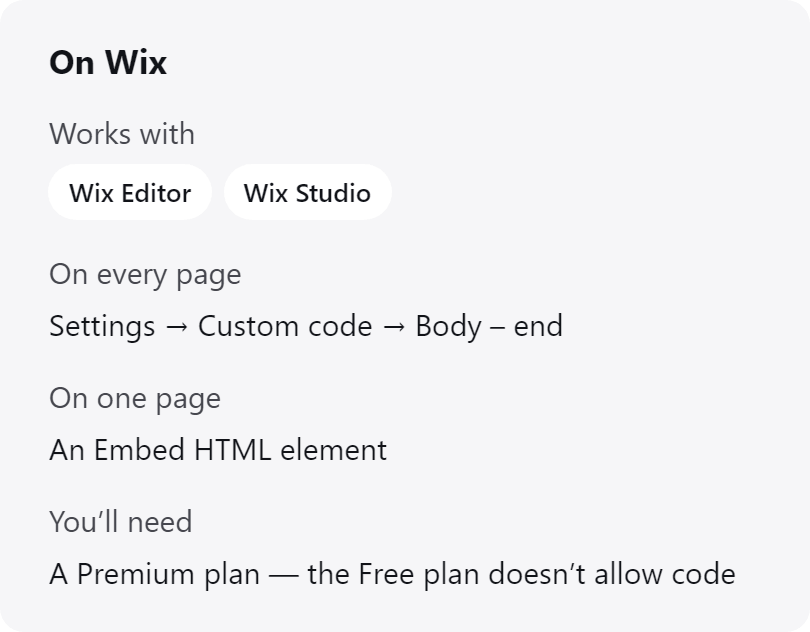
On Wix: no App Market app for its AI Chatbot. Elfsight’s Wix guide uses Custom Code for every page, or an Embed HTML element for one page, and says you need a Premium Wix plan (Elfsight).
Answers from: website links, files, text, and Q&A. When your content has no answer, Elfsight says the bot either uses the AI model’s general knowledge or tells the visitor it doesn’t have the information (Elfsight).
Pricing: the free plan includes the AI, with 50 messages and 200 widget views a month. Basic is $5 a month, billed yearly only, for 300 messages and 5,000 views (Elfsight pricing).
At your limit: when you reach either the message limit or the view limit, the chatbot is hidden from visitors until the limit resets or you upgrade (Elfsight help). Elfsight counts a view each time someone loads a page with your widget on it (Elfsight help), so a chat bubble on every page uses a view on every page load.
Human handover: a Contact Human skill sends the visitor to another channel, such as WhatsApp, email, or phone (Elfsight).
Resolve247
Resolve247 is the AI support chatbot we make for small and medium businesses. It runs on any website, or as the AI inside your HubSpot or Crisp chat, so your team doesn’t need a new inbox. It answers 82% of customer questions without a human (from 71% to 94%, depending on the business). Elston Baretto, founder of the web host Tiiny Host, says the chatbot “has reduced our support workload by 50%” (his figure, on our testimonials page).
Best for: small teams that want AI answers from their own pages, each with its source, at a flat monthly price.
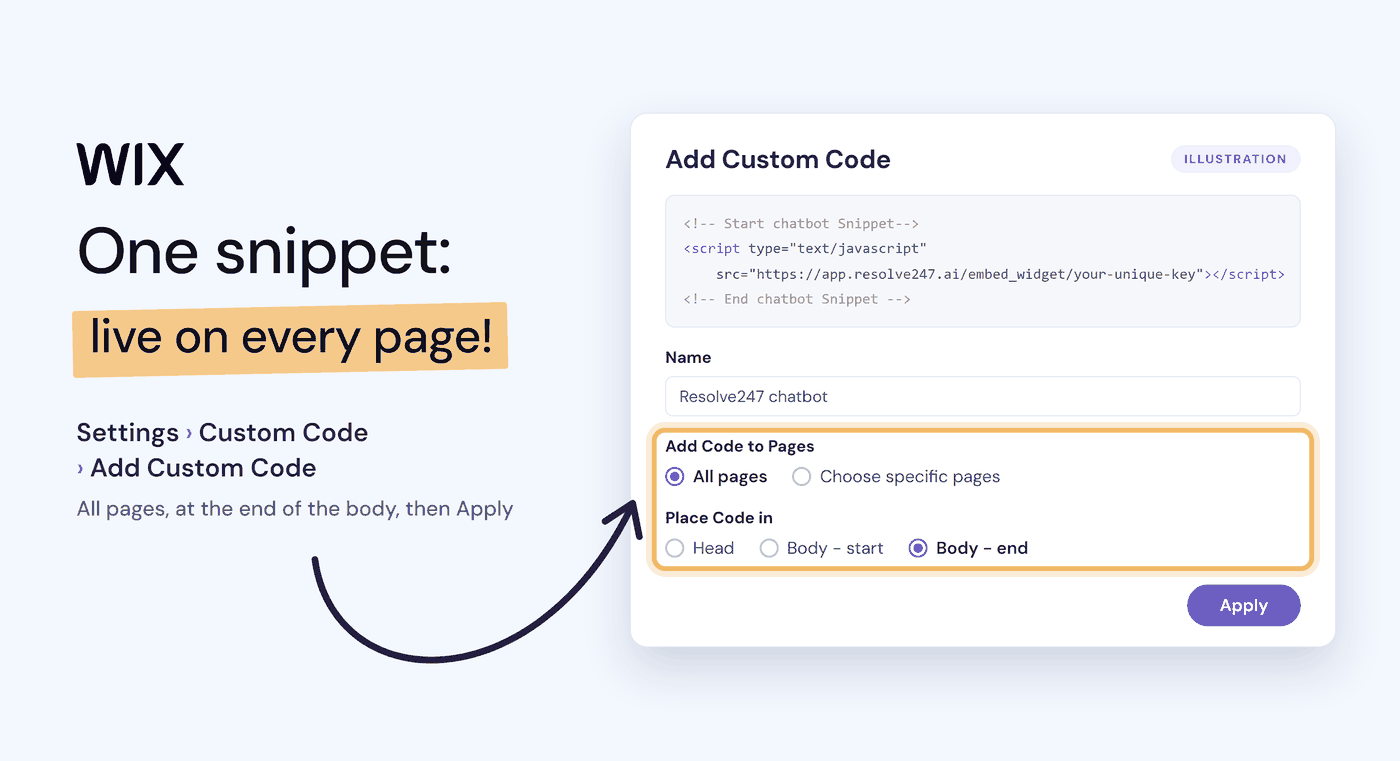
On Wix: you paste one script into Settings > Custom Code, on All pages, and place the code at the end of the body.
Answers from: your Wix pages and any other web pages, plus files, Notion, and Q&A you type in. Every answer shows its source, and it replies in your customer’s language. If it ever hallucinates, that month is free. With Tool Use, on every plan, you can also connect it to your own API, so it can look up live details such as an order’s status.
Pricing: Starter is $35 a month, or $29 billed yearly, for 2,000 AI messages (each AI reply is one message), and the 30-day free trial needs no card (Resolve247 pricing).
At your limit: it keeps answering, and nothing is charged automatically. If you often go over, we get in touch to talk about your plan.
Human handover: built in on every plan. Resolve247’s chat window always shows a Contact a Human button, and the AI also hands over when it isn’t sure. The chat so far goes to your email, Slack, or Help Scout mailbox, or to your team in HubSpot or Crisp chat.
Good to know: if you want to take over chats in the Wix Inbox and the Wix app, Wix’s own Smart Chat will suit you better, and for a bot that looks up Wix Stores orders without a developer, choose an App Market app that reads your Wix data.
Tidio (Lyro)
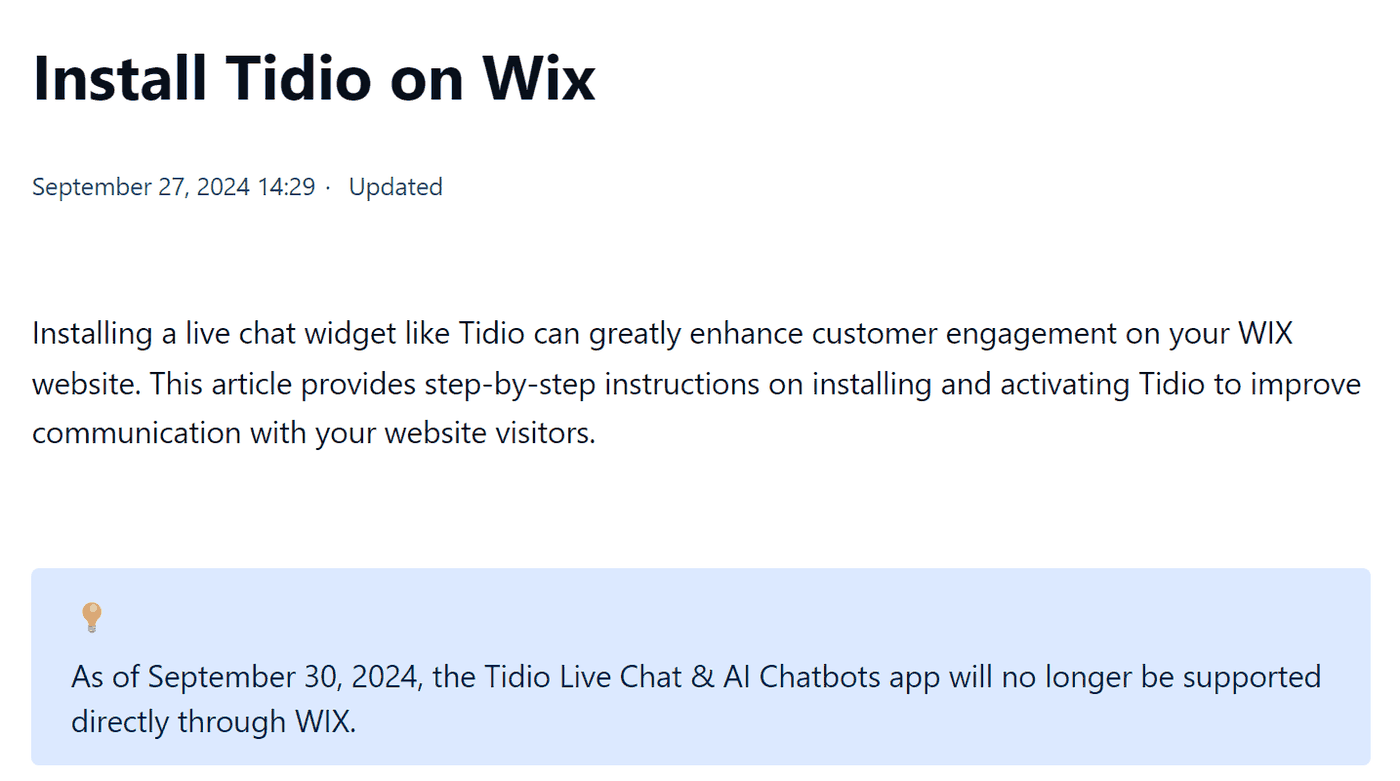
Tidio is live chat and a help desk with an AI agent, Lyro. Tidio no longer has a Wix App Market app. Since 30 September 2024, you add Tidio to Wix by pasting its code into Settings > Custom Code (Tidio’s help centre).
Best for: small shops that want live chat and AI in one tool.
On Wix: Tidio says it works even on Wix’s Light plan, with a connected domain. Its guide shows an older Wix menu, so follow our Custom Code steps instead.
Answers from: your website, Q&A, CSV and PDF files, imported Zendesk articles, and products synced from a Shopify or WooCommerce store or through Tidio’s API (Tidio help).
Pricing: the free plan includes 50 Lyro conversations in total, not monthly. Paid Lyro starts at $39 a month, or $32.50 billed yearly, for 50 conversations a month (Tidio pricing).
At your limit: on new Tidio projects, monthly plans upgrade automatically when you reach 95% of your allowance, after an email at 80%. This automatic upgrade is on by default, and you can switch it off (Tidio help).
Human handover: built in. Lyro can answer all the time, or only when your team is offline, and your team replies in Tidio’s inbox (Tidio help). A chat that Lyro hands straight to your team doesn’t use your Lyro allowance (Tidio help).
Good to know: chats your team answers have their own allowance: 50 a month on the free plan, then 100 on Starter, at $29 a month, or $24.17 billed yearly. Our Tidio pricing guide has examples, and our Tidio alternatives guide compares ten alternatives on cost.
Ultimo Bots
Ultimo Bots is an AI agent with built-in live chat.
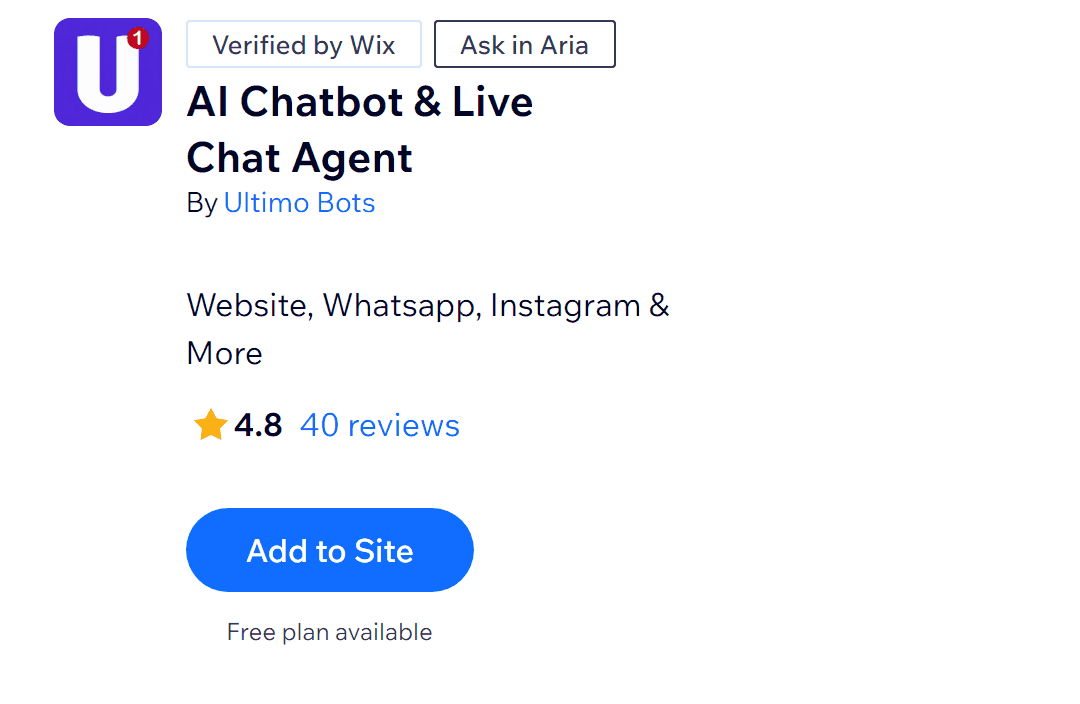
Best for: Wix stores and booking sites that want the bot to use their Wix data.
On Wix: an App Market app with a free plan and no “Premium Site Required” label on its listing. It runs on Ultimo’s own AI, not your Wix AI credits.
Answers from: website links, documents, FAQs, Notion, and cloud drives, plus your Wix site. It can suggest Wix Stores products, look up orders once the visitor verifies their email, and show Wix Bookings services and times with a link to book (Ultimo Bots).
Pricing: the free plan gives 20 AI credits, one time only. Smart is $29 a month, or $19 billed yearly, for 500 credits a month: 500 answers on Ultimo Core, at 1 credit an answer, or about 60 on Ultimo Max, at 8. Teammates are free (Ultimo Bots pricing).
At your limit: the agent pauses and shows visitors a notice until you buy credits, upgrade, or a new period starts, and nothing is charged automatically (Ultimo Bots docs).
Human handover: a “Talk to a human” button shows while a teammate is online, and the AI hands over by itself when it can’t help and someone is available. Your team replies in Ultimo’s live inbox, on every plan (Ultimo Bots).
Good to know: each Wix site gets one agent (Ultimo Bots). Its App Market listing also names WhatsApp and Instagram as channels, alongside your website.
How Much Does a Wix Chatbot Cost?
A chatbot on Wix has two costs: your Wix plan and the chatbot’s own plan. Custom Code needs a paid Wix plan, and the cheapest, Light, is $17 a month billed yearly (Wix, November 2026). Chatway’s App Market app needs a Premium (paid) site too.
At 300 chats a month, paying monthly, the chatbot’s own plan costs from $35 (Resolve247 Starter) to $210 (Tidio), and Chatway charges $0.50 for each chat its AI resolves, on top of any Chatway plan. Elfsight is only sold yearly, at $10 a month ($120 a year), and Smart Chat uses your Wix plan’s AI credits. Unlike Elfsight and Smart Chat, Resolve247 keeps answering if a busy month goes over its allowance, with nothing charged automatically.
Here’s what the chatbot itself costs at 300 chats a month (about 10 a day). For each provider, we used the cheapest plan that covers that many chats, from its own pages on 9 November 2026.
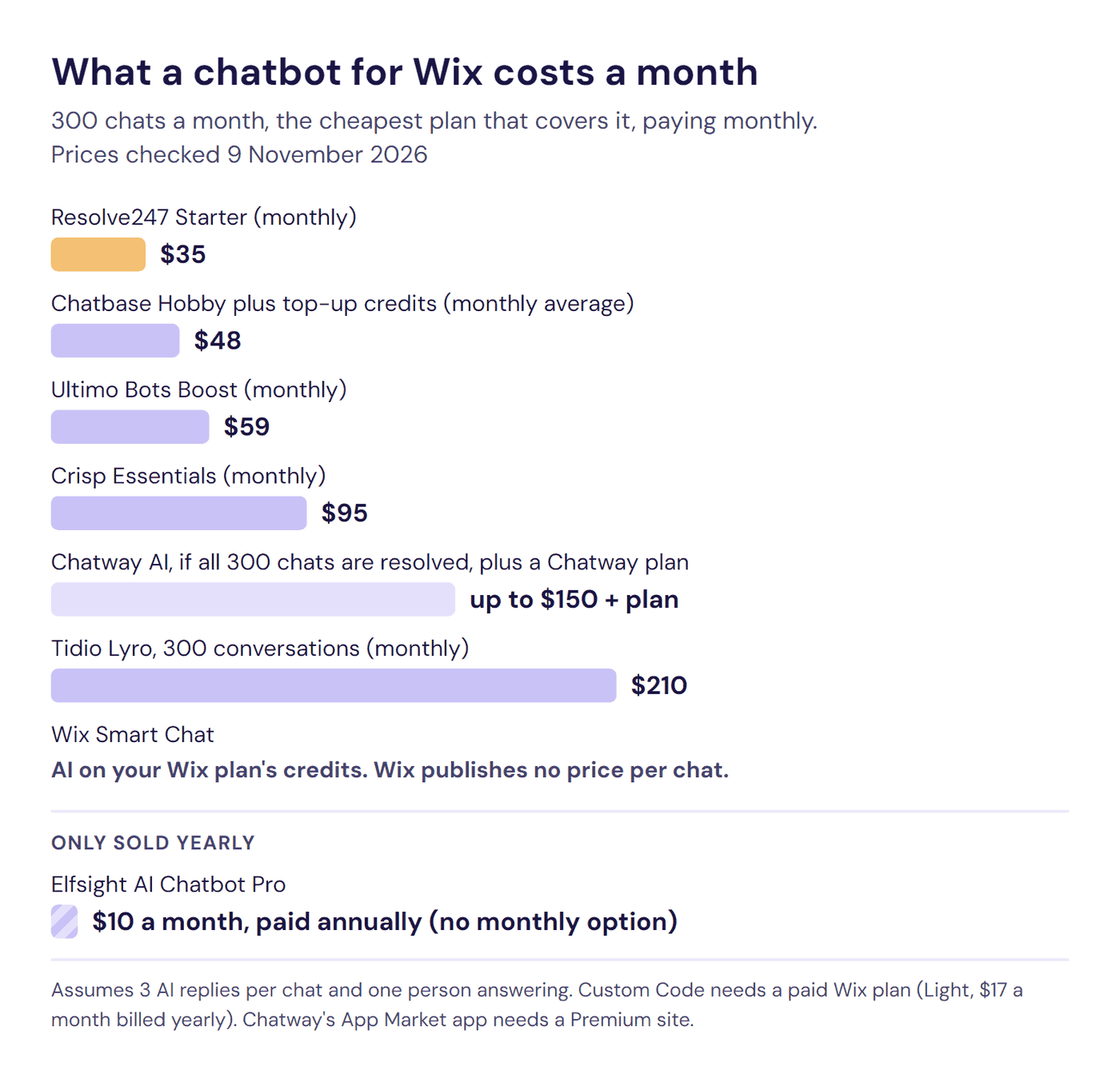
| Chatbot and plan | Paying monthly | Billed yearly (a month) | What’s included |
|---|---|---|---|
| Resolve247 Starter | Resolve247: $35 | Resolve247: $29 | 2,000 AI messages, and 300 chats use about 900 |
| Chatbase Hobby, plus top-up credits | Chatbase: about $48 on average | Chatbase: about $40 | 700 message credits a month. 300 chats need about 900 on a model that uses 1 credit a reply, and auto-recharge adds $40 per 1,000 credits |
| Ultimo Bots Boost | Ultimo Bots: $59 | Ultimo Bots: $39 | 2,000 AI credits a month on the Ultimo Core model (1 credit an answer). When you install it from the App Market, Wix bills it |
| Crisp Essentials | Crisp: $95 | Not published | $25 of Hugo AI credits a month, which Crisp estimates at around 450 conversations. Crisp also estimates $0.05 to $0.10 a conversation, so busy months can use more than the $25 included |
| Chatway AI Support Agent | Chatway: up to $150, plus a Chatway plan ($0 to $199) | Chatway: up to $150, plus a Chatway plan ($0 to $159) | $0.50 for each chat its AI resolves. Chatway doesn’t say whether AI chats count toward its plans’ monthly conversations |
| Tidio Lyro, 300 conversations | Tidio: $210 | Tidio: $175 | 300 Lyro conversations a month. On new monthly Tidio projects, auto-upgrade is on by default and fires at 95%, which moves 300 chats to the next tier: 500 conversations for $350 |
| Wix Smart Chat | No published price for 300 chats | No published price for 300 chats | AI on your Wix plan’s credits. Wix estimates up to 150 Smart Chat actions a month on Light, 200 on Core, 300 on Business, and 1,000 on Business Elite, and doesn’t say how many chats those cover |
| Elfsight AI Chatbot Pro | No monthly option | Elfsight: $10, paid annually ($120 a year) | 1,000 messages and 50,000 widget views a month |
How we worked these out: we assumed three AI replies in a typical chat, or about 900 AI replies for 300 chats, and one person on your team answering chats. For each provider, we used the cheapest published plan that covers this and, for Chatbase and Ultimo Bots, the cheapest AI model each names. On Chatbase’s 2-credit models, such as Claude 5.5 Sonnet, Chatbase costs about $84 a month on average, paying monthly. On Ultimo Pro, at 4 credits an answer, Ultimo Bots needs its Ultimo plan, $249 a month.
What the table shows:
- Elfsight’s $10 is only sold yearly, so you pay $120 up front. Its Pro plan also caps widget views at 50,000 a month, and every page load with the chat bubble counts as one. At either limit, the chatbot disappears from your site until your allowance resets or you upgrade.
- Paying monthly, Resolve247 Starter has the lowest flat price here, with room to grow. 300 chats use 900 of its 2,000 AI messages, so your chats could more than double before you reach the allowance. Every plan uses the same fixed AI models, chosen for answer quality and speed, so every reply counts as one message and you never trade quality for price.
- Pricing per chat adds up as you grow. Chatway’s AI costs up to $150 if it resolves all 300 chats. Tidio’s Lyro costs $210 a month, or $175 billed yearly, for 300 conversations, and on new monthly Tidio projects, auto-upgrade is on by default and fires at 95% (285 conversations). So 300 chats move you to Tidio’s next tier, 500 conversations for $350 a month, unless you switch it off.
- Smart Chat’s AI comes with your Wix plan. It runs on your plan’s AI credits, shared with Wix’s other AI tools, and Wix gives its estimate in actions rather than chats, so there’s no per-chat figure to set beside the others. When the credits run out, the chat switches to offline mode until you get more, for example by upgrading your Wix plan.
At about 100 chats a month, several prices drop: Elfsight to $5 a month (paid annually), Ultimo Bots to $29 (Smart), Chatbase to $40, and Tidio to $75, where auto-upgrade works the same way. Chatway’s AI then costs at most $50, plus any Chatway plan. Resolve247 and Crisp cost the same as at 300 chats.
Our AI chatbot pricing guide compares more providers.
Is There a Free Chatbot for Wix?
Yes. Wix Smart Chat is free to install, and its live (manual) chat is free. Its AI answers use the AI credits in your Wix plan, including a small allowance on Wix’s free plan. Some App Market apps without a “Premium Site Required” label, such as Ultimo Bots, have free plans too. Chatbots you add through Custom Code need a paid Wix plan with a connected domain, even when the chatbot itself is free.
Free AI allowances are small. At 10 chats a day, with three AI replies in each, every free AI allowance below runs out within a week, apart from Smart Chat’s, which Wix counts in credits rather than chats.
- On a free Wix site: Smart Chat’s free live chat and small AI allowance. Ultimo Bots’ listing has no “Premium Site Required” label, and its free plan gives 20 one-off AI credits.
- If you already pay for Wix: Chatway gives 10 AI conversations to start, then charges $0.50 for each one its AI resolves. Elfsight gives 50 messages a month, and Tidio 50 AI conversations in total. Crisp’s free plan is live chat with no AI.
- tawk.to: free live chat, with 100 free AI credits a month and paid AI from $29 a month, or $290 a year (tawk.to help). Its Wix guide uses an Embed HTML element (tawk.to help), and Wix doesn’t confirm that this works on a free site.
- Free trials: Resolve247 gives you 30 days with no card, Crisp 14 days, and Chatbase and Tidio 7 days.
How Do You Choose a Wix Chatbot?
Start with where your team wants to answer: the Wix Inbox, a new chat inbox, or the email, Slack, or help desk you already use. Then give each chatbot on your shortlist this 15-minute test on your published site:
- Your five most common questions. Ask them the way customers do, and check each answer against your pages.
- One it can’t know. Ask something your site doesn’t cover. A good chatbot says it doesn’t know and offers to put you in touch with a person.
- The source. Check where each answer came from, so you know which page to update if an answer ever needs changing.
- Your phone. Open your site on a phone and check your speed score with the chat on and off.
- Change a price. Update a price on your site, have the chatbot re-read your pages, and ask again.
Before you pay, also check what each one does when you reach its plan’s limit: the at-a-glance tables show all eight.
You can run this test on the free plan or trial of every chatbot here. For Resolve247, start a 30-day free trial, with no card needed. For a fuller checklist, see how to choose an AI customer support chatbot.
How to Add a Chatbot to Wix (and the Plan You Need)
To add a chatbot script to Wix, your site must be published with a connected domain, which needs a paid plan. The cheapest paid plan is Light, from $17 a month billed yearly (Wix, November 2026). On a free Wix site, look at Wix Smart Chat and App Market apps without a “Premium Site Required” label.
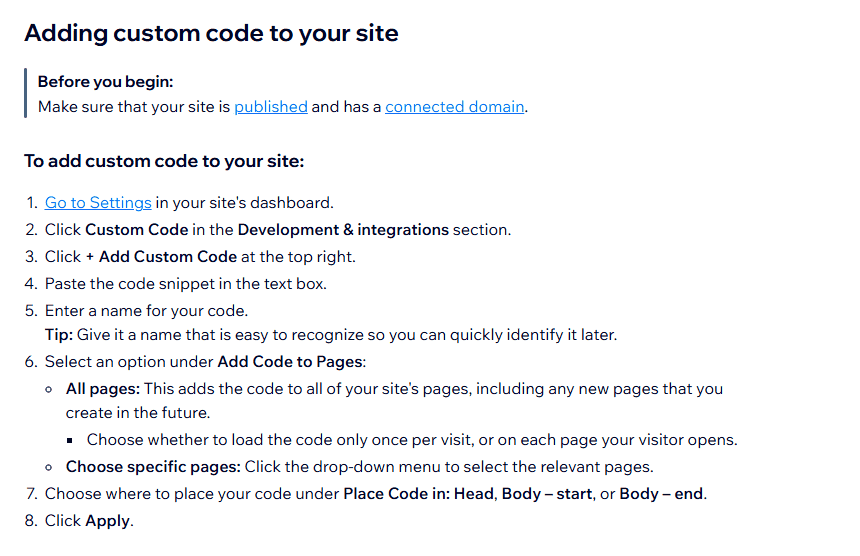
Image: Wix Help Center.
Route 1: An App Market App
In your Wix dashboard, open Apps > App Market and find the app. Check its listing for a “Premium Site Required” label, which means it needs a paid Wix plan, then click Add to Site. Many big providers, such as Tidio and Chatbase, have no Wix app. Some apps that carry a brand’s name, such as the Crisp, tawk.to, and Intercom apps, are made by other companies (Wix App Market).
Route 2: Custom Code, for Any Chatbot With a Script
- Copy the chatbot’s script from your provider’s dashboard.
- In your Wix dashboard, go to Settings and click Custom Code in the Development & integrations section.
- Click + Add Custom Code, paste the script, and give it a name.
- Under Add Code to Pages, choose All pages, or “Choose specific pages” to pick the pages. With All pages, Wix also asks whether to load the code once per visit or on each page. Follow your provider’s guide on this.
- Under Place Code in, choose the end of the body, unless your provider’s guide says otherwise.
- Click Apply, then check the chat on your published site, not in the editor (Wix help).
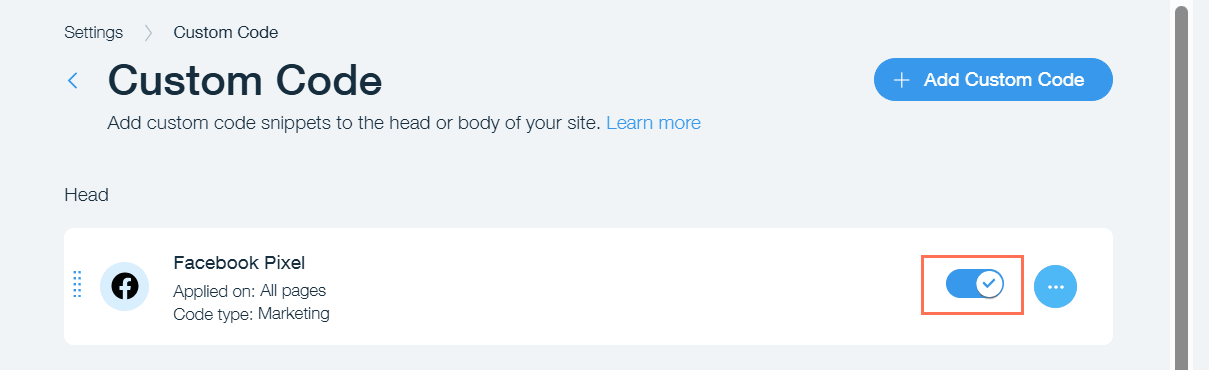
Image: Wix Help Center.
Custom Code is in the Development & integrations section of Wix’s Settings. Guides that say Settings > Advanced may be showing an older menu. For other website platforms, see our guide to adding an AI chatbot to any website.
For a chat window inside one page, such as your contact page, paste the provider’s embed code into an Embed HTML element (in the Wix editor: Add Elements > Embed Code > Popular Embeds > Embed HTML). It shows only on that page, so use Custom Code for a chat button on every page (Wix help).
On Wix Studio, the steps are the same: Custom Code works in every Wix editor (Wix Developers), and a Studio site plan also lets you connect a domain (Wix help). For a chat window on one page, Wix Studio’s element is called Embed Code (Add Elements > Embed & Social) (Wix help).
Two Checks Before You Go Live
- One chat button: if Wix Smart Chat or the old Wix Chat is on your site, turn it off first, so visitors don’t see two chat buttons.
- Your phone: check that the chat button doesn’t cover your own buttons near the bottom of the screen.
Why Isn’t My Chatbot Showing on Wix?
- Editor or domain: custom code runs only on your published site with a connected domain, not in the editor (Wix Developers).
- Older snippets: since December 2025, Wix’s custom-code security can block some of these snippets until the provider updates them (Wix help).
- New domain: assigning a different domain to your site deletes your custom code snippets, so add the script again.
- Anything else: Wix doesn’t give support for third-party code, so switch snippets off one at a time to find a clash, or ask your provider.
What Other Chatbots Work on Wix?
LiveChat also has an official Wix app, and you can add HubSpot’s free live chat through Custom Code (HubSpot), but neither made our seven (both checked on 9 November 2026). For other platforms, see our customer service chatbots list and our best chatbot for WordPress and best AI chatbots for Squarespace comparisons.
- LiveChat has an official App Market app, “Live Chat”, rated 3.9 from 74 reviews (Wix App Market). Its maker is listed as Text, the company behind LiveChat. LiveChat’s AI Agent comes with Text’s newer plans, from $19 per user a month billed yearly, rather than the older LiveChat plans (LiveChat). So check which of the two the Wix app connects to.
Frequently Asked Questions
What is the best chatbot for Wix?
It depends on who should answer your visitors. Wix Smart Chat is free to install, with AI on your Wix plan’s credits. Chatway and Ultimo Bots install from the App Market, and Tidio and Crisp add live chat with AI. Resolve247, which we make, answers from your own pages with sources, on its own or inside HubSpot or Crisp chat, and keeps answering past its allowance. Chatbase offers more AI models, and Elfsight the lowest yearly price.
Does Wix have a built-in AI chatbot?
Yes. Wix’s own AI chatbot is Wix Smart Chat, which replaced Wix AI Site Chat in March 2026 and also handles live chat. It’s free to install from the Wix App Market. Its AI answers from your site content and any extra information you give it, using your Wix plan’s AI credits. Your team replies in the Wix Inbox or the Wix app.
Is there a free chatbot for Wix?
Yes. Wix Smart Chat is free to install, and its live (manual) chat is free. Its AI answers use the AI credits in your Wix plan, including a small allowance on Wix’s free plan. Some App Market apps without a “Premium Site Required” label, such as Ultimo Bots, have free plans too. Chatbots you add through Custom Code need a paid Wix plan with a connected domain, even when the chatbot itself is free.
Do I need a paid Wix plan to add a chatbot?
Yes, for a chatbot you add with code. Wix’s Custom Code needs a published site with a connected domain, and connecting a domain needs a paid plan. The cheapest paid plan is Light, from $17 a month billed yearly. On a free Wix site, look at Wix Smart Chat and App Market apps without a “Premium Site Required” label.
Can a Wix chatbot hand visitors over to a real person?
Yes. With Wix Smart Chat, you reply from the Wix Inbox or the Wix app. Chatway, Crisp, Tidio, and Ultimo Bots let your team take over in their own inbox. Chatbase hands over from its Basic plan ($150 a month), and Elfsight points visitors to your WhatsApp, email, or phone. Resolve247 hands over on every plan and sends the chat so far to your email, Slack, or Help Scout, or to your team in HubSpot or Crisp chat.
Can I show a chatbot on only some pages of my Wix site?
Yes. With a chatbot you add through Custom Code, choose “Choose specific pages” instead of All pages, then pick the pages. In Wix Smart Chat, the Chat visibility setting does the same. For a chat window inside one page, such as your contact page, use an Embed HTML element.
Will a Wix chatbot slow down my site?
Any chat widget adds some weight, so check your speed score with it on and off. When we measured Resolve247’s widget on a test page in November 2026, it was about 73 KB. It loaded after the page content, so the main content appeared just as fast. On slower phones, it added under half a second of background processing.
So, Which Is the Best Chatbot for Wix?
The best Wix chatbot is the type that fits how your team works, at a price that fits your budget:
- Free chat in the Wix Inbox: Wix Smart Chat.
- An App Market install: Chatway, with AI paid per resolved chat, or Ultimo Bots, which uses your Wix Stores and Bookings data.
- A new inbox with AI: Tidio, or Crisp if you’d rather pay one flat price per workspace than by the conversation.
- A standalone AI chatbot: Elfsight for the lowest price on a quiet site (paid a year up front), Chatbase for a wide choice of AI models, or Resolve247 for answers from your own pages, each with its source, and a route to your team on every plan.
- AI inside the HubSpot or Crisp chat you already use: Resolve247, so your team takes over where it already works.
This week, pick two chatbots and run the 15-minute test on your published site. Before you pay, check the Wix plan each one needs and what it does when you reach its limit; the at-a-glance tables show both for all eight. Then your best Wix chatbot will usually be clear.
Try Resolve247 free for 30 days, with no card needed. It keeps answering if you go over your allowance, and if it ever hallucinates, that month is free. Start your free trial or see how our Wix AI chatbot works.