
The best chatbot for WordPress depends on what kind of tool you need. If you want a new live chat and help desk with AI built in, Tidio is a popular pick. If you’re happy to pay an AI provider such as OpenAI yourself, AI Engine and WPBot are the WordPress plugins to look at.
If you want AI answers from your own content without moving your team to a new inbox, you can add Resolve247 with one line of code. It runs as its own chat window, or inside the HubSpot or Crisp chat you already use.
The question most guides skip is who pays for the AI. With some plugins, even the top plan doesn’t include it. The AI provider you connect bills you separately for every conversation, so the plugin’s price is only part of the bill.
So we read each of the seven providers’ own pricing pages on 22 October 2026. Each review shows what the AI costs, what happens when you hit your usage limit, and how a visitor reaches a person. Then we work out what a month of 300 chats costs on every tool, and give you a 15-minute test to run on any of them.
Disclosure: we make Resolve247, one of the seven. The reviews are in alphabetical order and cover the same points for every tool. Where another tool is the better fit, we say so.
Quick Verdict: The Best WordPress Chatbot by Type
Start with the type of tool. It decides who pays for the AI and where your team answers customers. The seven fall into three types:
- WordPress plugins on your own AI account (AI Engine, WPBot) run inside WordPress. You pay an AI provider such as OpenAI separately.
- Live chat and help desk platforms with AI built in (Crisp, HubSpot, Tidio) become the inbox where your team answers customers. HubSpot is a CRM too. If you use another help desk now, you’d usually move to theirs. The exception is Tidio’s Lyro Connect, which adds Lyro to help desks such as Zendesk and Intercom on Tidio’s higher plans (Tidio).
- Standalone AI chatbots (Jotform, Resolve247) add AI chat to your site without a new help desk. Your team takes over Jotform chats in Jotform’s app or your WordPress dashboard. Resolve247 hands chats to your email, Slack, or Help Scout, and can also run inside your HubSpot or Crisp live chat.
Only the two plugins are tied to WordPress. The other five also work on other website platforms, such as Shopify.
| Chatbot and type | Pick it if you want… | Where your team takes over |
|---|---|---|
| AI Engine WordPress plugin, your own AI account |
To choose the AI model yourself, and you’re happy to manage the AI bill | No human chat built in |
| WPBot WordPress plugin, your own AI account |
A low yearly licence, with WooCommerce features and button-led chats | Slack or WordPress, on the Master licence |
| Crisp Live chat and help desk, with AI |
A shared inbox with AI built in, priced per team, not per user | Crisp’s inbox |
| HubSpot CRM and help desk, with AI |
AI inside HubSpot, if it already runs your business (Service Hub Professional or above) | HubSpot’s inbox |
| Tidio Live chat and help desk, with AI |
To run your chats and tickets from one new tool, with an AI agent alongside your team | Tidio’s inbox |
| Jotform Standalone AI chatbot |
A free AI allowance every month, or chatbots alongside your Jotform forms | Jotform’s app or your WordPress dashboard |
| Resolve247 Standalone AI chatbot for any website, or AI inside HubSpot or Crisp chat |
AI answers without moving your team to a new inbox, at a flat monthly price | Your HubSpot or Crisp chat, or your email, Slack, or Help Scout |
If you already know you want a hosted support chatbot with no plugin to keep updated, see how our AI chatbot for WordPress works.
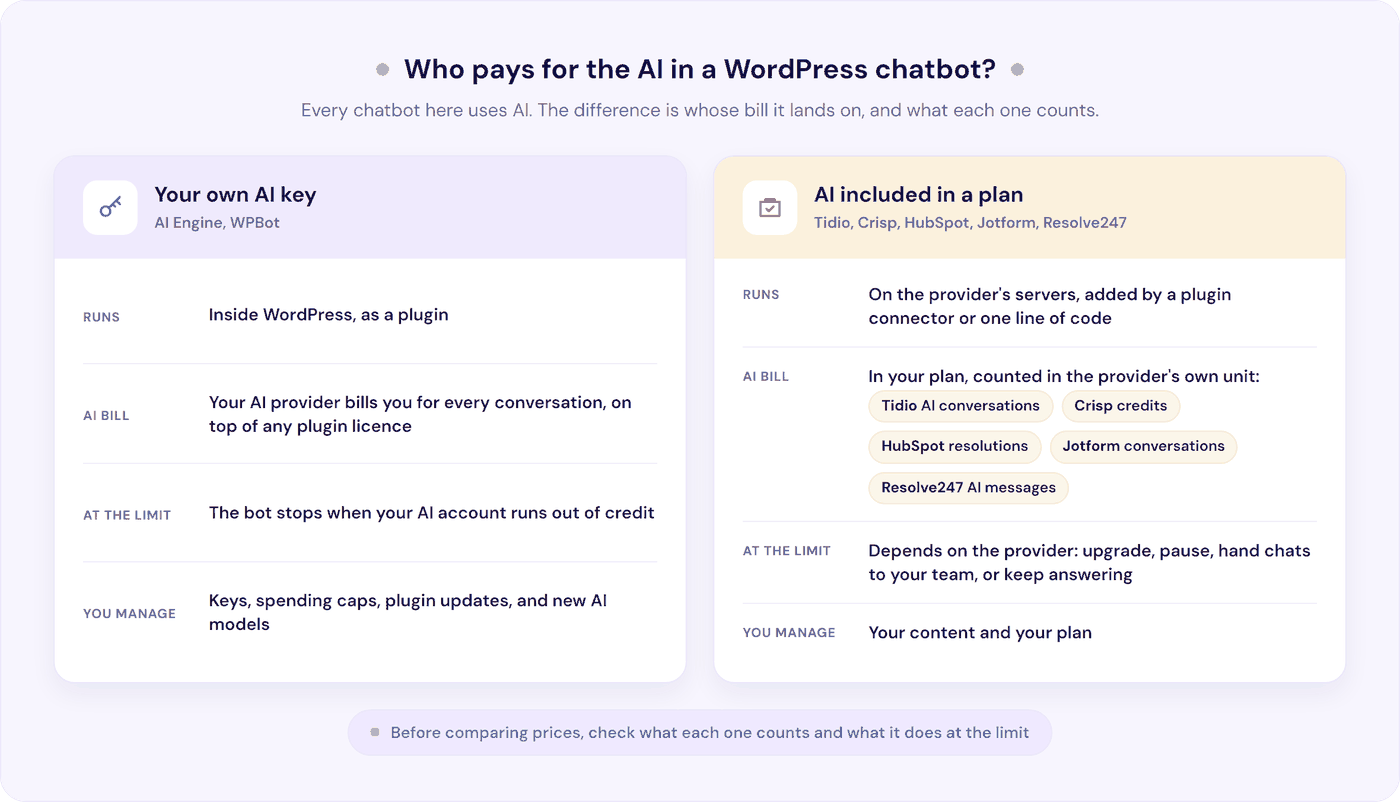
Best WordPress Chatbot Plugin or One Line of Code: Where the AI Runs
Search WordPress’s plugin directory for the best chatbot plugin for WordPress, and the results all look alike. Which one suits you depends less on the plugin itself than on where the AI runs, and who pays for it.
Native plugins run inside WordPress. AI Engine and WPBot connect to your own account with an AI provider such as OpenAI, which bills you for every conversation. The link is an API key, a code you paste into the plugin.
You also set your own spending limits, and keep the plugin and its AI model up to date. A ChatGPT Plus subscription doesn’t cover this AI bill (WordPress.org support, May 2026).
Hosted chatbots run on the provider’s servers. Tidio, Crisp, HubSpot, and Jotform all have a WordPress plugin, which links your site to your account with the provider. The chatbot lives in that account, and the AI comes with your plan, counted in conversations, credits, or resolved chats, depending on the provider.
Resolve247 is hosted too, but there’s no plugin to install or keep updated: you paste one line of code into your site’s footer. Our guide to adding an AI chatbot to WordPress shows each way to do it.
The 7 Best AI Chatbots for WordPress at a Glance
| Chatbot | Free option | Paid AI from (a month, paid monthly / billed yearly) | Human handover |
|---|---|---|---|
| AI Engine Plugin, 90,000+ installs |
Free plugin, plus your AI bill | Pro $69 a year, plus your AI bill | None built in |
| Crisp Plugin, 20,000+ installs |
Free live chat, no AI | $45 (no yearly price published), with about 90 AI conversations | Live chat |
| HubSpot Plugin, 200,000+ installs |
Free live chat and scripted bots | $100 / $90 per user, plus $0.50 per AI-resolved chat and a one-time $1,500 fee | Live chat |
| Jotform Plugin, 5,000+ installs |
100 AI conversations a month | $39 / $34 for 1,000 conversations | Take over in Jotform’s app or WordPress |
| Resolve247 One line of code |
30-day trial, no card | $35 / $29 for 2,000 AI messages | Your email, Slack, or Help Scout, or your HubSpot or Crisp live chat |
| Tidio Plugin, 70,000+ installs |
50 AI conversations in total, not monthly | $39 / $32.50 for 50 AI conversations | Live chat |
| WPBot Plugin, 5,000+ installs |
Free plugin, plus your AI bill | $39 a year, plus your AI bill | Live chat on the $189 plan, via Slack or WordPress |
Prices are in US dollars, read from each provider’s own pricing page on 22 October 2026. Install counts are from the WordPress.org plugin directory on the same day.
The 7 Best Chatbots for WordPress, Reviewed
AI Engine (Meow Apps)
AI Engine is a WordPress plugin from Meow Apps that adds a chatbot, and other AI tools, inside WordPress itself. You connect it to the AI provider of your choice with your own account and API key.
Best for: developers and hands-on owners who want to choose the AI model and keep chat logs on their own server. The AI provider still processes each message.
On WordPress: a native plugin with 90,000+ active installs and 4.9 stars from 872 ratings, updated 21 October 2026 (WordPress.org).
Answers from: the instructions you write, on the free plugin. Answering from your own pages and PDFs needs AI Engine Pro.
Pricing: the plugin is free. Pro costs $69 a year for one site, $99 for five sites, and $179 for 20, with no monthly option (Meow Apps). Your AI provider (OpenAI, Anthropic, Google, and others) bills you separately, by the token (a small chunk of text). Meow Apps promises “No markup on tokens” (AI Engine).
At your limit: you set it. Pro can cap use by questions asked, tokens, or dollars, and show visitors a message when a cap is reached. If your AI provider account runs out of credit, the bot stops answering until you top it up.
Human handover: none built in. Meow Apps calls AI Engine an AI framework, and its documentation says “AI Engine is not a customer support chatbot”. A paid Visitor Form add-on collects visitor details.
WooCommerce: the Woo Basics add-on ($9 a year) lets logged-in customers ask “Where’s my order?”. Check with Meow Apps whether it needs Pro.
Good to know: your API key, spending limits, and AI model changes are yours to manage.
Crisp (Hugo)
Crisp is a live chat and help desk platform. Your team answers customers in its shared inbox, and its AI agent, Hugo, is included from the Mini plan upwards.
Best for: teams that want their chat inbox and AI in one tool, priced per team rather than per user.
On WordPress: the official plugin has 20,000+ active installs and 4.6 stars from 73 ratings, updated 21 October 2026 (WordPress.org). It links your site to your Crisp account.
Answers from: your website, files (CSV spreadsheets, PDF, and text), Q&A snippets, and your Crisp knowledge base. You can choose which AI provider it uses.
Pricing: the free plan (two seats) has no AI credits. Hugo starts on Mini at $45 a month per workspace (your team’s account), with four seats and $5 of AI credits, which Crisp says covers around 90 automated conversations. Essentials is $95, with 10 seats and about 450 conversations (Crisp pricing). There’s a 14-day trial with no card.
At your limit: Hugo stops answering and passes new conversations to your team until your credits reset (Crisp help). Or you can switch on pay-as-you-go, which bills any extra AI use.
Human handover: built in. Hugo can offer a person when it can’t find an answer, or when the visitor asks for one.
WooCommerce: a separate Crisp for WooCommerce plugin shows carts and past orders in your inbox, and Hugo can use that data for tasks such as tracking orders.
Good to know: Hugo uses credits during the trial too, and extra seats are only sold on Plus ($295 a month). Our Hugo AI pricing guide breaks down the credits. If you already use Crisp, you can also run Resolve247’s AI inside your Crisp chat.
HubSpot
HubSpot is a CRM with free live chat. Its AI customer agent answers visitors in that chat on HubSpot’s Service Hub Professional and Enterprise plans.
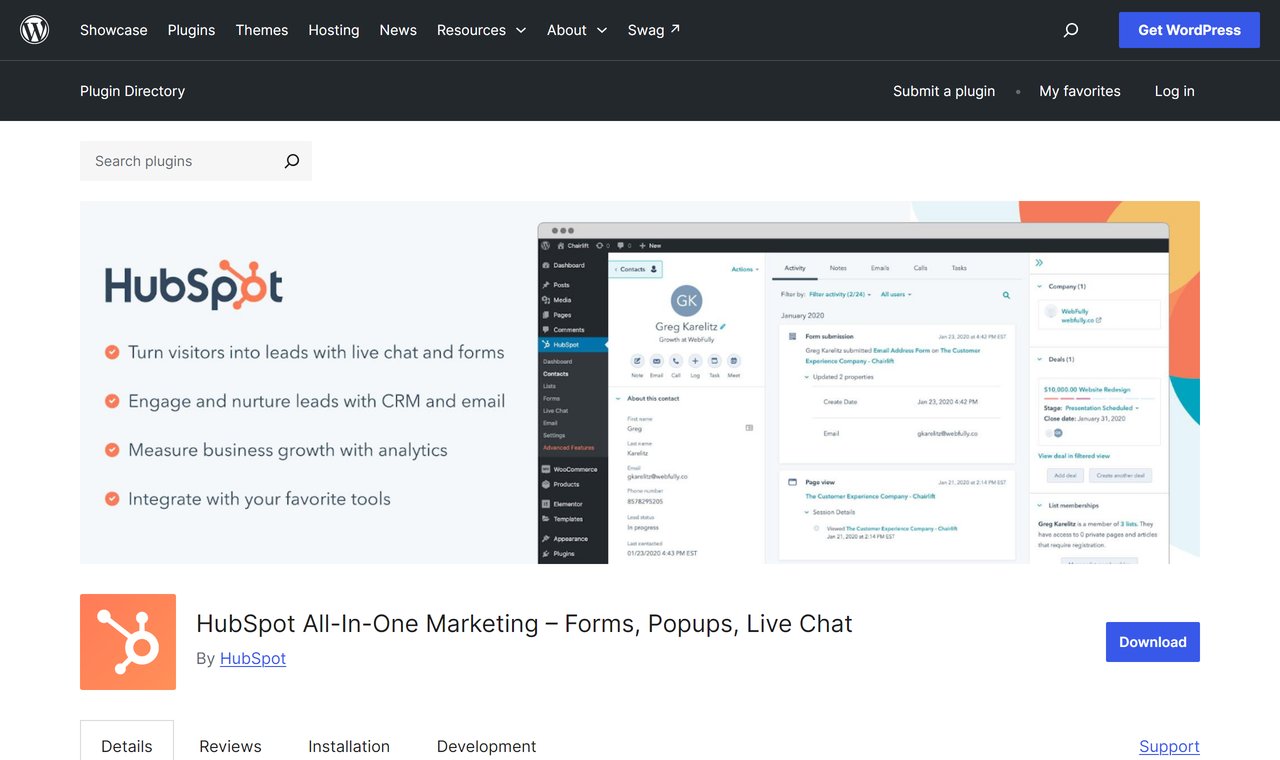
Best for: businesses already running on HubSpot’s CRM, with Service Hub Professional or above.
On WordPress: HubSpot’s All-In-One Marketing plugin has 200,000+ active installs and 4.3 stars from 207 ratings, updated 16 September 2026 (WordPress.org). It adds live chat and forms, and links your site to the CRM. You set up the AI agent in HubSpot.
Answers from: your knowledge base, website, CRM data, and past conversations, plus PDFs and documents. HubSpot reports that the agent resolves 70% of conversations on average.
Pricing: live chat and scripted (rule-based) chatbots are free for up to two users. The AI customer agent needs Service Hub Professional: $100 per seat a month, or $90 billed yearly, plus a one-time $1,500 onboarding fee (HubSpot pricing). About 60 resolved conversations a month are included, and each one after that costs $0.50 (HubSpot credits).
At your limit: the agent stops taking new conversations until your credits reset or you buy more. New chats then go to your team, following your handoff settings (HubSpot knowledge base).
Human handover: built in through live chat. HubSpot bills a chat as resolved if the agent shared a source or took an action. It isn’t billed if the visitor asks for a person within 72 hours of their last message. If your own team assigns the chat instead, you’re still charged.
WooCommerce: HubSpot points stores to a separate plugin, MWB HubSpot for WooCommerce, to sync store data to the CRM. We found no HubSpot page saying the AI agent can look up WooCommerce orders.
Good to know: the Professional plan and onboarding fee are the real cost of entry, and our HubSpot Customer Agent review works through the credits. On the Free or Starter plan, a third-party chatbot such as Resolve247 can add AI to HubSpot’s chat widget.
Jotform AI Agents
Jotform, the online form builder, also makes AI agents, with a WordPress plugin that reads your site to train them.
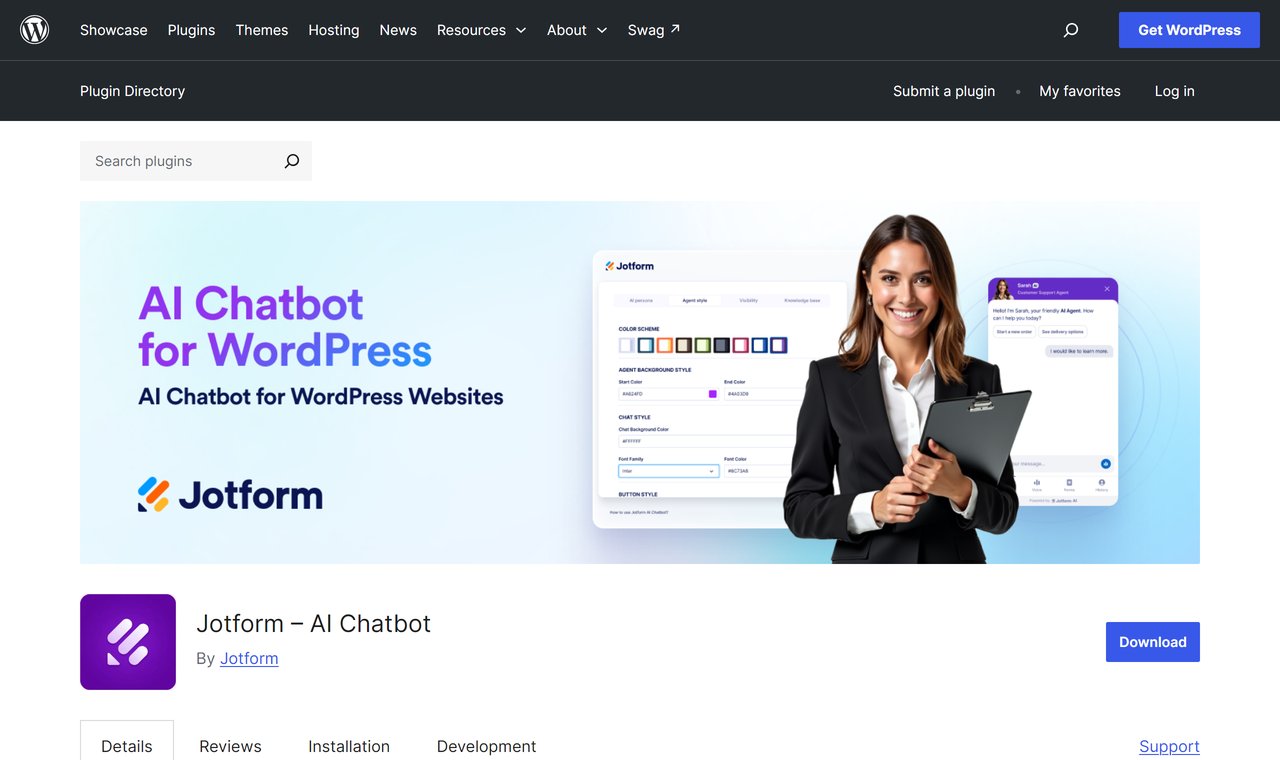
Best for: sites that already use Jotform forms, and stores that want a free AI allowance that renews every month.
On WordPress: the Jotform AI Chatbot plugin has 5,000+ active installs and one 5-star rating, updated 16 October 2026 (WordPress.org). It connects to Jotform’s hosted AI.
Answers from: your site, read automatically and kept up to date as you change pages, plus FAQs, documents, and product catalogues you upload.
Pricing: the free plan gives 100 conversations a month. Bronze is $39 a month, or $34 billed yearly, for 1,000 conversations. Silver is $49, or $39 billed yearly, for 2,500 (Jotform pricing). There’s a 30-day money-back guarantee.
At your limit: Jotform emails you and shows a warning on your dashboard. Its help pages don’t say what visitors see.
Human handover: you can take over a chat from the Jotform mobile app or your WordPress dashboard.
WooCommerce: the plugin’s WooCommerce integration handles product questions, order tracking, and cart recovery.
Good to know: previews and tests count as conversations, so leave room in your allowance for testing. Jotform also limits “sessions”: views of pages with the chatbot on them.
Resolve247
Resolve247 is an AI support chatbot for small and medium businesses, and the tool we make. It works on any website, as its own chat window or inside your HubSpot or Crisp live chat, so your team doesn’t need a new inbox. It answers 82% of customer questions without a human (from 71% to 94%, depending on the business). Elston Baretto, founder of the web host Tiiny Host, says it “has reduced our support workload by 50%” (his figure, on our testimonials page).
Best for: small teams that want accurate answers from their own content, each with its source, at a flat monthly price.
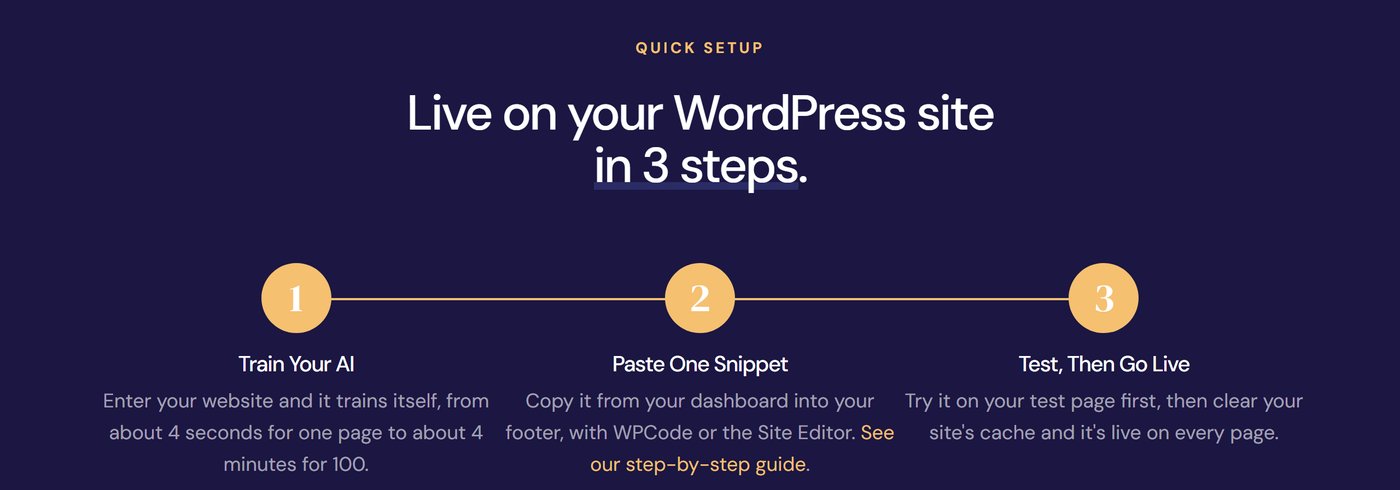
On WordPress: one line of code in your footer, so it works with any theme, page builder, or WooCommerce store. It also works on paid WordPress.com plans once you switch on hosting features. Show it as a chat button, or as a chat window built into a page.
Answers from: your pages (one page, your sitemap, or your whole site), files such as PDF, Word, and Excel, Notion pages, and Q&A you type in. Every answer shows its source, and it replies in your customer’s language. If it ever hallucinates, that month is free. On every plan, a feature called Tool Use can also connect it to your own API, so it can look up live details from your systems, such as an order’s status.
Pricing: Starter is $35 a month, or $29 billed yearly, for 2,000 AI messages (each AI reply is one message), with the AI included. On every plan, one click has the chatbot re-read all your pages, and Core ($55 a month, or $45 billed yearly) also does this automatically every month. There’s a 30-day free trial with no card (Resolve247 pricing).
At your limit: it keeps answering. The allowance is a soft limit. If you regularly go over it, we get in touch to talk about your plan, and nothing is charged automatically.
Human handover: when it isn’t sure, it hands over to a person. The Contact a Human button sends the visitor’s message, with the chat so far, to your email, Slack, or Help Scout mailbox. Or the AI answers inside your HubSpot or Crisp live chat, where your team takes over.
WooCommerce: it answers shipping, returns, sizing, and policy questions from your store’s pages. See what an AI chatbot for ecommerce can handle.
Good to know: if your store wants WooCommerce order tracking you can switch on without a developer, another tool will suit you better. The same goes if you need WhatsApp or SMS as well as website chat.
Tidio (Lyro)
Tidio combines live chat, a help desk, and an AI agent called Lyro, so your team answers customers in Tidio’s own inbox.
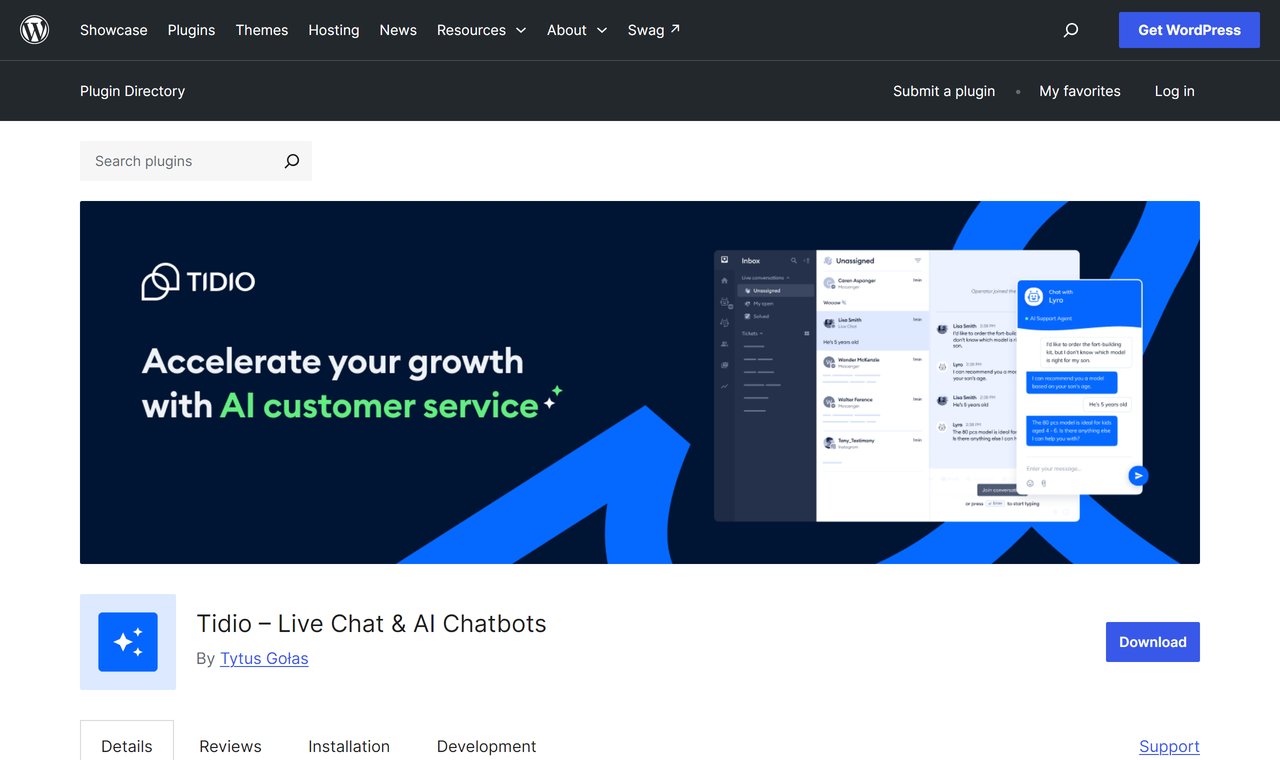
Best for: teams that want one tool for their chats and tickets, with an AI agent answering alongside them.
On WordPress: the plugin has 70,000+ active installs and 4.8 stars from 395 ratings, updated 1 September 2026 (WordPress.org). It connects to your Tidio account.
Answers from: your website, Q&A you add, CSV and PDF files, past chats, and imported help centre articles. Tidio says Lyro resolves 75% of conversations for its customers, on average.
Pricing: the free plan includes 50 Lyro conversations in total, not monthly. Lyro then starts at $39 a month, or $32.50 billed yearly, for 50 conversations, and 300 a month costs $210, or $175 billed yearly (Tidio pricing). If your team answers more than 50 chats a month, live chat starts at $29 (Starter, 100 conversations). There’s a 7-day trial with no card.
At your limit: on new Tidio projects, monthly plans upgrade automatically at 95% of your allowance. This is on by default, with an email at 80%, and you can switch it off (Tidio help).
Human handover: built in. Lyro can answer all the time, or only when your team is offline. A chat Lyro hands straight to your team doesn’t use your Lyro allowance.
WooCommerce: you can see shoppers’ carts and order history, and send product cards in chat. Lyro can also recommend products from your catalogue.
Good to know: chats your team answers and Lyro conversations are counted separately, so check both allowances. On Tidio’s higher plans, Lyro Connect adds Lyro to other help desks such as Zendesk, Intercom, and Salesforce (Tidio). Our Tidio pricing guide works through examples.
WPBot (QuantumCloud)
WPBot by QuantumCloud is a native WordPress chatbot. It can answer without AI, using buttons, FAQs, and site search, or with AI on your own key.
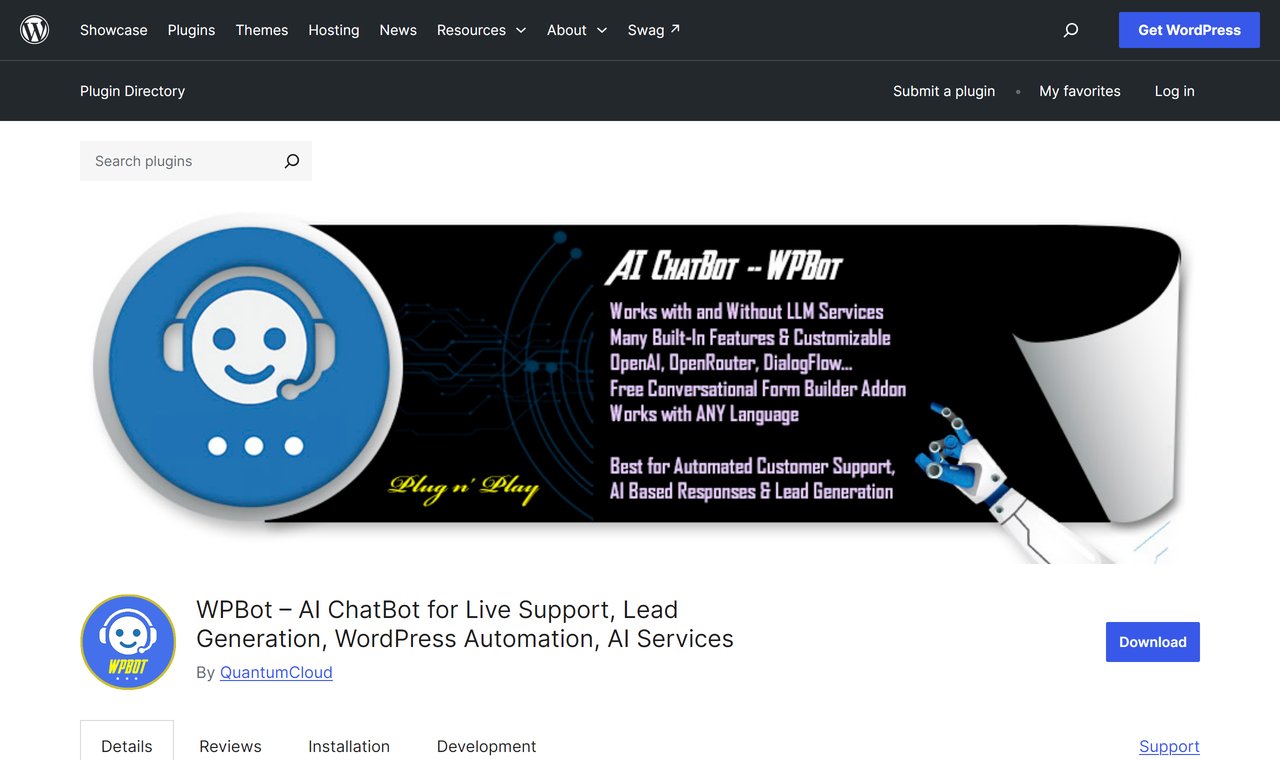
Best for: owners who want a low yearly licence, with WooCommerce features or chats that collect contact details, and are happy to manage their own AI key.
On WordPress: a native plugin with 5,000+ active installs and 4.7 stars from 124 ratings, updated 22 October 2026 (WordPress.org).
Answers from: on the free plugin, built-in responses, FAQs, site search, and a basic AI knowledge base. Pro Starter answers from your pages, posts, and custom post types (such as WooCommerce products). PDFs, sitemaps, and automatic retraining need Professional or Master. It connects to OpenAI, Gemini, OpenRouter, or Dialogflow with your own key.
Pricing: the plugin is free, and Pro Starter is $39 a year for one site. Professional ($99, two sites) adds the WooCommerce module, and Master ($189, five sites) adds human live chat and multi-language. Lifetime licences start at $149 (WPBot pricing). Your AI provider bills you separately, and there’s no monthly plan or free trial.
At your limit: QuantumCloud sets no usage limit. Its FAQ says a bot that keeps loading has likely hit your OpenAI usage limit. Pro can set limits for each WordPress user role.
Human handover: live (human) chat comes with the Master licence, answered through Slack or your WordPress dashboard. On cheaper plans, “Mail us” and “Call me back” buttons collect the visitor’s details.
WooCommerce: on Professional and Master, it shows product catalogues and order statuses in chat, and helps recover abandoned carts.
Good to know: if a licence lapses, the plugin keeps working but without updates or support. And keep an eye on your AI model: OpenAI is retiring GPT-4o, WPBot’s default model, on 14 January 2027 (OpenAI).
The Best Free Chatbot for WordPress (and What “Free” Means)
“Free” means four different things in this list, so check which kind you’re getting before you spend an afternoon setting one up.
- A free plugin, with an AI bill: AI Engine and WPBot cost nothing to install, but your AI provider charges for every conversation. WPBot’s free plugin has a basic knowledge base from your pages. AI Engine needs Pro to answer from your own content.
- A free plan with a capped AI allowance: Jotform’s 100 conversations a month is the most generous of the seven, because it renews every month. Tidio’s free plan has 50 AI conversations in total. Outside our seven, tawk.to’s free AI plan has 100 credits a month, or about 33 replies on its default model.
- Free live chat, paid AI: Crisp and HubSpot both have free live chat. Crisp’s AI starts at $45 a month, and HubSpot’s needs Service Hub Professional. tawk.to’s live chat is free too, and its paid AI starts at $29 a month.
- A free trial: Resolve247 gives you 30 days with no card, Crisp 14 days, and Tidio 7 days.
So which AI chatbot has the best free version? For a low-traffic site that wants AI answers every month without paying, Jotform’s free plan goes furthest. To see how well a bot answers your own questions, a trial of a paid tool tells you more, because you get the paid features.
Also Worth Knowing
For tools beyond WordPress, see our customer service chatbots list. These didn’t make our seven, but you’ll see them in other lists (prices read 22 October 2026):
- tawk.to is free live chat, with 100,000+ installs of its WordPress plugin. Its AI, AI Assist, is bought per website: the Growth plan is $29 a month for 1,000 credits, or about 333 replies on the default model (tawk.to help). At the limit, the AI stops joining new chats until you buy more credits or the month resets (tawk.to help).
- Elfsight has the cheapest paid plan with the AI included that we found: $5 a month billed yearly for 300 visitor messages (Elfsight pricing). At the message limit, Elfsight hides the chatbot from visitors (Elfsight help).
- Chatbase is an AI agent builder with a wide choice of models, from $40 a month, or $32 billed yearly (Chatbase pricing). Its WordPress plugin was last updated in March 2025, so add Chatbase by pasting its embed code into your site. Our Chatbase review covers the rest.
- ChatBot.com, now sold as AI Agent by the company Text, answers WooCommerce order-status questions out of the box. It costs from $25 per user a month ($19 billed yearly) with 10 AI-resolved chats, then $0.99 each (ChatBot.com pricing).
- Intercom (Fin) and Zendesk are full help desks with AI agents, billed per outcome (Intercom) or per automated resolution (Zendesk). Their WordPress plugins haven’t been tested with the last three major WordPress releases, so paste their embed code into your site instead.
- More native plugins that can run on your own AI key: AI Puffer (10,000+ installs), Hyve Lite (7,000+), and MxChat (2,000+). AI Puffer and Hyve Lite also sell their own hosted AI credits.
Still in other lists, but closed or years out of date (WordPress.org, 22 October 2026): WP-Chatbot for Messenger was closed on 11 March 2026 for a security issue. The Chatbot with IBM watsonx Assistant plugin was last updated in February 2025, Freshchat in December 2021, Botsify in April 2021, Zendesk Chat in August 2020, and Gobot in April 2020.
What a WordPress Chatbot Costs at 300 Chats a Month
Starting prices don’t show what you’ll pay. A small business site can get a few hundred questions a month. So for each chatbot, here’s the cheapest plan that covers 300 chats (about 10 a day), assuming three AI replies in a typical chat. Prices are from the providers’ own pages on 22 October 2026.
| Chatbot and plan | Paying monthly | Billed yearly (a month) | What’s included |
|---|---|---|---|
| WPBot Starter, plus OpenAI | No monthly plan | About $12 | $39 a year, plus about $9 a month of OpenAI usage |
| AI Engine Pro, plus OpenAI | No monthly plan | About $14 to $19 | $69 a year, plus about $8 to $13.50 a month of OpenAI usage |
| Resolve247 Starter | $35 | $29 | 2,000 AI messages (300 chats use about 900) |
| Jotform Bronze | $39 | $34 | 1,000 conversations |
| Crisp Mini, plus pay-as-you-go | About $55 to $70 | No yearly price published | $5 of AI credits, then pay-as-you-go |
| HubSpot Service Hub Professional (1 seat) | $175, plus a one-time $1,500 | $165, plus a one-time $1,500 | 60 resolved chats, then $0.50 each |
| Tidio Lyro, 300 conversations | $210 | $175 | 300 Lyro conversations, added to Tidio’s free plan |
How we worked these out:
- The OpenAI figures are our estimate. We assumed 900 replies, each sending about 3,000 tokens and getting back 250, on each plugin’s default model, at OpenAI’s published prices on 22 October 2026 (OpenAI pricing). AI Engine’s default is a “reasoning” model, which thinks before it answers, and OpenAI bills that thinking as reply text, hence the range. Longer prompts and busier months raise both.
- Crisp’s pay-as-you-go figure uses Crisp’s own estimate of $0.05 to $0.10 per conversation. The next plan, Essentials ($95), includes about 450.
- HubSpot’s figure assumes 210 of the 300 chats are resolved (HubSpot’s 70% average), 150 more than the 60 included.
- Tidio’s free plan includes up to 50 chats a month answered by your team.
What the table shows:
- Plugins on your own key cost least at this volume, if you’re happy to set up an OpenAI account, a spending cap, and the plugin.
- Of the plans in this table with the AI included, Resolve247 Starter costs least, and 300 chats use under half of its 2,000 AI messages.
- What happens at the limit differs more than the price. On new Tidio projects, monthly plans upgrade automatically by default. Crisp’s Hugo and HubSpot’s agent stop and pass new chats to your team. Resolve247 keeps answering, and nothing is charged automatically.
Every plan and what it includes is on Resolve247’s pricing page, and our AI chatbot pricing guide compares more providers.
How to Choose the Best Chatbot for WordPress
Star ratings won’t settle it: the plugins reviewed here all average 4.3 stars or more on WordPress.org. These six checks will tell you more:
- The bot answers from your content, and says when it doesn’t know. Look for a source with each answer, and a handover to a person when your pages don’t cover the question.
- A visitor can reach a person, and you can reply from your phone. Check where handovers land: live chat, email, Slack, or a help desk.
- You know who pays for the AI, and what happens at the limit. Check both before you pay.
- Answers stay current when your pages and products change. Check how each tool picks up changes (retrains): on a schedule, or when you click refresh. For a store, change a product, then check the bot’s answer once it has retrained.
- Upkeep is light. A plugin needs updates installed. One line of code needs none.
- You know where chats are stored. Ask which AI provider sees them, and whether the widget sets cookies (some use local storage instead).
Then test any shortlisted bot in 15 minutes. Ask it 10 real questions from your inbox. Add one your site doesn’t answer, and one about something you changed last week. A good support chatbot answers from your pages, shows where each answer came from, says when it doesn’t know, and offers a person.
You can run this test on the free plan or trial of most of the seven. For a fuller checklist, see how to choose an AI customer support chatbot.
Frequently Asked Questions
What is the best chatbot for WordPress?
It depends on the type of tool you need. AI Engine and WPBot are WordPress plugins that use your own AI provider account. Tidio and Crisp are live chat and help desk platforms with AI built in. Resolve247 adds an AI chatbot to any website, or to your HubSpot or Crisp chat, at a flat monthly price.
Is there a free AI chatbot for WordPress?
Yes, in a few forms. AI Engine and WPBot are free plugins, but the AI provider you connect, such as OpenAI, bills you for every conversation. Jotform’s free plan includes 100 AI conversations a month, and Tidio’s includes 50 in total. Many paid tools offer a free trial instead.
Do I need my own OpenAI API key?
Only for plugins that run the AI inside WordPress, such as AI Engine and WPBot. The key links the plugin to your OpenAI account, and a ChatGPT Plus subscription doesn’t cover that usage. Hosted chatbots such as Tidio, Crisp, Jotform, and Resolve247 include the AI in your plan, so there’s no key to manage.
Can a chatbot answer only from my WordPress site?
Yes. Support chatbots learn from your pages and files and answer from them. To check, ask a question your site doesn’t cover: a good chatbot says it doesn’t know and offers a person. Resolve247 shows the source with every answer, and if it ever hallucinates, that month is free.
Which chatbot works best with WooCommerce?
Many store questions are about shipping, returns, sizing, and delivery times. A chatbot trained on your store’s pages answers those. Resolve247 does this, and shows a source with every answer. For order look-ups you can switch on without a developer, choose a tool with a WooCommerce connection, such as Jotform, WPBot (Professional), or Crisp with its WooCommerce plugin.
Does a chatbot work on WordPress.com?
Yes, on any paid WordPress.com plan, once you switch on its hosting features. These let your site install plugins and add code, which a chatbot needs (WordPress.com support). On the free plan, you’ll need to upgrade first.
Will a chatbot slow down my WordPress site?
Only slightly, if the chatbot loads after your page content. When we measured our own chatbot, the page’s main content appeared just as quickly, and the widget added about 56 KB plus some processing on slower phones. Our WordPress install guide has the full figures and tips.
So, Which Is the Best Chatbot for WordPress?
Pick the type of tool that fits how your team works, then the one that fits your budget:
- A WordPress plugin on your own AI account: AI Engine for your choice of AI model, or WPBot for a low yearly licence with WooCommerce features.
- A new live chat and help desk with AI built in: Tidio, or Crisp if you’d rather pay per team than per user.
- AI inside the CRM you already run: HubSpot, on Service Hub Professional or above.
- A standalone chatbot with a free AI allowance every month: Jotform.
- AI answers with no new inbox for your team: Resolve247, on any website or inside your HubSpot or Crisp chat, at a flat monthly price.
This week, pick two and run the 15-minute test on your own questions. Check what each does at its limit before you pay, and your best chatbot for WordPress will usually be clear.
Want answers from your own pages, each with its source, and a route to your team when the bot isn’t sure? Try Resolve247 free for 30 days, with no card needed. You add it with one line of code, and if it ever hallucinates, that month is free. Start your free trial or see how our WordPress AI chatbot works.