
The best HubSpot integrations for a support team add AI answers, phone calls, WhatsApp and CSAT surveys to HubSpot, and connect it to Slack and Jira. Every HubSpot plan has live chat, a shared inbox and tickets. HubSpot’s own calling starts on Starter. WhatsApp, feedback surveys, a knowledge base and HubSpot’s AI agent all start on Professional.
These 10 HubSpot integrations (also called apps, plugins or add-ons) cover the rest of the support job. All 10 work on any HubSpot plan, though some of their features need Professional:
- For AI answers in your HubSpot chat and inbox, on any plan: Resolve247, because HubSpot’s own AI agent needs Professional, and Resolve247 has a flat monthly price from $35.
- For phone support: Aircall, because calls, texts and recordings are saved to the HubSpot contact and ticket automatically.
- For WhatsApp on Free or Starter: TimelinesAI, because HubSpot’s own WhatsApp channel needs Professional.
- For answering website chats from Slack: HubSpot’s Slack app, because new chats post to a Slack channel and your team replies from the thread, free on every plan.
- For bugs your developers track in Jira: HubSpot’s Jira app, because your team can raise a Jira issue straight from the HubSpot ticket.
- For customer satisfaction (CSAT) surveys on Free or Starter: Survicate, because HubSpot’s own feedback surveys need Professional.
- For order questions, if you sell on Shopify: HubSpot’s Shopify app, because each customer’s orders show on their HubSpot record.
- For video support calls: HubSpot’s Zoom app, because your team can book a Zoom call from the ticket, and the meeting is saved on the customer’s record.
- For apps with no HubSpot integration: Zapier, because it connects HubSpot to thousands of other tools.
- For asking Claude or ChatGPT about your customers: HubSpot’s connectors, because they let your team ask about HubSpot tickets and customers in plain English.
Disclosure: we make Resolve247, the first app on this list. Every fact about the other apps comes from their HubSpot Marketplace listings, their own websites and HubSpot’s help articles, checked on 23 November 2026.
Quick Verdict: The 10 Best HubSpot Integrations for Support Teams
| Integration | Support job, and where your team works | Works on | From |
|---|---|---|---|
| Resolve247 | AI answers in HubSpot chat and email; your team takes over in the HubSpot inbox | Every plan, Free included | $35/mo flat, or $29/mo annual |
| Aircall | Phone calls and texts, answered in Aircall and logged in HubSpot | Every plan; help desk calling needs Professional | $90/mo, annual (minimum 3 licences at $30) |
| TimelinesAI | WhatsApp, answered from the HubSpot contact record | Every plan | $28 per number/mo, annual |
| Slack | Website chats answered in Slack threads; tickets from Slack messages | Every plan; help desk ticket sync needs Professional | Free |
| Jira | Bug reports raised from the HubSpot ticket; developers work in Jira | Every plan | Free; Jira free up to 10 users |
| Survicate | CSAT, NPS and CES surveys, with answers saved in HubSpot | Every plan | $56/mo, annual |
| Shopify | Order history on the customer’s HubSpot record | Every plan | Free app |
| Zoom | Video support calls, saved on the customer’s HubSpot record | Every plan | Free app; Zoom Pro $14.16 a user/mo, annual |
| Zapier | Connect apps that have no HubSpot integration | Every plan | Free (100 tasks/mo) |
| Claude or ChatGPT connector | Ask AI about customers and tickets, in Claude or ChatGPT | Every plan, plus a paid Claude or ChatGPT plan | Free; Claude Pro $20 a person/mo |
“Works on” is the HubSpot plan each app needs. Prices are each provider’s own monthly price, billed annually where marked, checked 23 November 2026.
What HubSpot Service Hub Already Does on Each Plan
Check what your plan already includes before you add apps. The table shows which plan each support feature starts on.
| Support feature | Free | Starter | Professional |
|---|---|---|---|
| Live chat, shared inbox and tickets | Yes | Yes | Yes |
| HubSpot’s own calling | No (phone apps only) | 500 minutes/mo per account | 3,000 minutes/mo per account |
| Help desk workspace (tickets from every channel in one view) and SLAs (response-time targets) | No | No | Yes |
| Knowledge base and customer portal | No | No | Yes |
| CSAT, NPS and CES surveys | No | No | Yes |
| WhatsApp channel | No | No | Yes, 1,000 template messages/mo |
| Customer Agent (HubSpot’s AI) | No | No | Yes, $0.50 per resolved conversation |
| Workflows (automation) | No | Simple automations | Yes |
| Slack app and Marketplace apps | Yes | Yes | Yes |
| Price | $0, up to 2 users | $20 a seat/mo | $90 a seat/mo, annual, plus $1,500 onboarding |
Sources: HubSpot’s Service Hub pricing page, product catalogue and help articles, checked 23 November 2026. HubSpot shows new customers a lower, discounted Starter price; the table uses the $20 list price. Our HubSpot Service Hub review compares every plan in full.
Stay with HubSpot’s own tool where it does the job. HubSpot Meetings, for example, gives every plan a booking link, so most support teams don’t need Calendly as well.
HubSpot Integrations for Answering Customers: AI Chat, Phone and WhatsApp
1. Resolve247: AI Answers in Your HubSpot Chat and Inbox, on Any Plan
Resolve247, which we make, is an AI chatbot that answers customers inside the HubSpot chat widget you already have, on every HubSpot plan, Free included. It answers 82% of customer questions without a human (from 71% to 94%, depending on the business). When someone needs a person, it creates or updates a ticket in your HubSpot pipeline for your team to take over.
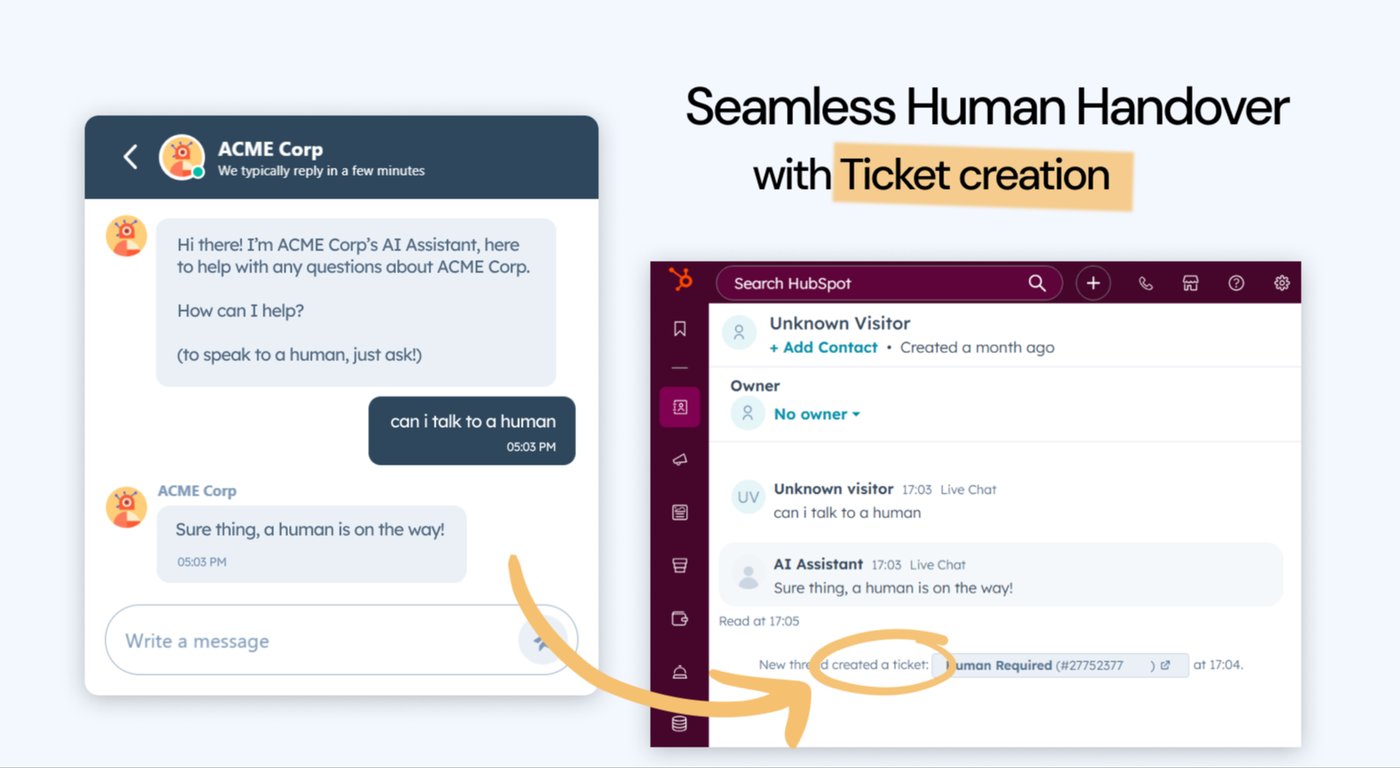
Image: Resolve247’s HubSpot Marketplace listing.
- What it does for support: it answers from your website, help docs and files, and shows its sources with every answer. It also replies to customer emails that arrive in your HubSpot inbox. When it hands a chat to your team, it can add a handover summary to the ticket: what the customer wants, what’s been covered and what’s still to resolve.
- Inside HubSpot: it replies within HubSpot’s own conversation thread, so every chat and email stays in your HubSpot inbox. It uses HubSpot contact details to personalise answers, pauses when a teammate replies, and reads the screenshots and files customers send. With its Tool Use feature, on every plan, you can also connect it to your own API, so it can look up live details such as an order’s status.
- Works on: every HubSpot plan, from Free to Enterprise, as its HubSpot Marketplace listing shows. You choose which of your HubSpot chats it answers.
- Price: from $35 a month, or $29 a month billed annually, for 2,000 AI messages (each AI reply is one message). There are no credits and no fee per resolution (Resolve247 pricing). If you go over 2,000, it keeps answering and we talk about the right plan, with nothing charged automatically. If it ever hallucinates (makes up an answer), that month is free.
- HubSpot’s own option: the Customer Agent, on Professional or Enterprise, at $0.50 for each resolved conversation once your plan’s included credits run out. Our HubSpot AI pricing guide works through the maths, and our comparison of AI chatbots for HubSpot covers more options.
- Good fit if: your team answers the same questions every day in HubSpot chat or email and wants a flat monthly price. Teams that want AI answering on WhatsApp, Messenger, SMS or the phone, and large enterprises, are better matched to other tools.
The chatbot is already saving our team several hours each week, allowing us to focus on higher-value work.
Tom, Senior Customer Success Specialist, Brewery Software company
Setup takes minutes. See Resolve247’s AI chatbot for HubSpot or our guide to adding AI to the HubSpot chat widget on any plan. To start now, try Resolve247 free for 30 days, with no card needed.
2. Aircall: HubSpot Aircall Integration for Phone Support
Aircall is a cloud phone system: your team takes calls and texts in Aircall, and its HubSpot app logs calls, texts and recordings to the HubSpot contact and ticket automatically. While the phone rings, a pop-up shows the caller’s contact, company, deal and ticket details.
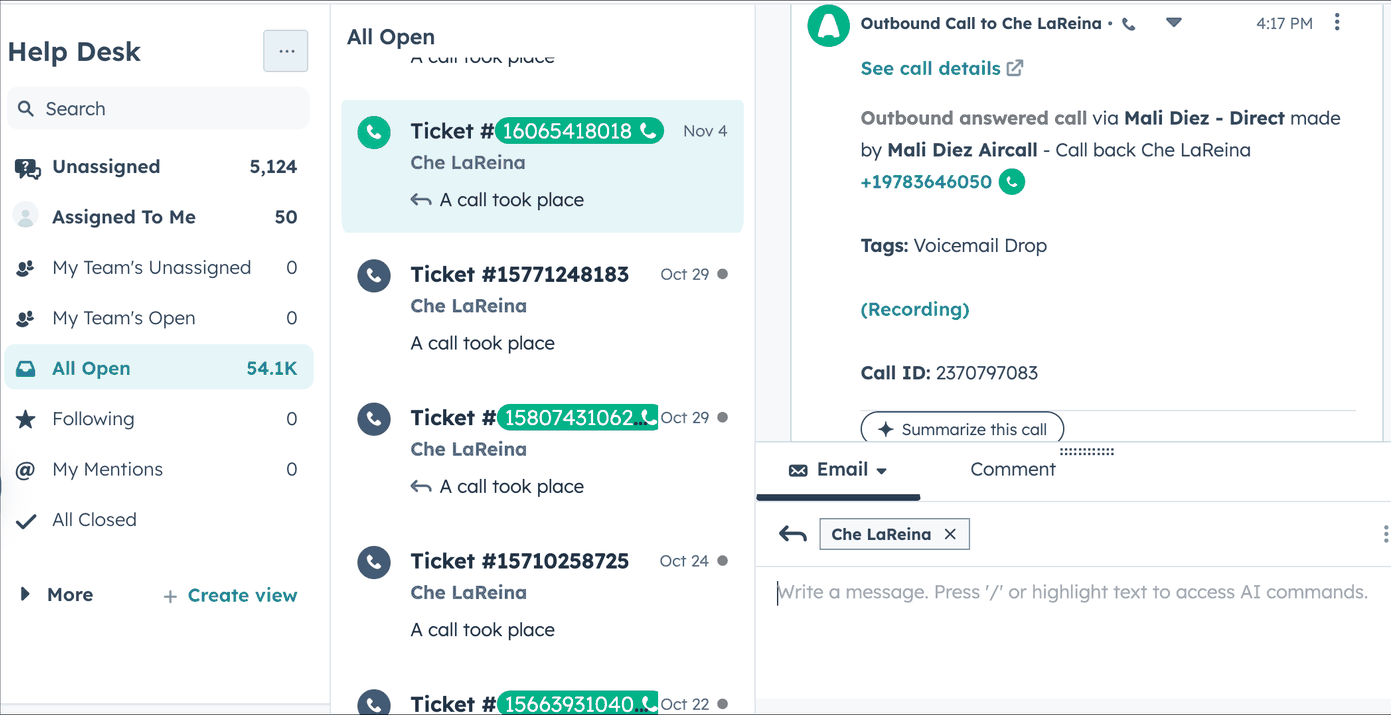
Image: Aircall’s HubSpot Marketplace listing.
- For support teams: phone menus (IVR), call whispering (coaching a teammate mid-call, unheard by the caller) and warm transfers. On Professional, calls also create and update tickets in HubSpot’s help desk.
- Works on: every HubSpot plan. Calls in HubSpot’s help desk, and Aircall’s AI features in HubSpot, need Sales Hub or Service Hub Professional.
- Price: Aircall’s Essentials plan is $30 per licence a month, billed annually, with a three-licence minimum, so from $90 a month (Aircall pricing). AI call summaries cost extra on Essentials.
- HubSpot’s own option: HubSpot calling. Starter’s 500 minutes a month are shared by the whole account, which is under 25 minutes a working day. They can’t be topped up, so once they’re used, no new HubSpot calls go through until the next month. Professional has 3,000 minutes, with more at $50 per 1,000. Free has no HubSpot calling, so a Free-plan team that takes calls needs an app like this.
- For one or two people: JustCall starts at $29 per user a month, billed annually, with a two-user minimum (so from $58 a month), plus call and text charges. Every JustCall plan includes its HubSpot integration, which turns inbound calls and texts into Service Hub tickets.
3. TimelinesAI: HubSpot WhatsApp Integration on Free or Starter
TimelinesAI brings WhatsApp into HubSpot on any plan. It syncs chats to the HubSpot contact, and your team replies from a chat view on the record. HubSpot’s own WhatsApp channel needs Professional.
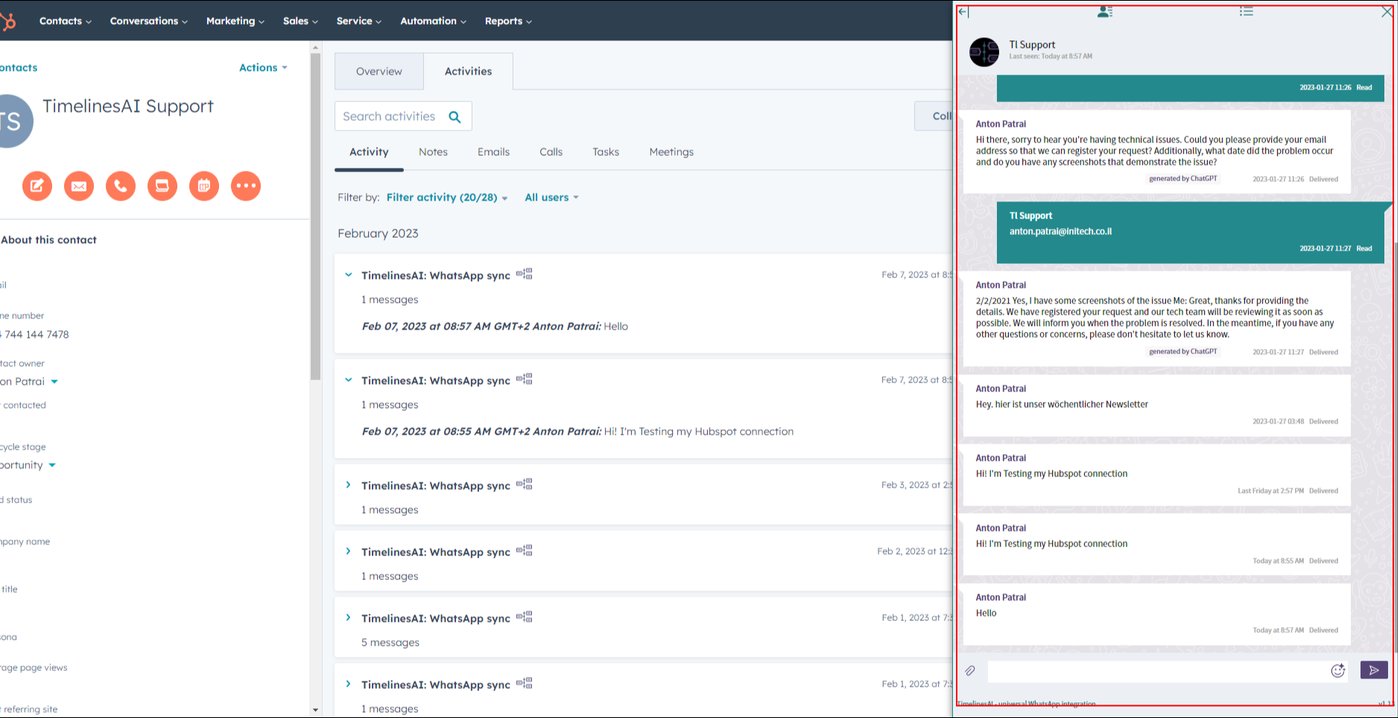
Image: TimelinesAI’s HubSpot Marketplace listing.
- For support teams: it works with a personal WhatsApp number, the WhatsApp Business app or the WhatsApp Business API. Every TimelinesAI plan adds AI auto-replies and chat summaries on WhatsApp, with 100 AI credits a month. Its chats attach to the contact and deal, not to a ticket or your shared inbox, so your team answers WhatsApp from the customer’s record.
- Works on: every HubSpot plan. Sending WhatsApp messages from HubSpot workflows needs a plan with workflows (Professional).
- Price: $28 a seat a month billed annually, or $35 billed monthly, and each WhatsApp number needs its own seat (TimelinesAI pricing). There’s a 10-day free trial.
- HubSpot’s own option: WhatsApp Business by HubSpot, on Service Hub or Marketing Hub Professional, puts WhatsApp conversations in your shared inbox. It includes 1,000 template messages a month (pre-approved messages that start a chat), shared across your numbers. Extra ones cost $70 per 1,000, plus Meta’s own WhatsApp charges where they apply.
- Sharing one number: in HubSpot’s own WhatsApp, a setup called coexistence lets one WhatsApp Business number work in the WhatsApp Business app on your phone and in HubSpot at the same time. A small team can then share it, and messages typed on the phone don’t count towards the 1,000.
- For SMS: Sakari starts at $25 a month with unlimited users. HubSpot’s own SMS add-on ($75 a month, on Professional) sends only from US numbers to US and Canadian numbers.
HubSpot Apps for Teamwork: Slack and Jira
4. Slack: HubSpot’s Slack Integration for Chat Alerts and Replies
HubSpot’s Slack app is free and works on every plan. New website chats post to a Slack channel, and your team can reply to the visitor from the Slack thread. You can also turn a Slack message into a HubSpot ticket, task or note.
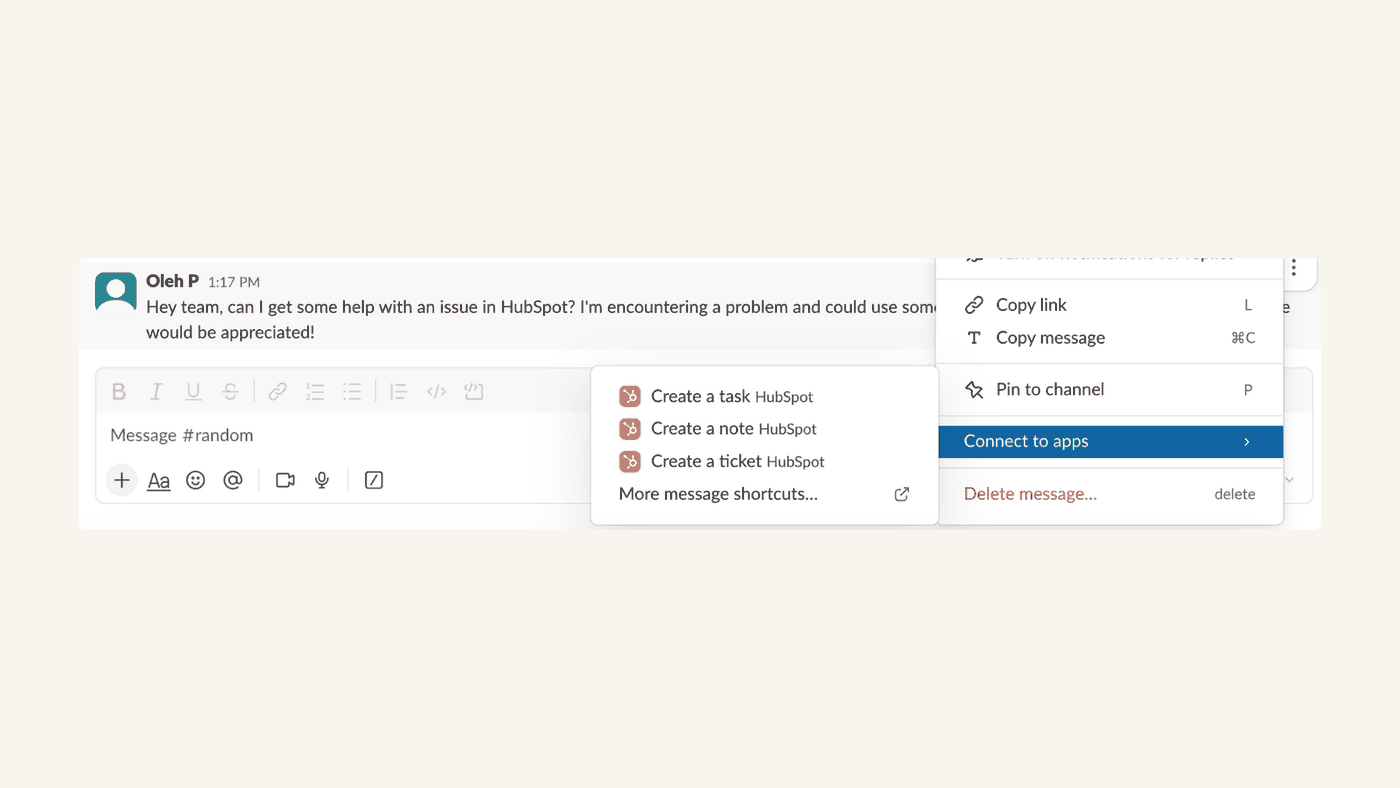
Image: HubSpot’s Slack listing on the HubSpot Marketplace.
- Works on: every HubSpot plan for chat alerts and replies (HubSpot’s guide). Syncing help desk tickets to Slack channels, with comments in both directions, needs Service Hub Professional. Sending Slack messages from workflows also needs a Professional plan.
- Price: the app is free. Slack’s own free plan allows up to 10 apps.
- On Microsoft Teams? HubSpot makes a Microsoft Teams app too.
5. Jira: HubSpot’s Jira Integration for Bug Reports From Tickets
When a customer reports a bug, HubSpot’s Jira app lets your team create a Jira issue from the ticket record, or link one that already exists. The ticket then shows the issue’s status, so your team can tell the customer when it’s fixed. HubSpot says updates can take from one hour to 24 hours to sync.
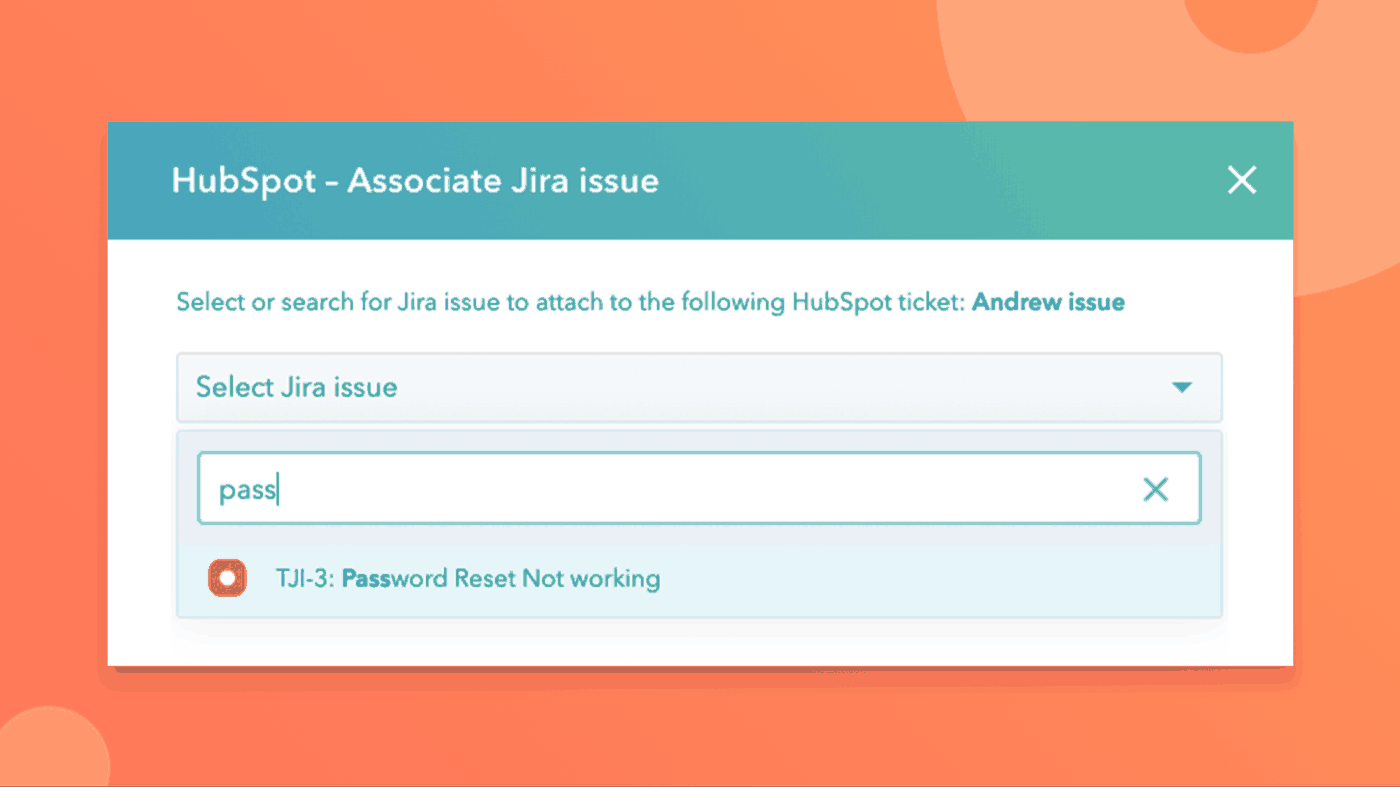
Image: HubSpot’s Jira listing on the HubSpot Marketplace.
- Works on: every HubSpot plan (HubSpot’s guide). Creating Jira issues automatically from a workflow needs Professional.
- Price: the app is free, and Jira is free for up to 10 users.
- Two-way sync: HubSpot’s separate Jira Data Sync app keeps fields and comments matching between tickets and Jira issues, both ways. Custom field mappings (choosing which fields match) need a paid Data Hub Starter subscription (a separate HubSpot data product).
HubSpot Apps for Feedback, Orders and Video Calls: Survicate, Shopify and Zoom
6. Survicate: CSAT, NPS and CES Surveys on Free or Starter
Survicate is a survey tool that works on any HubSpot plan. You embed NPS, CSAT or CES surveys (loyalty, satisfaction and effort scores) in your HubSpot emails. The answers are saved in HubSpot, and you get alerts on low scores. HubSpot’s own feedback surveys need Service Hub Professional.
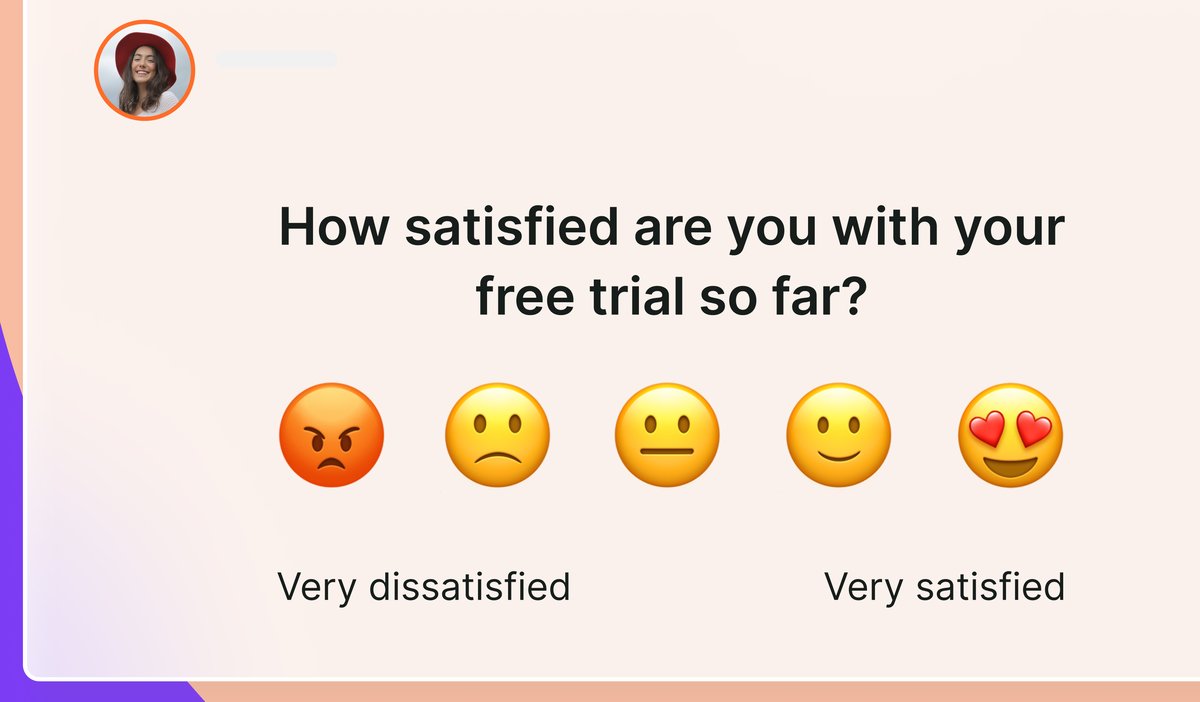
Image: Survicate’s HubSpot Marketplace listing.
- Works on: every HubSpot plan. Using a survey score to start a HubSpot workflow needs a plan with workflows.
- Price: the Growth plan starts at $56 a month, billed annually (Survicate pricing). There’s a 10-day free trial.
- Also consider: Simplesat, which is built for help desks. It puts a survey in the email sent when a ticket closes, saves ratings to the ticket, and can open a follow-up ticket from feedback. It starts at $119 a month, billed annually. HubSpot’s own SurveyMonkey app connects only to SurveyMonkey accounts licensed in the US.
7. Shopify: HubSpot’s Shopify Integration for Order Details
HubSpot’s Shopify app syncs customers, products, orders and abandoned checkouts into HubSpot. It adds a Shopify card with order history to the contact record, so whoever answers “where’s my order?” can see it without opening Shopify.
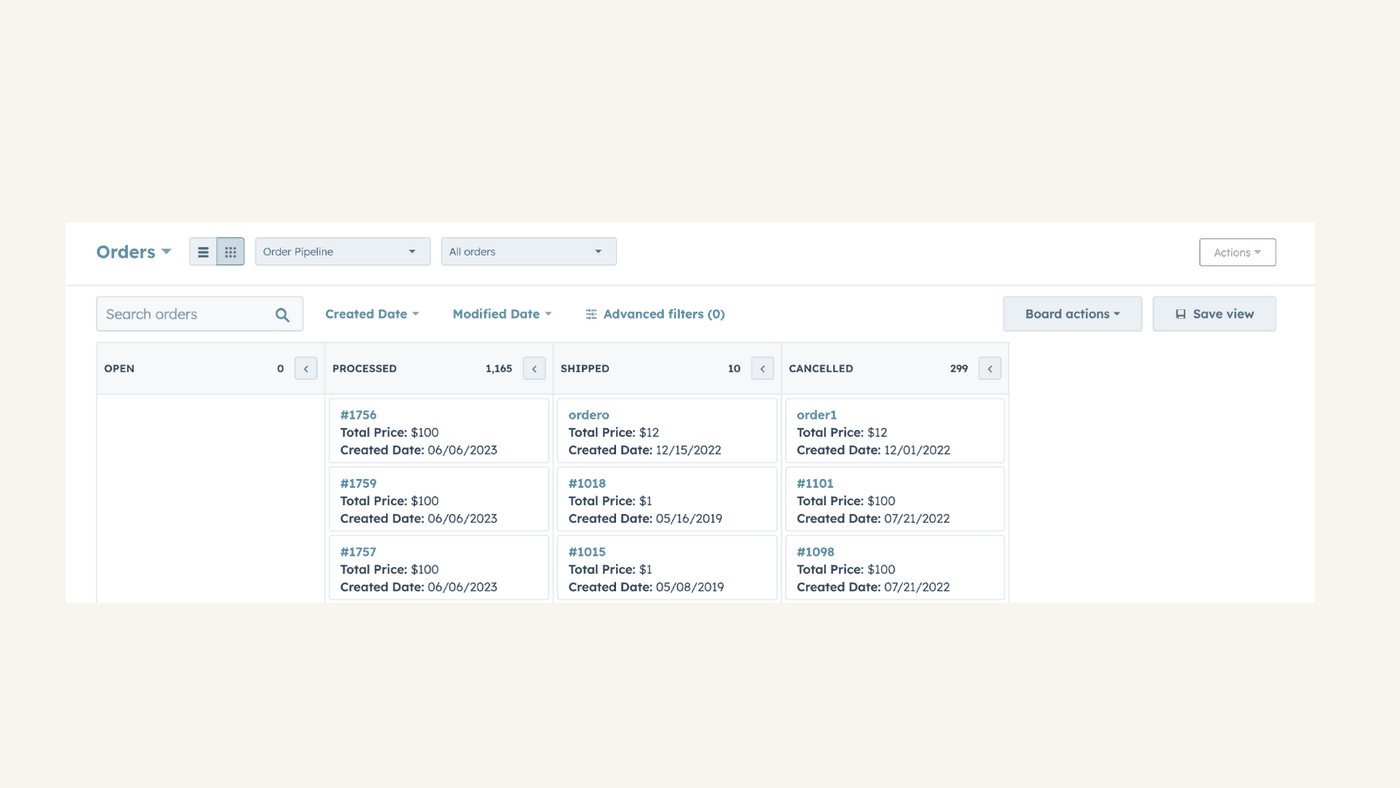
Image: HubSpot’s Shopify listing on the HubSpot Marketplace.
- Works on: every HubSpot plan. Choosing what syncs needs a paid Data Hub Starter subscription (a separate HubSpot product).
- Price: the app is free.
- Before you rely on it: place a test order and check that the order fields your team needs reach the contact, especially any custom fields.
- Order status in chat: the Shopify card is for your team. To answer “where’s my order?” in chat, an AI chatbot has to look the order up live in your own order system. Resolve247’s Tool Use does this through your own API.
8. Zoom: HubSpot’s Zoom Integration for Video Support Calls
HubSpot’s Zoom app adds a Zoom link to meetings you book in HubSpot, including from a ticket. It then saves the meeting and your notes on the contact, company or ticket. It suits problems that are quicker to fix on a call with screen sharing.
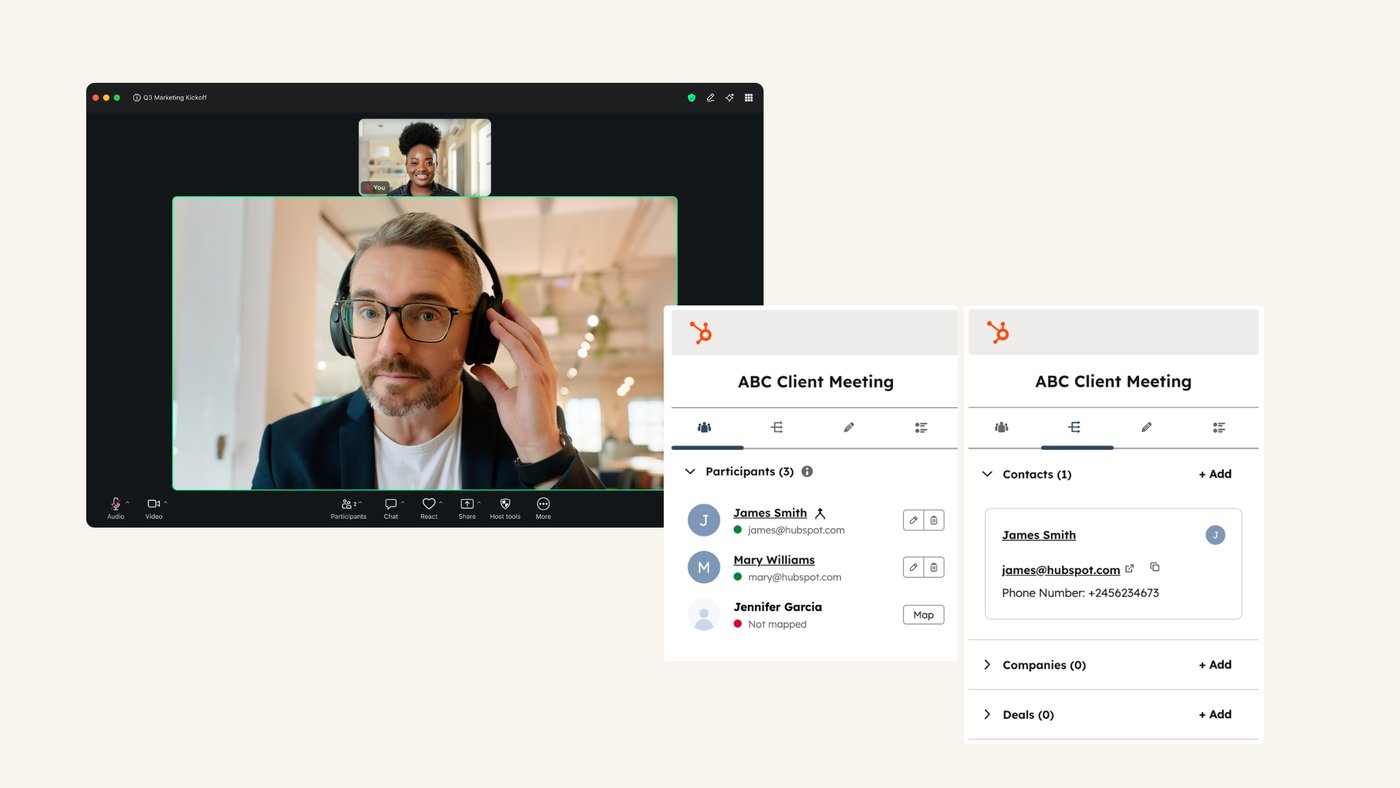
Image: HubSpot’s Zoom listing on the HubSpot Marketplace.
- Works on: every HubSpot plan. Each teammate connects their own Zoom account (HubSpot’s guide).
- Price: the app is free and works with Zoom’s free Basic plan, which limits meetings to 40 minutes. Syncing recordings and transcripts to HubSpot needs Zoom’s cloud recording, which comes with Zoom’s paid plans. Pro costs $14.16 a user a month, billed annually (Zoom pricing).
HubSpot Apps for Automation and AI Assistants: Zapier, Claude and ChatGPT
9. Zapier: HubSpot’s Zapier Integration for Tools Without Their Own App
Zapier links HubSpot to tools that don’t have a HubSpot app of their own. A new ticket can add a row to a spreadsheet, for example, or a form in another tool can create a HubSpot ticket. HubSpot builds the Zapier app itself, and you manage your automations (Zaps) inside HubSpot’s settings.
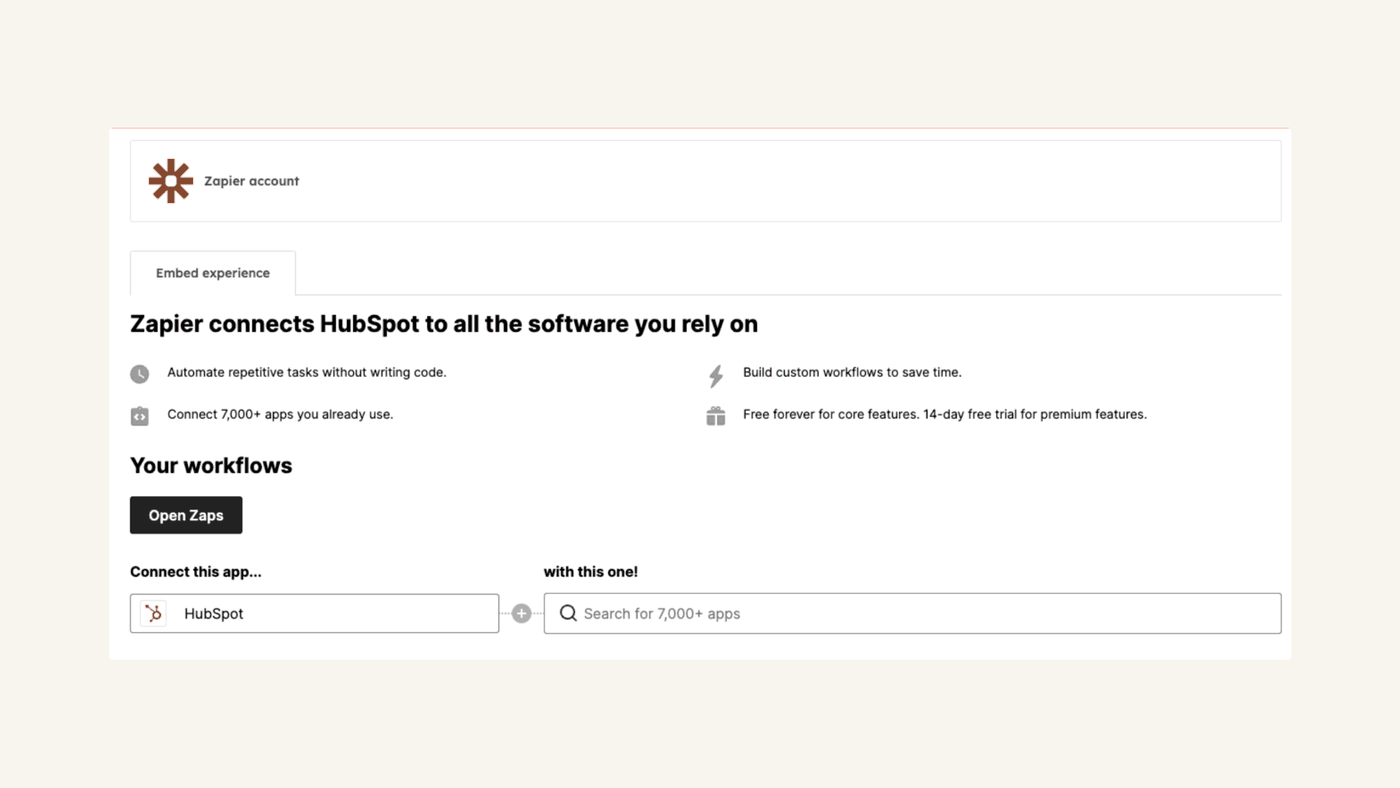
Image: HubSpot’s Zapier listing on the HubSpot Marketplace.
- Works on: every HubSpot plan.
- Price: Zapier’s free plan includes 100 tasks a month (one task per action) and two-step Zaps (a trigger plus one action). Pro costs $19.99 a month, billed annually. Make is a popular alternative, with a free plan of 1,000 credits a month.
- Not for core channels: for calls and WhatsApp, a dedicated app (Aircall, TimelinesAI) logs conversations more reliably than a chain of Zaps.
10. Claude or ChatGPT: HubSpot’s Connectors for Your AI Assistant
HubSpot builds free connectors that link Claude and ChatGPT to HubSpot. Once you connect one, your team can ask about HubSpot data in plain English. For example: “What were the most common questions in our help desk this month?” or “List my open tickets by priority”. The assistant can also log a note on a ticket.
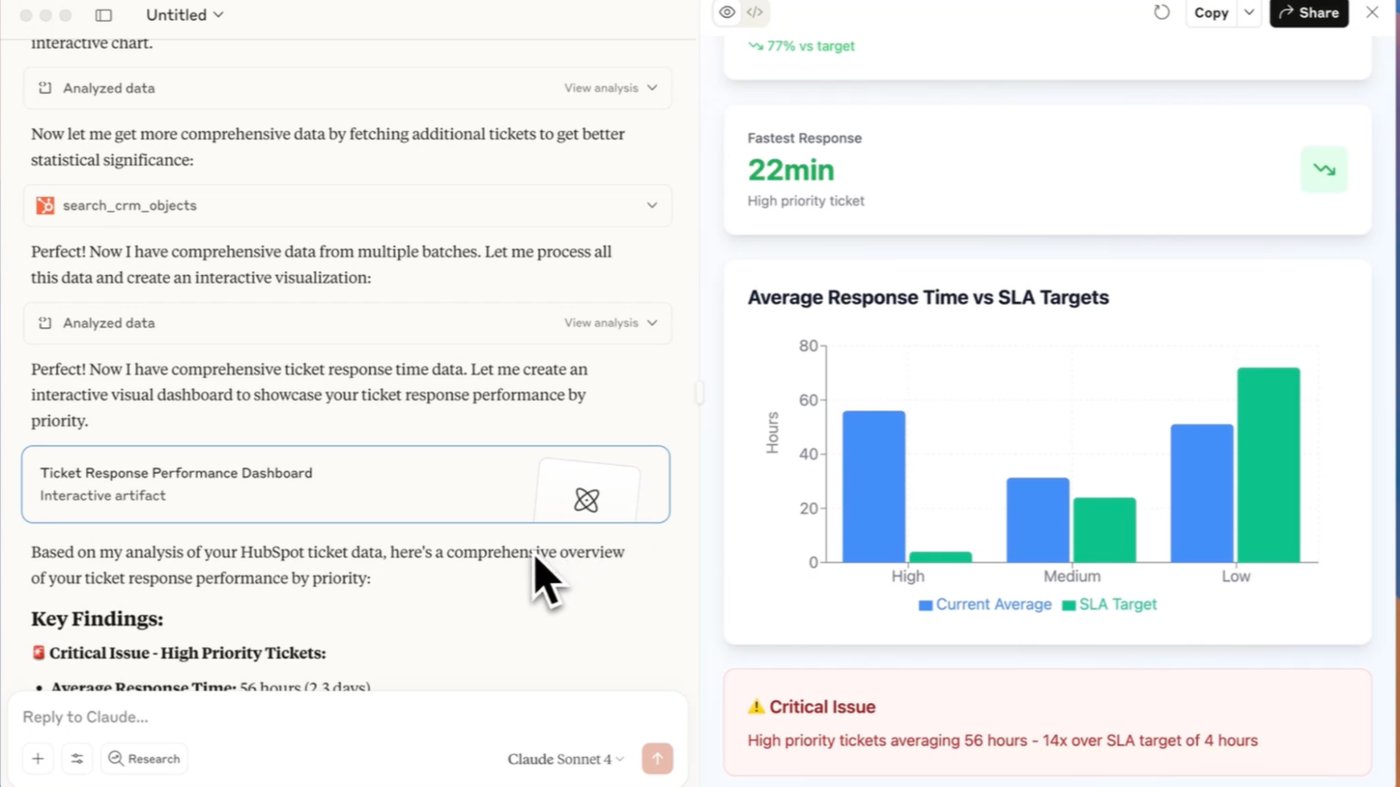
Image: HubSpot’s Claude connector listing on the HubSpot Marketplace.
- What it can do: it can read, create and update tickets, contacts and activities such as notes, and read inbox and help desk conversations. It can’t delete anything. Each person sees only the data their HubSpot permissions allow (HubSpot’s guide).
- Works on: every HubSpot plan. Super Admins and users with App Marketplace access can connect it; anyone else needs a Super Admin to approve it first.
- Price: the connector is free. Each person who uses it needs a paid Claude plan, from Claude Pro at $20 a month ($17 billed annually). The listing for the ChatGPT connector says it needs a paid ChatGPT plan.
- Good to know: the connector is a tool for your team. It reads conversations but can’t reply to customers. For AI that answers customers in HubSpot, see Resolve247 above or HubSpot’s Customer Agent.
Add Apps or Upgrade to HubSpot Professional? What Each Route Costs
Take a three-person support team on Starter that wants AI answers in chat, phone calls, WhatsApp and CSAT surveys. The team can add apps, or upgrade to Professional and use HubSpot’s own tools. Here’s the monthly cost of each route, at 500 chats a month.
| Starter plus apps | Professional | |
|---|---|---|
| HubSpot seats (3 people) | $60 (Starter, $20 a seat) | $270 ($90 a seat, billed annually) |
| AI answers in chat (500 chats a month) | Resolve247: $29 (annual) | Customer Agent: about $145 after the included credits |
| Phone | Aircall: $90 (3 licences, annual) | HubSpot calling: 3,000 minutes included |
| TimelinesAI: $28 (one number, annual) | Included: 1,000 template messages a month | |
| CSAT surveys | Survicate: $56 (annual) | Included |
| Help desk workspace, SLAs, knowledge base | Not available | Included |
| Monthly total | About $263 | About $415, plus a one-off $1,500 onboarding fee |
The Customer Agent line assumes HubSpot’s stated 70% resolution rate (Customer Agent listing), so about 350 of the 500 chats count as resolutions. Professional’s 3,000 included credits cover the first 60 resolutions, if no other HubSpot AI feature uses them. The other 290 cost $0.50 each, about $145.
The Resolve247 plan in the table includes 2,000 AI replies, enough for 500 chats at four replies each. Resolve247’s Core plan, at $55 a month ($45 annual), has 4,000.
For another team size, scale the per-person lines (HubSpot seats, and Aircall licences above three). Resolve247 is priced by AI replies and TimelinesAI by WhatsApp number. Prices checked 23 November 2026, monthly figures rounded.
If you need a knowledge base, SLAs or HubSpot’s help desk workspace, Professional is the way to get them. Professional also brings WhatsApp into your shared inbox, where the Customer Agent can answer those chats.
AI answers don’t need HubSpot’s knowledge base: Resolve247 learns from your website and help docs. If what you need is more channels and AI answers, apps on Starter cost less, and you skip HubSpot’s $1,500 Professional onboarding fee. On Professional, using Resolve247 instead of the Customer Agent cuts the AI cost from about $145 to $29 a month.
How to Check a HubSpot Integration Before You Install It
We read 26 threads on Reddit’s r/hubspot forum for this guide. In 9 of them, the complaint was an app that connects but doesn’t record activity reliably, such as calls that never reach the record, or duplicate records. Five checks catch most of these problems:
- Check who built it. The listing’s “Built by” line says whether HubSpot or the app’s maker built the integration, so you know who fixes it if the sync breaks.
- Check which plan each feature needs. On the listing, click “See all compatible plans” to see the HubSpot plans each feature works with. Features that add a channel to HubSpot’s inbox or help desk usually need Professional.
- Check what it writes back. A call or chat saved as its own activity keeps details such as the call’s outcome and duration, so reports and workflows can use them. Pasted into a note, those details are only text.
- Run one messy test. Call or message from a number HubSpot doesn’t know, then reply. Check that your test and the reply land on the same contact and ticket, with no duplicate. Repeat the test a week later: a sync can stop without any error.
- Check who can install it. Installing an app needs Super Admin or App Marketplace access permissions. Anyone else can click “Request to install” on the listing, which emails an admin (HubSpot’s guide).
Frequently Asked Questions
What apps does HubSpot integrate with?
HubSpot’s Marketplace lists more than 2,800 apps, agents and workflow templates. The most installed are email and calendar apps such as Gmail, Google Calendar and Outlook, plus HubSpot’s Claude connector and Zapier. For support teams, the most useful ones add AI answers (Resolve247, which we make), phone calls (Aircall), WhatsApp (TimelinesAI), chat alerts (Slack), bug reports (Jira) and surveys (Survicate).
Are HubSpot integrations free?
Installing HubSpot integrations from the Marketplace is free on every plan, and many apps HubSpot builds itself are free, such as Slack, Jira, Shopify and Zapier. Apps from other providers set their own prices, and some features need HubSpot Professional, so check the compatible plans on each listing.
Can you add AI to HubSpot without upgrading to Professional?
Yes. Resolve247, which we make, answers customers in your HubSpot chat widget and replies to emails in your HubSpot inbox. It works on every HubSpot plan, Free included, from $35 a month. HubSpot’s own Customer Agent needs Professional or Enterprise and costs $0.50 per resolved conversation once your included credits run out. HubSpot’s free chatbot builder follows rules you set, such as creating a ticket, rather than answering with AI.
What’s the difference between HubSpot plugins, add-ons and integrations?
People use all three words for tools you install from HubSpot’s Marketplace, which HubSpot calls apps or integrations. Strictly, “plugin” usually means HubSpot’s WordPress plugin or a browser extension. HubSpot’s own “add-ons” are paid extras on its price list, such as more calling minutes or WhatsApp messages.
Does HubSpot have an API for custom integrations?
Yes. HubSpot’s public API is open on every plan, Free included, so a developer can build an integration when no app exists. For no-code links, Zapier and Make cover most needs.
Can you keep Zendesk or Intercom and use HubSpot too?
Yes. Zendesk and Intercom both have HubSpot apps, and HubSpot builds data-sync apps for Zendesk, Intercom and Freshdesk. With these, you run a separate help desk next to HubSpot instead of adding to Service Hub. To weigh one against Service Hub, see HubSpot vs Zendesk or HubSpot vs Intercom. To move support out of HubSpot, see our Service Hub alternatives guide.
Which HubSpot Integrations Should a Support Team Add First?
Start from your plan (see the plan table):
- On Free: add Resolve247 for AI answers in chat and email, and HubSpot’s Slack app for chat alerts. Free has no HubSpot calling, so if customers call, add a phone app such as Aircall or JustCall.
- On Starter: add the same apps, but use HubSpot’s 500 shared calling minutes until they run short. Add TimelinesAI if customers use WhatsApp, and Survicate for CSAT.
- On Professional: add Resolve247 for AI answers at a flat price instead of the Customer Agent’s $0.50 a resolution, and use HubSpot’s own WhatsApp, surveys and knowledge base.
- On any plan: add Jira if your developers use it, and Shopify if you sell there.
Whichever you add, run the five checks above before your team relies on it.
If your team answers the same questions every day in HubSpot chat, Resolve247 answers them first, on any HubSpot plan, at a flat monthly price from $35. When a question needs a person, it opens a HubSpot ticket. Try Resolve247 free for 30 days, with no card needed, or see how it works with HubSpot and our plans.