
Top 7 AI Chatbots for HubSpot (Best Options for SMBs in 2026)
Looking for the best HubSpot AI chatbot for your business? You’re not short of options in 2026, but the right choice depends on your budget, your HubSpot plan, and what you actually need a chatbot to do. We’ve tested the top AI chatbot platforms that integrate with HubSpot so you don’t have to.
This guide compares the top 7 AI chatbots for HubSpot – from native tools to specialist third-party platforms. It’s written specifically for small and mid-sized businesses (SMBs) that want to add a HubSpot AI chatbot to their setup without overpaying or overcomplicating things.
Whether you need a support chatbot, a sales assistant, or a voice agent, you’ll find the right fit below. We’ll cover pricing, HubSpot chatbot integration depth, real HubSpot chatbot examples, and what each tool is genuinely best for – so you can make a confident decision. If you want to step back and see the different ways a chatbot can be built into HubSpot before choosing a specific tool, our guide to HubSpot chatbot examples walks through eight patterns and what each one achieves.
How We Evaluated These HubSpot AI Chatbot Platforms
Not all chatbot platforms for HubSpot are created equal. Some are built into HubSpot natively, others bolt on via API or widget embed. To make this comparison fair and useful, we evaluated each tool against five criteria:
- HubSpot chat integration depth – Does it work inside HubSpot’s chat widget and inbox, or is it a separate system? Does it sync contacts, create tickets, and log conversations in HubSpot? Native integrations score highest here, followed by direct API connections, then standalone widgets.
- AI capabilities – Is the chatbot AI-powered (using large language models to understand and respond to any question) or rule-based (following pre-scripted conversation flows)? AI-powered chatbots handle a far wider range of questions without manual setup.
- Pricing and value for SMBs – What does it actually cost for a small business? We looked at monthly fees, per-conversation charges, and whether you need an expensive HubSpot plan to use it. Hidden costs matter.
- Channel support – Does it work on your website only, or also on WhatsApp, phone, Facebook Messenger, or other channels? The right answer depends on where your customers are.
- Ease of setup – Can you get it running in minutes, or does it need developer resources and weeks of configuration? For most SMBs, faster is better.
Rule-Based vs AI-Powered: Two Types of HubSpot Chatbot
Before we get into the list, it’s worth understanding a key distinction: rule-based chatbots and AI-powered chatbots work in fundamentally different ways.
Rule-based chatbots (like HubSpot’s built-in Chatflow Builder) follow pre-defined scripts. You manually create a decision tree of questions and answers using if/then logic. The bot can only handle conversations you’ve anticipated and scripted. If a customer asks something outside the script, the bot gets stuck. These are sometimes called “HubSpot chatflows.”
AI-powered chatbots (like Resolve247, Breeze Customer Agent, or Aimdoc) use large language models to understand natural language. You train them on your knowledge base, website content, or help docs, and they can answer any question covered by that content – even if the customer phrases it in an unexpected way. They don’t need manual scripting for every possible question.
Why this matters: If you only have five or six common questions, a rule-based chatbot might be enough. But if customers ask varied questions – or you don’t have time to script every conversation path – an AI-powered chatbot will save you significant time and handle far more queries without human intervention.
Most tools on this list are AI-powered. We’ve noted which ones aren’t.
Quick Comparison: Best AI Chatbots for HubSpot at a Glance
| Tool | Best For | Pricing | Integration Type | Channels |
|---|---|---|---|---|
| Resolve247 | Any HubSpot plan, overall value | From $35/mo | Direct (HubSpot app) | Website (HubSpot chat widget) |
| Breeze Customer Agent | HubSpot Enterprise users | $800/mo+ (Pro required) + $0.50/resolution | Native (built into HubSpot) | Website (HubSpot chat widget) |
| QuickBlox | Healthcare (HIPAA compliance) | Custom pricing | API | Website, in-app |
| treble.ai | WhatsApp responses | Custom pricing | Direct (HubSpot app) | |
| Aimdoc | Booking sales calls | From $199/mo | Widget + API | Website |
| HubSpot Chatflow Builder | Manually defined chatflows | Free (basic) | Native (built into HubSpot) | Website, Facebook Messenger |
| Retell AI | Automating phone calls | Usage-based | API | Phone/voice |
1. Resolve247
Best for: any HubSpot plan and overall value
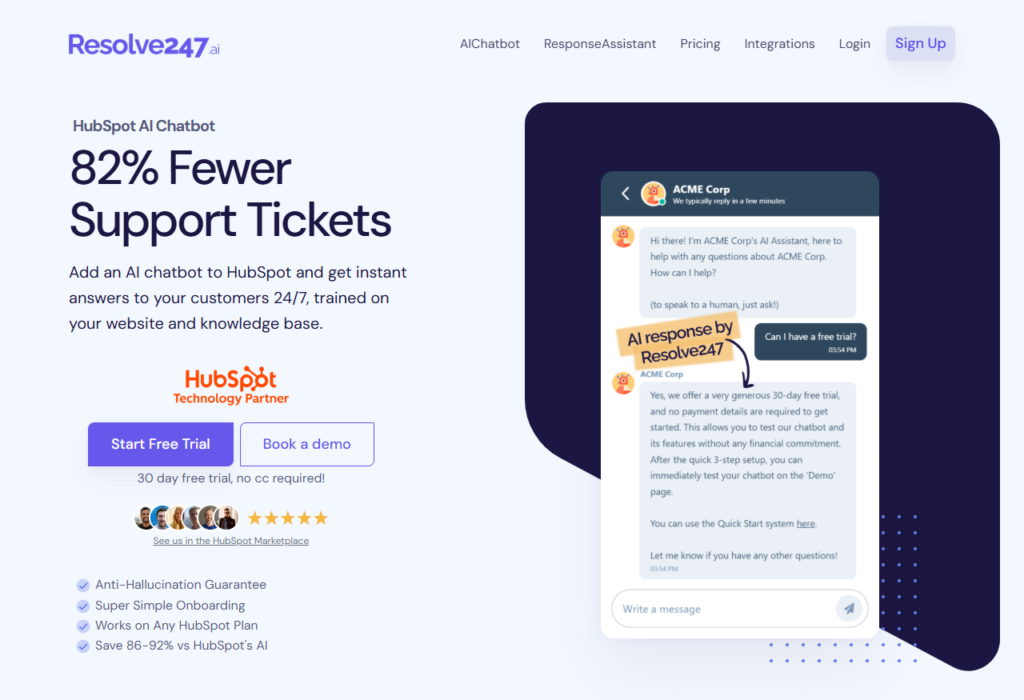
Resolve247 is a HubSpot AI chatbot for websites designed to work on any HubSpot plan, including Free and Starter. It integrates directly into your existing HubSpot chat widget, providing accurate conversational answers to visitors through the normal HubSpot interface. Conversations appear in your HubSpot inbox just like regular chats. Even if you’re not on HubSpot’s Professional tier, you can deploy a quality AI chatbot on your site without upgrading.
Key Features
- Works on all HubSpot plans: Free, Starter, Pro, or Enterprise – no restrictions. Connect to HubSpot with one click and you’re up and running. Small businesses don’t need to pay for higher HubSpot tiers just to get AI chat.
- Custom instructions and AI control: Fine-tune the AI’s behaviour on every plan. Tell the bot to ask qualifying questions, promote specific offers, or follow particular business rules. HubSpot’s built-in AI doesn’t allow this kind of customisation.
- Anti-hallucination guarantee: Resolve247 guarantees the AI only answers from your knowledge base. If the bot ever makes up an answer not supported by your content, they’ll credit you. A multi-step checking process ensures factual, relevant responses.
- AI Insights and analytics: See the most frequent categories and subjects your customers ask about. The Knowledge Gaps feature shows where the AI couldn’t answer, so you can fill those gaps in your knowledge base.
- Seamless human handover: When a customer needs a human, the integration creates a HubSpot ticket automatically. Your team picks up the conversation in the same inbox they already use.
- Hands-on support: Personal onboarding help, including screen-share support and optimisation advice. A real person helps you get the most out of the chatbot – unlike the standard support you’d get for HubSpot’s native features.
Pricing
Plans start at $35/month for 2,000 AI messages (roughly 600-800 conversations, or about $0.04 per conversation). This is 85-91% cheaper than HubSpot’s own Breeze Customer Agent. All plans include a 30-day free trial with no credit card required. See Resolve247 pricing for full details.
HubSpot Integration
The HubSpot chat integration is straightforward. Resolve247 connects directly to HubSpot as a native app. It works inside your existing HubSpot chat widget – no separate widget needed. Conversations sync to your HubSpot inbox, and the bot creates tickets for human handover. The integration works on every HubSpot plan, including Free and Starter.
Example
SMBs using Resolve247 have reported 85-91% cost savings on their chatbot spend compared to HubSpot’s native AI, while actually improving answer quality. The combination of low per-conversation cost and the ability to work on any HubSpot plan makes it the strongest value option for small and growing teams.
Resolve247 is the all-round winner for SMB use cases where you want a trustworthy, cost-effective HubSpot AI chatbot answering customer questions on your website. (For a detailed comparison, see our guide on comparing HubSpot Breeze to Resolve247. Or read how to add AI to your HubSpot chat widget on any plan. If you’re still evaluating whether AI support is right for your business, our guide to choosing an AI customer support chatbot can help.)
2. HubSpot’s Breeze Customer Agent
Best for: HubSpot Enterprise users
HubSpot’s Breeze Customer Agent is the CRM’s native AI chatbot, introduced in 2025. If you’re on HubSpot Service Hub Professional or Enterprise, you have access to this AI support agent within HubSpot. It lives inside your HubSpot chatflows and Conversations Inbox, making it convenient if you’re already on a higher-tier plan. Unlike HubSpot’s old chatflow builder, Breeze can conversationally respond to questions using your knowledge base.
Key Features
- Seamless HubSpot integration: Built by HubSpot, so it’s tightly integrated. Add it from within your dashboard – configure settings, assign it to a channel, and you’re live. (See our Breeze Customer Agent setup guide)
- Good for basic FAQs: Handles frequently asked questions using your knowledge base, in multiple languages. HubSpot has also added light “action” capabilities – with developer help, the AI can perform tasks like looking up order status via the Actions API.
- Only available on Pro and Enterprise: The biggest limitation. If you’re on Free or Starter plans, you cannot use Breeze at all.
- No customisation of AI behaviour: You cannot add custom instructions or business rules. The AI simply answers based on your content – no way to tailor the experience beyond that.
Pricing
Breeze requires HubSpot Service Hub Professional ($800/mo minimum) or Enterprise ($3,600/mo). On top of the subscription, AI conversations are metered by credits. Each resolution uses 50 credits. Pro plans include 3,000 credits (60 resolutions) per month; Enterprise includes 5,000 credits (100 resolutions). After that, the AI costs $0.50 per resolution in credit purchases. For an in-depth breakdown, see our article on what HubSpot’s AI agent really costs.
HubSpot Integration
Native – it’s built directly into HubSpot. No external tools, no separate widget. This is its primary advantage. But that tight integration comes at the cost of flexibility: you’re locked into HubSpot’s pricing and limitations.
In summary, Breeze Customer Agent is best for HubSpot Enterprise users who are already paying for top-tier HubSpot and want the convenience of a built-in solution. It handles simple support queries and reduces live agent load. But the high cost per conversation and the fact it’s locked behind expensive plans make it impractical for most SMBs. Many growing teams seek more flexible or affordable HubSpot AI chatbot alternatives, which is where third-party options come in. (Read our full HubSpot Breeze Customer Agent review for more detail.)
3. QuickBlox Medical AI Chatbot
Best for: Healthcare (HIPAA compliance)
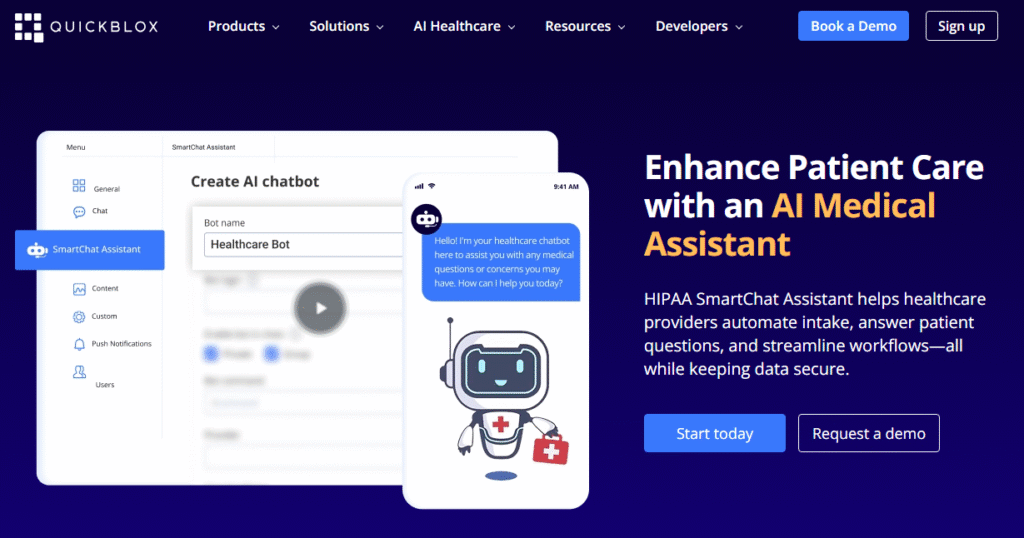
QuickBlox offers a SmartChat AI Assistant specifically geared towards healthcare and medical use cases. This HubSpot AI chatbot platform is built around HIPAA compliance, making it ideal for hospitals, clinics, telehealth providers, or any business handling protected health information.
Key Features
- HIPAA-compliant: QuickBlox provides a HIPAA-compliant chatbot setup with a Business Associate Agreement (BAA) for medical clients. Enterprise clients can opt for a dedicated server for additional security.
- Patient-facing and internal use: Healthcare organisations can use it on their website to answer patient enquiries (appointment scheduling, symptom questions, insurance info) or internally for staff to look up answers and summarise appointment notes.
- Multi-channel: Works on website and can be embedded in mobile apps, covering the channels healthcare providers typically use.
Pricing
QuickBlox uses custom pricing based on requirements. Contact their sales team for a quote.
HubSpot Integration
QuickBlox is not a native HubSpot app. It integrates via API, passing data from chat conversations into HubSpot so patient enquiries are captured in your CRM. This requires some technical setup but ensures your HubSpot records stay complete.
QuickBlox is the best choice for clinics, hospitals, or telehealth startups that need an AI chat assistant but cannot compromise on HIPAA compliance. It’s a specialised solution for a heavily regulated industry – not a one-size-fits-all chatbot.
4. treble.ai
Best for: WhatsApp responses
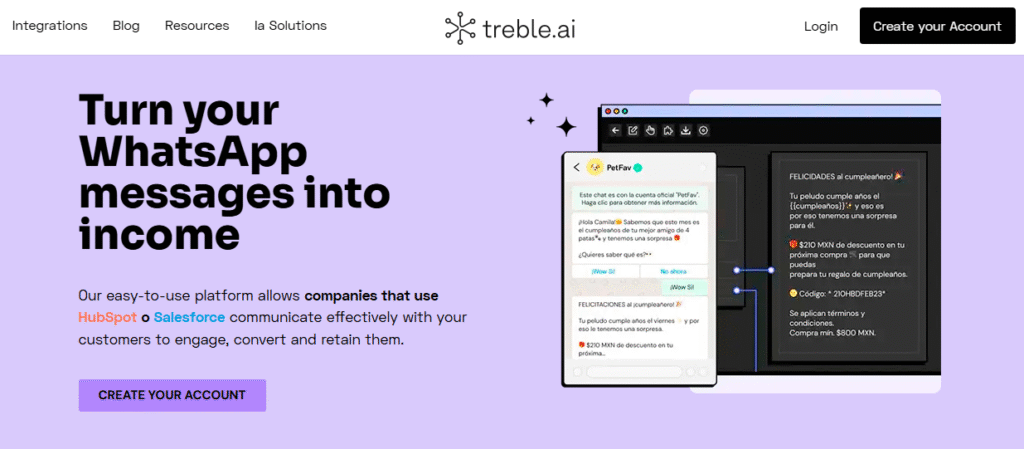
treble.ai focuses on bringing AI-powered chat automation to WhatsApp, with a direct HubSpot integration. It’s built for SMBs that rely on WhatsApp to communicate with leads and customers. HubSpot doesn’t natively support WhatsApp messaging in its chat widget, so treble.ai fills that gap.
Key Features
- WhatsApp + HubSpot integration: A verified WhatsApp Business API solution that connects with HubSpot. Answer WhatsApp messages from within HubSpot’s Conversations inbox and log chats to contact records. New leads from WhatsApp are captured automatically.
- AI chatbots for WhatsApp: Build chatbot flows with a no-code builder, including AI-generated responses. The platform handles how the AI acts when responding on WhatsApp.
- Campaign support: Run WhatsApp marketing campaigns and chatbot interactions that nurture leads, with results syncing back to HubSpot.
Pricing
treble.ai uses custom pricing. Contact their team for a quote based on your message volume and requirements.
HubSpot Integration
Direct integration via the HubSpot marketplace. Conversations sync to HubSpot’s inbox, and contact records are updated automatically. This is a proper two-way integration, not just a standalone widget.
Channels
WhatsApp only. If your audience communicates primarily through WhatsApp (common in Latin America, Europe, and parts of Asia), treble.ai is the strongest option. It saves your team from juggling separate WhatsApp apps and CRM – everything funnels into HubSpot.
treble.ai is the go-to choice if WhatsApp is an important channel for your business. It extends HubSpot’s reach into WhatsApp with AI automation. If you don’t use WhatsApp for customer communication, look at the other options on this list.
5. Aimdoc
Best for: booking sales calls with visitors
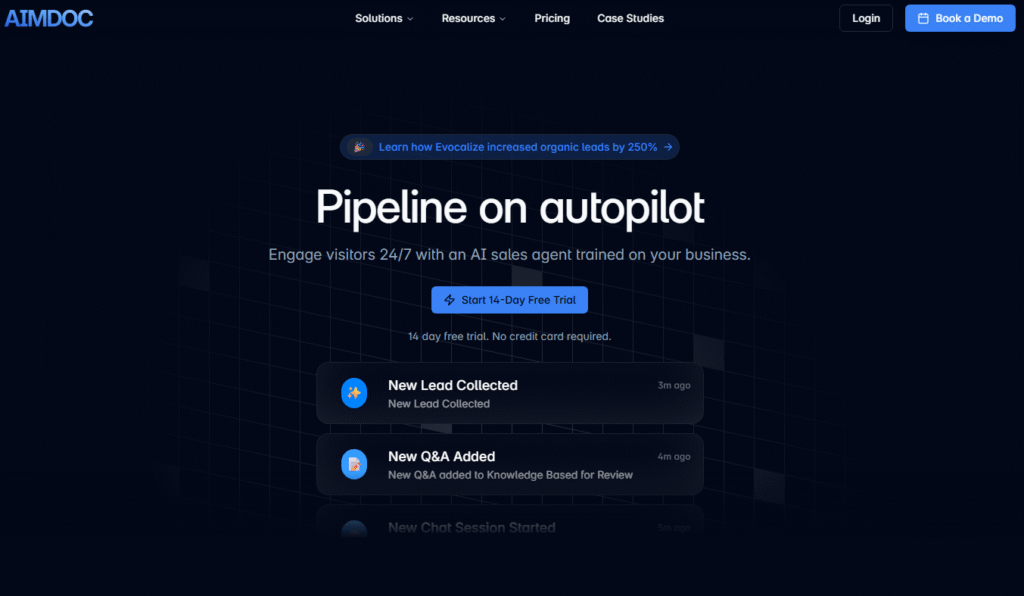
If your main goal is converting website visitors into sales meetings, Aimdoc is worth considering. Aimdoc is an AI SDR (Sales Development Representative) that chats with visitors, qualifies them as leads, and schedules calls or demos automatically. It integrates with CRMs like HubSpot to record interactions and create contacts or deals.
Key Features
- 24/7 lead qualification: Aimdoc’s AI agent proactively engages visitors on your website. It asks qualifying questions to identify potential customers, determining lead quality and business needs.
- Automated meeting scheduling: The standout feature. Aimdoc integrates with Google Calendar and Calendly. If the AI determines someone is a hot lead, it offers available time slots and books the meeting – no human intervention needed.
- Sales-focused AI: Unlike support chatbots, Aimdoc is designed to ask the right qualifying questions, handle objections, and collect key information before booking a meeting. Think of it as a virtual SDR working around the clock.
Pricing
Aimdoc’s Engage plan starts at $199/month and includes 5 seats, 5,000 copilot responses, lead capture, live-chat handover, CRM integrations, and a 14-day free trial. The Convert plan ($999/month) adds AI scoring and routing, voice mode, proactive engagement, and a dedicated account manager. Higher tiers (Activate and Enterprise) use custom pricing.
HubSpot Integration
Aimdoc connects to HubSpot via API and widget embed. It logs interactions, creates contacts, and updates deal records. The integration ensures your sales pipeline in HubSpot reflects every conversation the AI has with visitors.
Example
One company featured in Aimdoc’s case studies reported a 1,200% ROI after deploying the AI Sales Agent. For B2B teams with small sales departments, Aimdoc captures and nurtures leads you might otherwise miss.
Aimdoc is the best choice if your priority is turning website traffic into qualified sales appointments. It gives you a virtual SDR that works 24/7. By the time your human sales rep speaks to a lead, much of the initial qualification is already done.
6. HubSpot Chatflow Builder (Rule-Based Chatbot)
Best for: manually defined chatflows
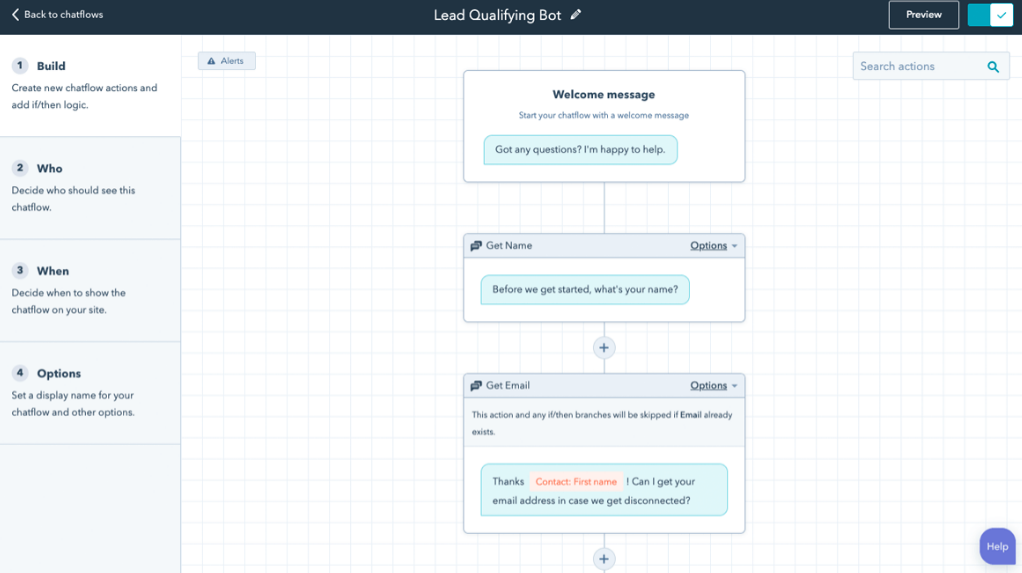
HubSpot provides its own Chatflow Builder – a tool to create chatbots using pre-defined rules and flows. This is not an AI solution. It’s a do-it-yourself chatbot builder included in HubSpot (even on the free tier). You script the bot’s behaviour as a logic tree: you write the questions, predetermine the responses, and map out every conversation path manually.
Key Features
- Available on Free plans (with limitations): Anyone with a HubSpot account can create basic chatflows. But most rule-based functionality (if/then branching, routing) is restricted to higher tiers. On Free and Starter plans, the chatbot is limited to data collection and passing visitors to live human chat.
- Full scripting control: Design exactly how the conversation goes using a visual editor. This guarantees the bot says exactly what you want, but means you must write every question and answer manually.
- Good for simple FAQs and routing: Works well for straightforward needs – collecting contact info, answering a handful of common questions, or routing visitors to the right team.
- Time-intensive to maintain: Building and maintaining flows requires ongoing effort. You must anticipate what users might ask and craft flows accordingly. If questions fall outside the script, the bot gets stuck. This approach doesn’t scale well for complex or varied queries.
Pricing
Free on all HubSpot plans (basic functionality). More advanced chatflow features (branching, routing) require HubSpot Starter or above.
HubSpot Integration
Native – it’s built directly into HubSpot. Uses the standard HubSpot chat widget and works with HubSpot’s Conversations inbox, contact records, and ticketing.
Examples
These HubSpot chatbot examples show how rule-based flows work in practice. B2B companies like Kaysun Corporation and Falcon Structures have used HubSpot chatflows to qualify website visitors by collecting basic information (name, email, question topic) and routing them to the right sales or support team member. These are straightforward use cases where a scripted flow handles the job well.
The HubSpot Chatflow Builder is the best choice if you don’t want to use AI and prefer full control over every conversation path. It’s free, uses the standard HubSpot chat widget, and handles basic lead capture and triage. Just know its limitations: it can’t understand free-form questions. Think of it as a clickable menu in chat format.
For many small businesses, that’s enough to start with – you can always add a HubSpot AI chatbot later as your needs grow. (HubSpot’s knowledge base has a guide on creating a rule-based chatbot to help you get started, and you can read our complete HubSpot chatbot builder guide for more detail.)
7. Retell AI
Best for: automating phone calls
Shifting from text chat to voice: Retell AI is a platform that focuses on voice agents – AI that handles phone calls. It’s the best option for automating phone calls in a HubSpot context. If your business handles a lot of phone enquiries or runs outbound call campaigns, Retell’s AI voice agent can take care of those calls while logging everything in HubSpot.
Key Features
- AI voice agents for calls: Create an AI that talks to people over the phone. Use it for inbound calls (an AI receptionist answering common questions) or outbound calls (following up with leads or gathering information). The voice sounds natural and can hold a real dialogue.
- HubSpot CRM integration: Retell AI integrates with HubSpot via API. It updates contact records, creates new leads from phone calls, logs call transcripts, and triggers HubSpot workflows based on call results.
- Developer-friendly: A customisable platform where you can programme the voice agent with specific prompts and integrate it with various systems. The HubSpot developer community has published a tutorial on implementing a voice AI agent on a HubSpot website using Retell AI.
Pricing
Retell AI uses usage-based pricing. Costs depend on call volume and duration. Check their website for current rates.
HubSpot Integration
API-based integration. Retell AI syncs call data, transcripts, and outcomes into HubSpot. Requires some technical setup, but provides a full data connection between your voice AI and CRM.
Channels
Phone and voice only. This is the key differentiator – none of the other tools on this list handle phone calls. If voice is an important channel for your business, Retell AI fills a gap that text-based chatbots simply can’t.
Retell AI is the top pick if you’re using phone calls in your business. It automates inbound and outbound calls, freeing up your agents for complex cases, with all data flowing into HubSpot.
Frequently Asked Questions
Does HubSpot have a free chatbot?
Yes – the Chatflow Builder is available on Free plans, but it’s data collection only, not AI-powered. The if/then branches you would use to script every conversation path manually aren’t available on the free plan. AI features (Breeze Customer Agent) require Professional ($800/mo) or Enterprise ($3,600/mo) plans. For AI chat on Free or Starter plans, third-party options like Resolve247 work without upgrading.
How much does HubSpot’s AI chatbot cost?
Breeze Customer Agent costs $0.50 per resolution in credits, on top of the Professional ($800/mo) or Enterprise ($3,600/mo) subscription. Third-party alternatives like Resolve247 start at $35/mo with conversations costing about $0.04 each.
Can you use an AI chatbot on HubSpot Free or Starter plans?
Not natively – Breeze requires Professional or Enterprise. But third-party chatbots like Resolve247 work on any HubSpot plan, including Free and Starter. You get AI-powered chat without upgrading your HubSpot subscription.
What AI chatbot platforms integrate with HubSpot?
Several AI chatbot platforms integrate with HubSpot, including Resolve247, Aimdoc, treble.ai, QuickBlox, Retell AI, and others. Integration methods vary: some work inside HubSpot’s native chat widget (like Resolve247 and Breeze), others connect via API, and some embed as separate widgets on your website.
What’s the difference between HubSpot’s chatbot and Breeze Customer Agent?
HubSpot’s chatbot (Chatflow Builder) is rule-based – you script every conversation path manually using if/then logic. Breeze Customer Agent is AI-powered and can answer questions from your knowledge base conversationally, but it requires expensive HubSpot plans.
How do AI chatbots compare to HubSpot’s rule-based chatbot?
Rule-based chatbots follow pre-defined scripts and can only handle questions you’ve anticipated and scripted in advance. AI chatbots understand natural language and can answer any question covered by your knowledge base, support docs, or website content – without manual scripting for each conversation path.
Conclusion: Which HubSpot AI Chatbot Is Best for You?
Choosing the right AI chatbot platform that integrates with HubSpot comes down to your specific needs and budget. Each of these seven tools has a niche where it excels:
- Breeze Customer Agent is convenient if you’re already on HubSpot Enterprise, but it’s costly and inflexible for everyone else.
- Specialised tools like QuickBlox (healthcare) and Retell AI (voice) serve unique industries with features general solutions lack – though they’re overkill if you don’t need those specific capabilities.
- Channel-specific solutions like treble.ai are essential if your audience lives on WhatsApp, but irrelevant if you don’t use that channel.
- Sales-focused AI like Aimdoc can supercharge lead conversion but won’t handle support queries.
- HubSpot’s Chatflow Builder is free and fully scriptable, but it’s manual, rule-based, and doesn’t scale.
- Resolve247 covers the broadest set of needs for SMBs: it works on any HubSpot plan, costs a fraction of the alternatives, includes custom AI instructions and analytics, and comes with hands-on support. SMBs have saved 85-91% on chatbot costs by switching to Resolve247, while improving answer quality.
If you’re looking for the best overall HubSpot AI chatbot for 2026 – especially without a huge budget – Resolve247 is the strongest option. It covers all the bases: support accuracy, customisation, cost, multi-plan support, and real human help when you need it.
Ready to add an AI chatbot to your HubSpot? You can get started with Resolve247 with a free 30-day trial (no credit card required) and see the results for yourself. Whichever HubSpot AI chatbot suits your needs, the right tool can improve your customer experience and free up your team – all while keeping everything integrated in HubSpot.