
What is HubSpot Breeze? In short, it’s HubSpot’s AI suite, spanning content drafting, customer-support automation, CRM enrichment, and sales prospecting. But the picture changed in July 2026. HubSpot moved Breeze Agents into a new home called Agent Hub, renamed Breeze Studio to Agent Builder, and stepped back from Breeze as the umbrella brand. Most guides were written before that shake-up.
User opinions range from “honestly impressed” to “hot garbage.” The truth, as usual, is somewhere in between, and depends heavily on what you need it for.
This review covers every Breeze AI feature and the current agent line-up as of August 2026: what each tool actually does, what the Agent Hub change means, which plan you need, and what to do if Breeze doesn’t fit your setup.
What Is HubSpot Breeze?
HubSpot Breeze is the brand name for HubSpot’s built-in AI: a family of tools that drafts content, answers customer questions, enriches CRM records, and automates multi-step workflows inside HubSpot. It replaced HubSpot’s earlier AI branding (previously called “Copilot”) in 2024.
The naming moved on again in 2026. In July, HubSpot launched Agent Hub (formerly Breeze Agents) and Agent Builder (formerly Breeze Studio), both in public beta. The Breeze name now survives mainly in Breeze Assistant (the free in-app helper) and Breeze Intelligence (data enrichment). We cover everything that changed in the Agent Hub restructure separately, including the retired agents and the new credit rules.
Some features are available on all plans, including free. Others require a Professional or Enterprise subscription, and that’s where costs climb fast. (For a full pricing breakdown, see our HubSpot AI pricing guide.)
What Can You Do With HubSpot Breeze?
Here’s a quick map of what the suite can help with. Find your goal, then jump to the relevant section:
- Automate customer support replies, Customer Agent (details below | full guide)
- Find and research new leads, Prospecting Agent
- Write and repurpose marketing content, Content Agent (Beta) with Content Remix
- Clean up messy CRM data, Data Agent
- Move deals along automatically, Deal Progression Agent
- Get AI help anywhere in HubSpot, Breeze Assistant
- Build a custom AI agent, Agent Builder (formerly Breeze Studio)
- Enrich CRM records and spot buyer intent, Breeze Intelligence
- Get cited by AI search engines, HubSpot AEO (Beta)
Not every feature is available on every plan. We’ll cover access requirements in each section.
Breeze Assistant (Formerly Copilot)
HubSpot Breeze Assistant is the conversational AI interface inside HubSpot. It sits in a sidebar panel where you can ask questions, draft content, summarise CRM records, and get help with tasks. Used ChatGPT before? The experience feels similar, but Assistant has direct access to your HubSpot data.
What it’s good for:
- Drafting emails and marketing copy
- Summarising contact or deal records
- Researching companies in your CRM
- Brainstorming content ideas
- Meeting preparation
What to know:
- Available on all HubSpot plans, including free
- Rate limited to roughly 30 requests per minute and 1,000 per day
- Responses are based on your HubSpot data and connected knowledge sources
- Also available in the HubSpot mobile app, and since 2026 as a HubSpot agent inside Microsoft 365 Copilot
Where Assistant genuinely shines is CRM-specific tasks. One HubSpot user described asking it to summarise a long email thread and create follow-up tasks with due dates directly on the contact record: “Saved me a bunch of time and avoided the usual ‘I’ll do this later’ follow-up gap.” Meeting prep is another standout. It pulls context from contacts, companies, deals, and call recordings into one summary.
It won’t replace a dedicated writing tool or research platform. But as a quick helper inside your existing workflow, it delivers.
For customer-facing support automation, though, Assistant isn’t the right tool. That’s where the agents come in.
HubSpot Breeze AI Agents (Now Agent Hub): The 2026 Lineup
Breeze Agents are autonomous AI tools that handle multi-step workflows. Unlike Assistant (which responds to your questions), agents run independently: they monitor data, take actions, and complete tasks on their own.
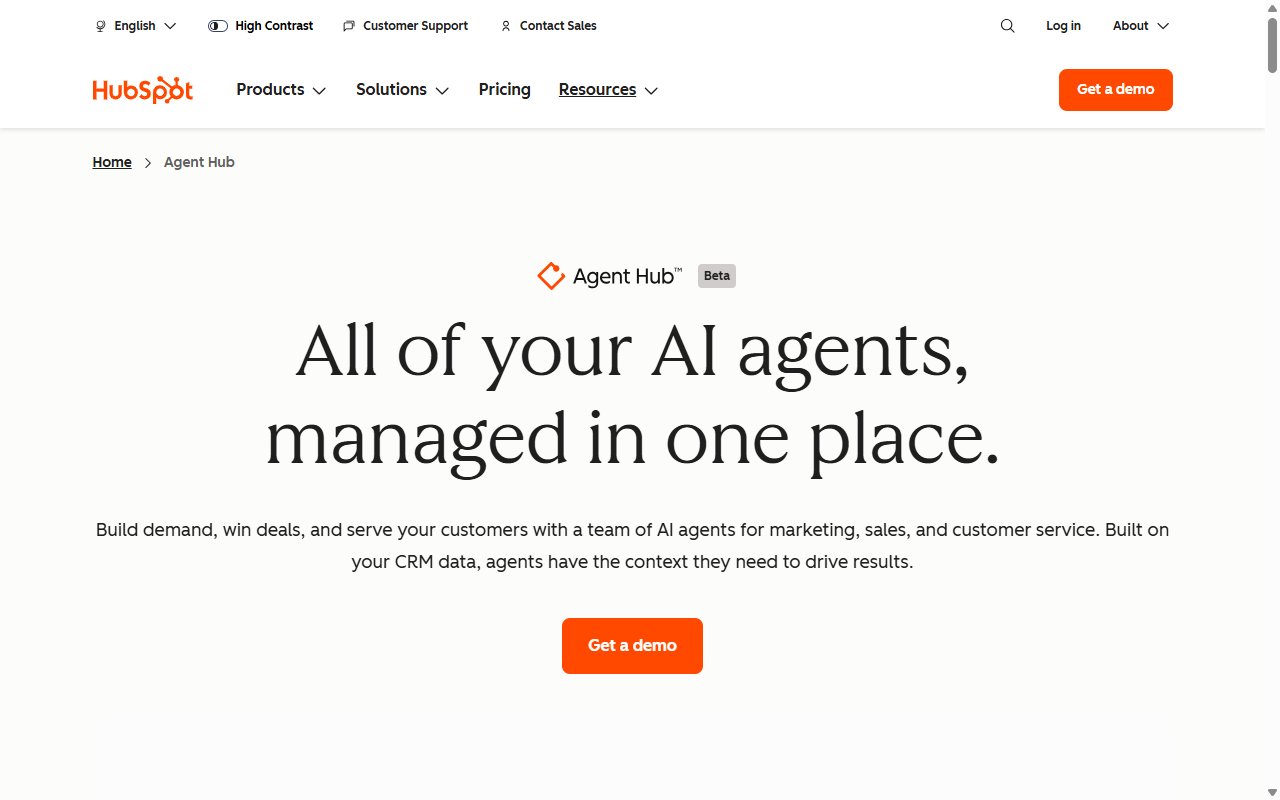
Since 23 July 2026, these agents live in Agent Hub, which brings HubSpot’s pre-built agents, custom agents, and agentic workflows together in one place. As of August 2026 the line-up is Customer Agent, Prospecting Agent, Data Agent, and Deal Progression, plus HubSpot AEO in beta and any custom agents you build yourself. Here’s what each one actually does.
Customer Agent (Support)
Customer Agent is HubSpot’s AI chatbot for customer support. It works within the HubSpot chat widget and uses your knowledge base, website content, and uploaded documents to answer customer questions automatically.
Key facts:
- Costs 50 HubSpot credits per resolved conversation ($0.50)
- Requires a Professional or Enterprise plan (any hub); every Pro or Enterprise seat includes a 14-day unlimited trial of the agent
- Native channels: live chat, email, Facebook Messenger, WhatsApp, web forms, and voice calls (beta); channels like SMS or Telegram need custom-channel integrations
- Can hand over to a human agent when needed
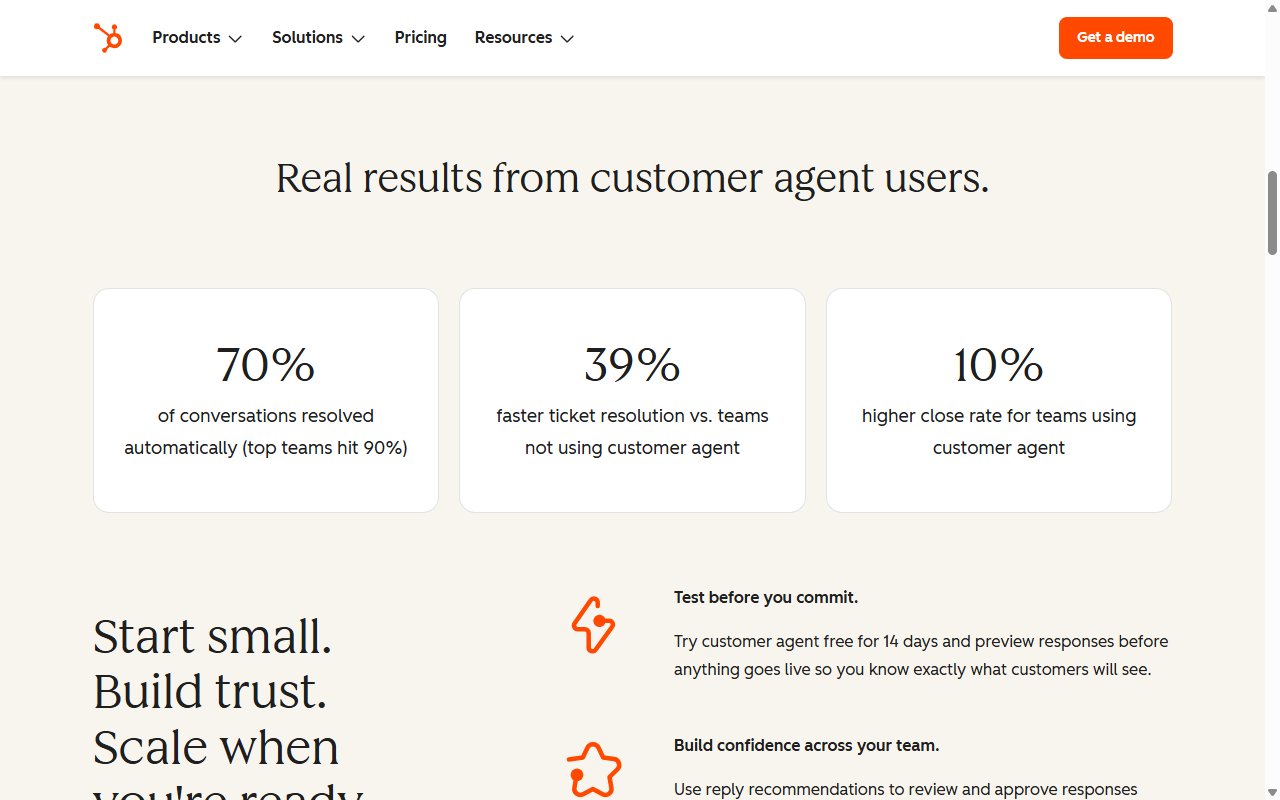
- HubSpot reports 70% of conversations resolved automatically, with top teams hitting 90%
How billing works: HubSpot counts a conversation as resolved when the agent provides support and the visitor doesn’t ask for a human within 72 hours of their last response. Qualifying a lead also counts as a billable resolution. In practice, you can be charged even when the answer didn’t genuinely fix the customer’s problem, as long as the visitor didn’t ask for a human (a rep stepping in through assignment doesn’t stop the charge).
Behaviour controls: for a long time you couldn’t direct this AI’s behaviour at all. In June 2026 HubSpot caught up with specialist tools by adding Guidelines: tone and response-style settings, scripted responses, and guardrails for topics to avoid.
There’s also a less obvious problem. Customer Agent’s quality depends entirely on the knowledge base you feed it. As one community member put it: “If the AI is only fed a sparse or outdated help centre, it’s just going to be confidently wrong.” Companies that lack thorough documentation will struggle to get good results, regardless of the AI’s capabilities.
If you’re on Free or Starter, Customer Agent won’t run at all; third-party AI works on any HubSpot plan. For a deeper look, see our detailed HubSpot Customer Agent review.
Prospecting Agent (Sales)
Prospecting Agent researches target companies, identifies sales opportunities, and crafts personalised outreach messages. It charges 100 credits ($1.00) per recommended lead. Since mid-2026 it’s available on Starter plans and above, no longer locked to Professional.
Best suited for B2B sales teams actively prospecting. Less relevant for support-focused or product-led businesses.
Content Agent (Beta)
Content Agent helps create blog posts, landing pages, and marketing content. It also includes Content Remix, a feature that repurposes existing content into social posts, emails, and ad copy. It requires Content Hub Professional or above, and HubSpot’s catalog now lists it as a beta agent billed at 1,000 credits (about $10) per generated piece.
Useful for marketing teams that produce content regularly, though the output typically needs significant editing to match your brand voice. Content Remix (repurposing existing content) tends to be more reliable than generating from scratch.
Data Agent
Data Agent monitors your CRM for data quality issues, duplicates, inconsistencies, missing fields, and formatting problems. It flags issues and recommends fixes. Uses 10 credits ($0.10) per response.
Valuable for any team with a messy CRM, which frankly covers most growing businesses.
Deal Progression, AEO, and the Beta Roster (2026)
The agent roster has churned through 2026. The newest additions are Deal Progression (deal insights and next steps) and HubSpot AEO, a beta agent that optimises your content for AI search citations. The Knowledge Base Agent (turns support conversations into help articles) remains in beta, and marketplace agents such as Customer Health and Deal Loss are installable extras.
Just as notable is what’s gone. In July 2026 HubSpot retired five templated agents, including the ABM Landing Page, RFP, and Sales-to-Marketing Feedback agents. Installed copies keep working but get no further updates.
Beta agents are no longer reliably free, either. Custom agents started consuming credits (one credit per action unit) in July 2026. HubSpot’s billing docs say they “aim to provide a 30-day notice before beta features begin consuming credits”, while warning this may not always be possible. Keep an eye on usage if you rely on any beta agent.
Breeze Intelligence
Breeze Intelligence is HubSpot’s data enrichment and buyer-intent toolset, and one of the few places the Breeze name still officially lives. It draws from a database of over 200 million company and contact profiles to fill in missing CRM data: industry, company size, revenue, contact details, and more.
Key features:
- Data enrichment: fills gaps in your CRM records automatically. Standard field enrichment is free and doesn’t consume credits.
- Buyer intent signals: identifies companies researching topics related to your business
- Form shortening: pre-fills form fields using enrichment data, reducing friction for leads
How it’s priced: Intelligence used to have its own credit pool, but it now draws from the same shared HubSpot Credits as every other AI feature. See our HubSpot AI pricing guide for current pack costs.
Who it’s for: sales-heavy B2B teams that rely on outbound prospecting. If customer support is your focus, Intelligence won’t be your priority.
Agent Builder and the Agent Marketplace (Formerly Breeze Studio)
Agent Builder is where you build, customise, and manage AI agents. HubSpot renamed it from Breeze Studio when it entered public beta in July 2026, and it’s available on Professional and Enterprise plans.
What you can do in Agent Builder:
- Create custom AI agents with specific instructions and knowledge
- Set up Knowledge Vaults, collections of documents, product details, and process guidelines that agents reference for accurate responses
- Define Tools, the actions agents can perform (retrieving CRM data, generating content, calling APIs), now including MCP integrations
- Install and configure agents from the Agent Marketplace
- Monitor AI usage, with audit cards recording which CRM properties changed and what data informed each action
Custom agents default to GPT-5, per HubSpot’s January 2026 release note. Breeze Assistant can even scaffold a custom agent for you from a plain-English description.
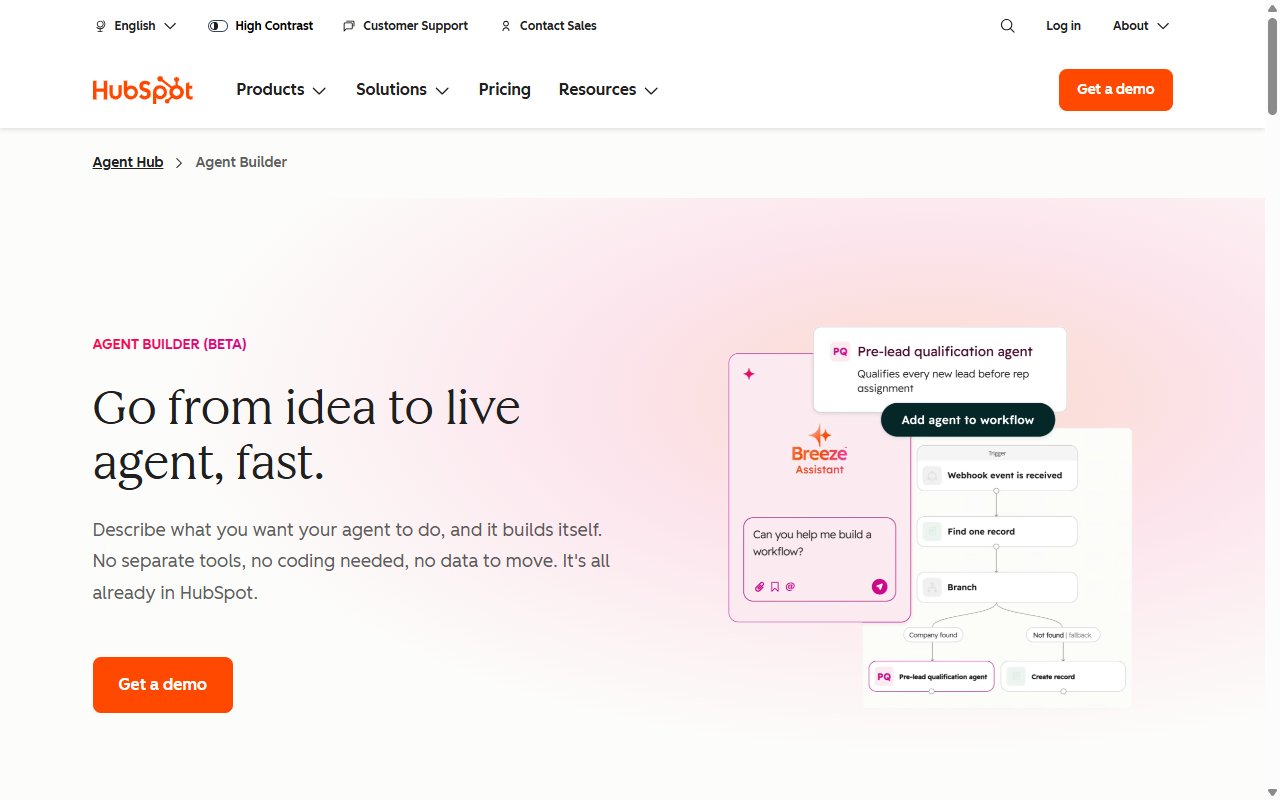
The Agent Marketplace (formerly Breeze Marketplace) lets you discover and install pre-built agents and integrations from HubSpot’s partner ecosystem. Third-party AI tools (including support chatbot alternatives) are available here too.
How Much Does HubSpot Breeze Cost? (Short Version)
HubSpot Breeze pricing depends on three things: your HubSpot plan, which features you use, and how much you use them. The headline numbers:
| At a glance | |
|---|---|
| Cheapest plan with full agent access | Service Hub Professional ($90/seat/mo billed annually, $100 month-to-month) |
| Required Professional onboarding fee | $1,500 (one-off) |
| Cost per Customer Agent resolution | $0.50 (50 credits) |
| Monthly credits included on Professional | 3,000 (roughly 60 resolutions) |
| Free tier | Breeze Assistant only |
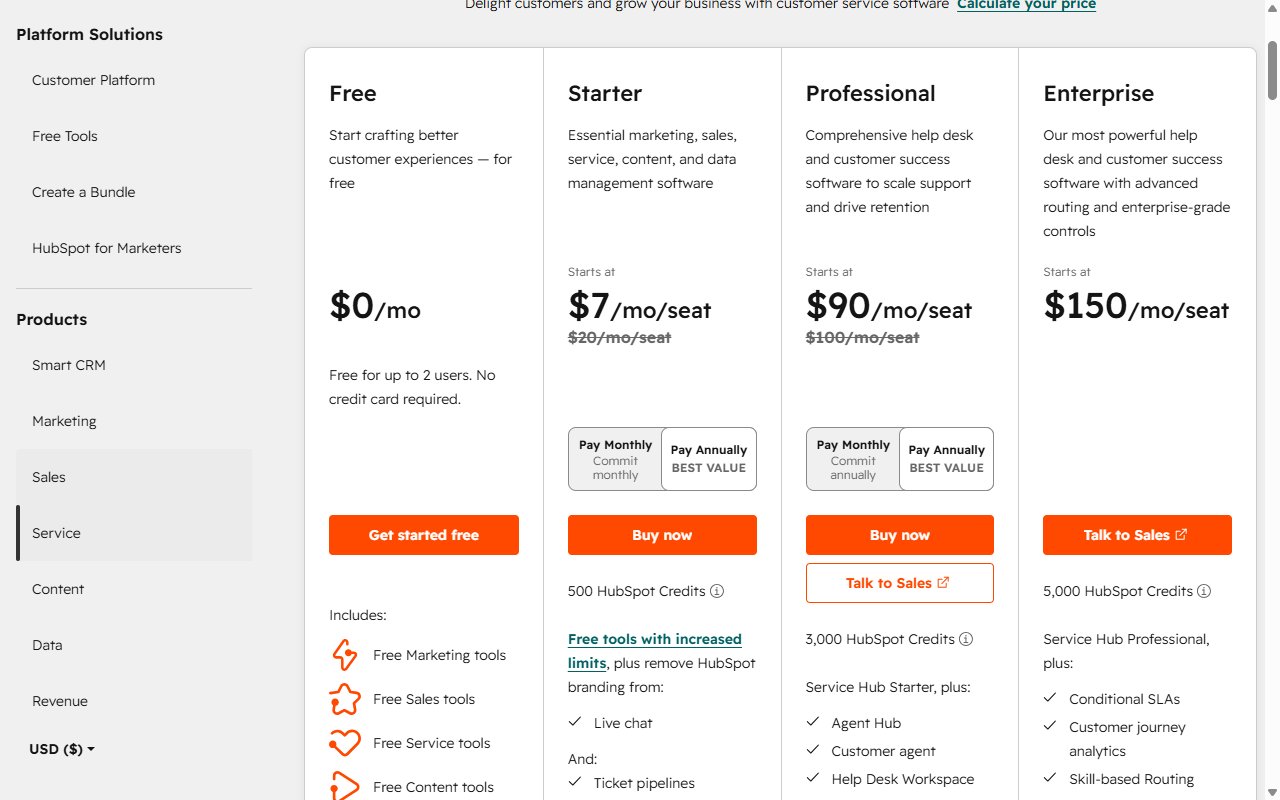
Beyond the basics, credit gotchas, auto-upgrade traps, real-world monthly cost projections, and the cheapest legitimate path to AI support on Free or Starter, we’ve covered all of it in detail. Read the full breakdown: HubSpot AI Pricing Explained.
Who Is HubSpot Breeze Best For?
Not every business will get the same value from the suite. Here’s an honest assessment.
Great fit:
- Large teams already on Professional or Enterprise plans who want AI embedded in their existing workflow
- Sales-driven organisations that benefit from Prospecting Agent and Intelligence
- Businesses already using HubSpot as their primary CRM, marketing, and support platform
- Companies with budget to absorb credit costs at scale
Decent fit:
- Mid-size teams willing to invest in Professional for the broader HubSpot features (not just AI)
- Marketing teams that would use Content Agent regularly alongside other Professional features
Poor fit:
- SMBs on HubSpot’s Free or Starter plans: the flagship Customer Agent is locked out (only the Prospecting Agent now reaches down to Starter)
- Budget-conscious businesses where per-resolution credit costs add up fast
- Teams that need AI for customer support specifically but don’t need the full HubSpot Professional suite
- Businesses with knowledge bases in external tools (Notion, Google Drive, Confluence), where integrations are limited
Consider this: if you’re a 10-person company on HubSpot Starter, upgrading to Professional purely for AI access rarely makes financial sense, see the pricing breakdown for the maths. One HubSpot Solutions Partner reported that after demoing Breeze to four clients, all four declined to upgrade. The gap between marketing promise and practical value was too wide for their budgets.
Limitations and What to Watch Out For
HubSpot’s AI suite is capable, but it has real limitations worth knowing about before you commit. These aren’t edge cases. They come up repeatedly in HubSpot user communities.
Pricing concerns:
The credit-based pricing model has several gotchas worth understanding before you commit, we’ve documented all of them in the pricing guide. The short version: credits are shared across all AI features, auto-upgrade is the default on credits bought before 16 September 2026, and unused credits don’t roll over.
Functionality gaps:
- Behaviour controls arrived late. The June 2026 Guidelines feature brought tone, style, and guardrail settings to Customer Agent, catching up with what specialist tools had offered for some time.
- External knowledge sources (Notion, Google Drive, Zendesk) require workarounds rather than native integration.
- Breeze Assistant has rate limits (~30 requests/minute, 1,000/day) that can be frustrating during busy periods.
- Much of the line-up is in public beta (Agent Hub, Agent Builder, several agents) with no guaranteed release timeline. The roster changes fast: five agents were retired in July 2026 alone.
- Beta features can start consuming credits at short notice; custom agents already do.
Ecosystem lock-in:
- The AI is optimised for data inside HubSpot. If your knowledge base, documentation, or customer data lives partly outside HubSpot, accuracy drops.
- Switching away means losing any agent configurations and Knowledge Vault content you’ve built.
As one Reddit user summarised the general sentiment: “Like most things HubSpot does, there are far better point solutions available, but it’s good enough if you factor in it’s wrapped up with all the other tools HubSpot includes.”
That’s a fair assessment. If you’re already deep in the HubSpot ecosystem, the convenience of built-in AI has real value. But if you’re a small team primarily looking for AI customer support, these limitations matter, especially when more affordable, more flexible alternatives exist.
HubSpot Breeze Alternatives for Customer Support
If Breeze’s pricing or plan requirements don’t work for your business, dedicated AI support tools offer a different approach.
| Feature | HubSpot Breeze Customer Agent | Resolve247 |
|---|---|---|
| Works on HubSpot Free/Starter | No | Yes |
| Cost per conversation | $0.50/resolution | ~$0.04 |
| Starting price | Pro plan required | $35/mo |
| Onboarding fee | $1,500 (Professional requirement) | None |
| Resolution rate | 70% (HubSpot’s stated average) | 82% average across our customers |
| Anti-hallucination guarantee | No | Yes |
| Credits to manage | Yes (shared pool) | No (flat monthly pricing) |
| Human handover | Yes | Yes |
| Setup time | Minutes | Minutes |
Resolve247 integrates directly into your existing HubSpot chat widget on any plan, including Free and Starter. Your customers use the same chat interface. Conversations still appear in your HubSpot inbox, and handover to human agents works seamlessly. The key difference? Flat monthly pricing from $35/mo for 2,000 AI messages instead of per-resolution credit costs.
For the full feature-by-feature comparison, read our head-to-head: HubSpot’s AI vs Resolve247. For a broader look at the market, see our guide to HubSpot AI chatbot alternatives or our roundup of the top AI chatbots for HubSpot. You can also add AI to your HubSpot chat widget on any plan without upgrading.
Frequently Asked Questions
Is HubSpot Breeze now called Agent Hub?
Partly. In July 2026 HubSpot moved Breeze Agents into a new home called Agent Hub and renamed Breeze Studio to Agent Builder, both in public beta. The Breeze name still applies to Breeze Assistant (the in-app AI helper) and Breeze Intelligence (data enrichment). Same tools, new packaging.
Is HubSpot Breeze the same as HubSpot AI?
Effectively yes. “Breeze” has been the brand name for HubSpot’s AI suite since 2024, so “HubSpot AI” and “Breeze” usually mean the same thing. Since July 2026 the agents officially live under “Agent Hub”, but the names are still used interchangeably.
What’s the difference between Breeze Assistant and Breeze Agents?
Breeze Assistant is conversational: you ask it something, it responds. It’s the sidebar AI helper available on every plan, including free. Breeze Agents (now housed in Agent Hub) are autonomous: they run in the background, monitor your data, and take multi-step actions on their own, like answering customer questions or cleaning CRM data. Most agents require a Professional or Enterprise subscription and consume credits per action.
What was HubSpot Breeze called before?
Most of what’s now Breeze was previously branded “HubSpot AI” or “Copilot” (the conversational assistant in particular). HubSpot consolidated the branding under Breeze in 2024 to 2025, then began moving past it in 2026: Breeze Agents became Agent Hub and Breeze Studio became Agent Builder. Older documentation still references the earlier names.
Is HubSpot Breeze free?
Partly. Breeze Assistant (the conversational AI helper) is available on all plans, including free. However, the flagship agents require a Professional or Enterprise subscription. Even on those plans, agents consume credits that cost extra beyond a monthly allowance (3,000 credits on Professional).
What is the difference between Breeze and the HubSpot Chatbot Builder?
The HubSpot Chatbot Builder creates rule-based bots with scripted decision trees, where visitors choose from predefined options. Breeze Customer Agent uses AI to understand and respond to open-ended questions using your knowledge base. The Chatbot Builder is available on more plans but is far less capable.
Can I use Breeze on HubSpot’s free plan?
You can use Breeze Assistant for basic AI help within HubSpot. But you cannot use the agents (Customer Agent, Data Agent, etc.) on the free plan; these require paid subscriptions, our pricing guide covers the exact thresholds. If you’re on Free or Starter and want AI customer support, third-party tools that work on any HubSpot plan are usually the better option.
Conclusion
So, what is HubSpot Breeze in 2026? A capable AI suite mid-rebrand: the agents now live in Agent Hub, the builder is called Agent Builder, and the underlying tools keep improving. For large organisations already on HubSpot’s Professional or Enterprise tiers, it adds meaningful AI without switching platforms. It sits in roughly the same league as the best general-purpose CRM AI on the market.
For small and medium businesses, the picture is less clear. The flagship Customer Agent is locked behind Professional plans (plus a $1,500 onboarding fee), and credit-based pricing creates unpredictable costs, we’ve broken down the maths in our pricing guide. Customer support automation, where many SMBs need AI most, remains one of the priciest things you can do per credit.
If your primary goal is AI-powered customer support without the complexity of a full Professional upgrade, dedicated tools offer a better path. Resolve247’s HubSpot integration provides AI customer support on any HubSpot plan from $35/mo, with flat pricing and an anti-hallucination guarantee.
Ready to try AI customer support without the Breeze price tag? Start your free 30-day trial, no credit card required, setup in minutes.